跳转到主内容
加入维修社区 - 创建账户

Nikon D3000 Motherboard Replacement

你所需要的

    1. Nikon D3000 Motherboard Replacement, Motherboard: 步骤 1 中的图像 1,2 Nikon D3000 Motherboard Replacement, Motherboard: 步骤 1 中的图像 2,2
      • Remove six 3 mm x 2.5 mm Phillips head screws from the bottom right of the camera bottom.

      • Remove three 3 mm x 5.5 mm Phillips head screws from the bottom left of the camera bottom

      • Lift the battery cover and remove two 3 mm x 5 mm Phillips head screws.

      询问修复机器人

      添加评论

    2. Nikon D3000 Motherboard Replacement: 步骤 2 中的图像 1,3 Nikon D3000 Motherboard Replacement: 步骤 2 中的图像 2,3 Nikon D3000 Motherboard Replacement: 步骤 2 中的图像 3,3
      • Remove the two 3 mm x 5.5 mm Phillips head screws from the either side of the viewfinder.

      • Remove four 3 mm x 5.5 mm Phillips head screws from the sides of the camera.

      • Remove two 3 mm x 4 mm Phillips head screws from under the SD card door.

      询问修复机器人

      添加评论

    3. Nikon D3000 Motherboard Replacement: 步骤 3 中的图像 1,2 Nikon D3000 Motherboard Replacement: 步骤 3 中的图像 2,2
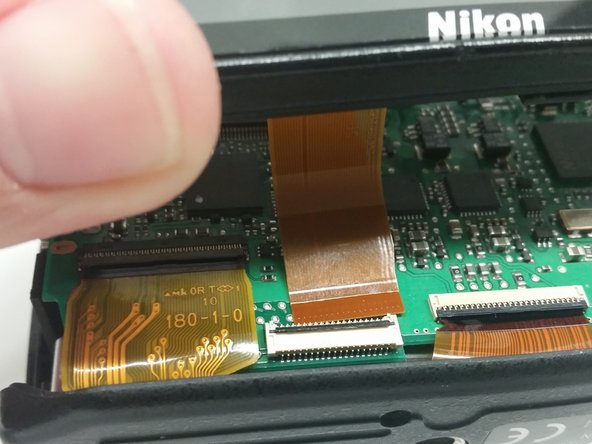
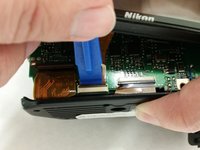
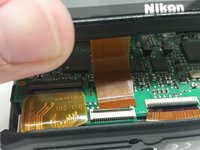
      • Use the following process for removing all ribbon connectors.

      • Lift the back of the camera and, using the blue prying tool, lift the tab from the LCD ribbon connector.

      • Slide the ribbon connector away from the bottom of the camera and remove the back cover containing the LCD to expose the motherboard.

      询问修复机器人

      添加评论

    4. Nikon D3000 Motherboard Replacement: 步骤 4 中的图像 1,2 Nikon D3000 Motherboard Replacement: 步骤 4 中的图像 2,2
      • Soldering irons are hot; take all necessary precautions to not burn yourself or equipment.

      • Be sure to label each gray wire to be removed from the motherboard as they are the same color and can be mixed up during reassembly.

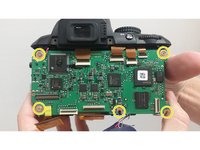
      • Lift the tab on the ribbon connector and pull away the ribbon to expose a 4 mm x 4 mm Phillips head screw.

      • De-solder the red (upper), two grey (lower), red (lower), and blue (lower) wires from the motherboard.

      • Remove five 4 mm x 4 mm Phillips head screws holding the motherboard to the camera frame.

      询问修复机器人

      添加评论

    5. Nikon D3000 Motherboard Replacement: 步骤 5 中的图像 1,2 Nikon D3000 Motherboard Replacement: 步骤 5 中的图像 2,2
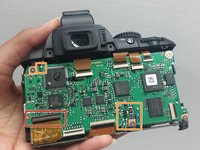
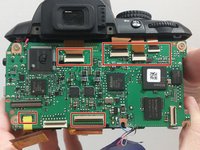
      • Lift the tabs and pull away the ribbon connectors shown .

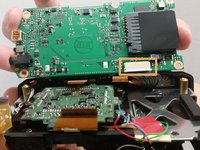
      • Lift the motherboard and disconnect the grey connector from the bottom.

      • Disconnect and remove the motherboard.

      询问修复机器人

      添加评论

结论

To reassemble your device, follow these instructions in reverse order.

取消:我没有完成这个指南。

3等其他人完成本指南。

团队

USF Tampa, Team 14-7, Meier Fall 2015 USF Tampa, Team 14-7, Meier Fall 2015 的会员

USFT-MEIER-F15S14G7

4 名成员

创作了6篇指南

0指南评论

添加评论

浏览统计数据:

过去 24 小时: 1

过去 7 天: 10

过去 30 天: 49

总计 4,911