跳转到主内容

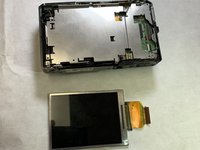
Nikon Coolpix S9050 LCD Screen Replacement

你所需要的

  1. Nikon Coolpix S9050 LCD Screen Replacement, Menu Wheel and OK Button: 步骤 1 中的图像 1,3 Nikon Coolpix S9050 LCD Screen Replacement, Menu Wheel and OK Button: 步骤 1 中的图像 2,3 Nikon Coolpix S9050 LCD Screen Replacement, Menu Wheel and OK Button: 步骤 1 中的图像 3,3
    • Using a Phillips #000 screwdriver, remove the two 3.2mm black screws on both sides of the camera.

    • Set the camera face down and remove the four 3.2mm silver screws using the same screwdriver.

  2. Nikon Coolpix S9050 LCD Screen Replacement: 步骤 2 中的图像 1,1
    • Remove the display frame and trim from the main body of the camera.

  3. Nikon Coolpix S9050 LCD Screen Replacement: 步骤 3 中的图像 1,3 Nikon Coolpix S9050 LCD Screen Replacement: 步骤 3 中的图像 2,3 Nikon Coolpix S9050 LCD Screen Replacement: 步骤 3 中的图像 3,3
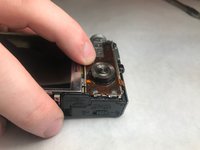
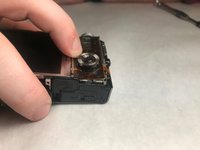
    • Press down and pull the Menu Wheel/OK Button panel toward the screen.

    • This releases the panel from the slots.

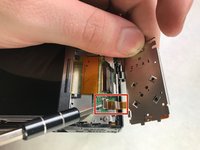
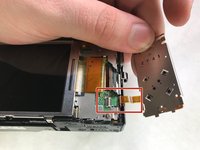
  4. Nikon Coolpix S9050 LCD Screen Replacement: 步骤 4 中的图像 1,3 Nikon Coolpix S9050 LCD Screen Replacement: 步骤 4 中的图像 2,3 Nikon Coolpix S9050 LCD Screen Replacement: 步骤 4 中的图像 3,3
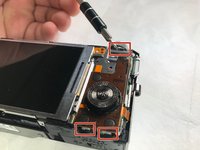
    • Lift the black plastic tabs, which are securing the panel.

    • Gently pull the panel out to separate the display ribbon cable from the camera body.

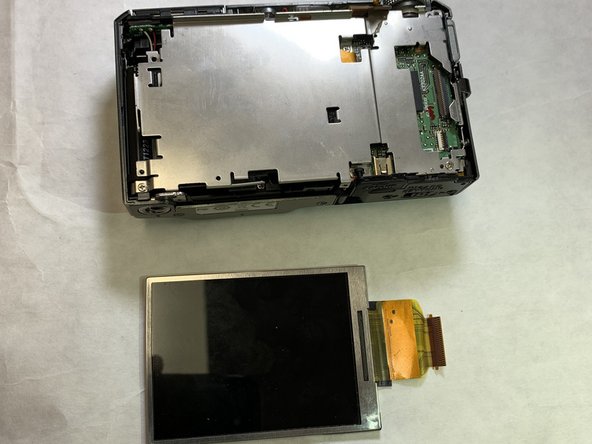
  5. Nikon Coolpix S9050 LCD Screen Replacement, LCD Screen: 步骤 5 中的图像 1,1
    • Remove the silver 3.2 mm Phillips #000 screw on the corner of the device to remove the screen.

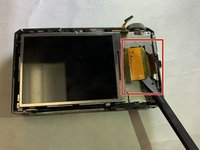
  6. Nikon Coolpix S9050 LCD Screen Replacement: 步骤 6 中的图像 1,2 Nikon Coolpix S9050 LCD Screen Replacement: 步骤 6 中的图像 2,2
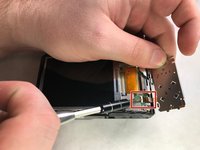
    • Gently remove pin connector using the spudger to disconnect the screen.

结论

To reassemble your device, follow these instructions in reverse order.

Kyle Gildner

于11/05/19注册

199 声望

创作了2篇指南

团队

IUPUI, Team S1-G5, Stella Fall 2019 IUPUI, Team S1-G5, Stella Fall 2019 的会员

IUPUI-STELLA-F19S1G5

3 名成员

创作了5篇指南

0指南评论

添加评论

浏览统计数据:

过去 24 小时: 0

过去 7 天: 7

过去 30 天: 17

总计 385