简介
If you are not receiving video, or the picture is blurred or discolored, then a faulty camera may be the issue. If troubleshooting has led you here, then this guide will help you change the camera in your Nest Hello. Disassembly will require the iFixit opening picks, Phillips #000 screwdriver, and tweezers. It is easy to damage the waterproofing O-Ring while removing the faceplate and device housing, so [|plan on replacing that as well.]
你所需要的
-
-
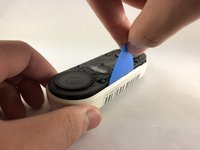
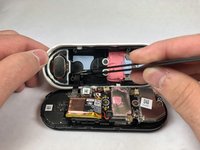
Insert the pick between the black faceplate and white casing of the Nest Hello.
-
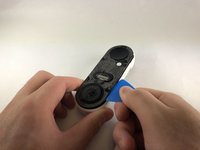
Pry the faceplate away from the device with the opening pick.
-
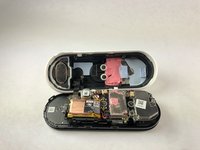
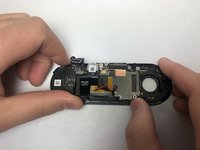
Completely remove the faceplate from the device, do not be afraid to pull hard.
-
-
-
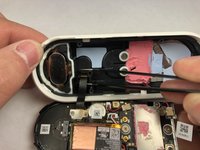
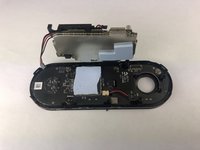
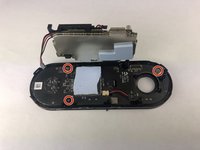
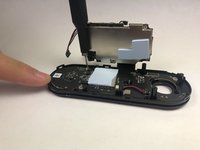
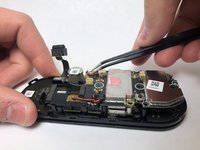
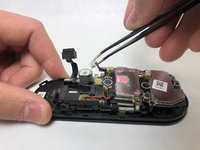
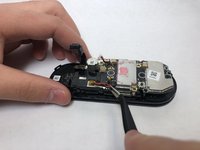
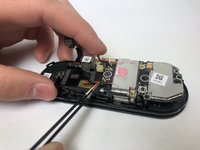
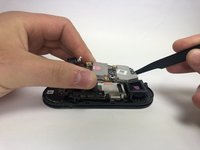
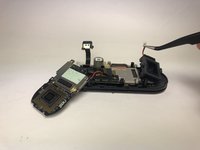
Use the Phillips #000 to remove the two screws holding the ribbon cable to the white casing.
-
-












To reassemble your device, follow these instructions in reverse order.


团队

Embry-Riddle Aeronautical University, Team S1-G7, Cromer Twal Spring 2020 Embry-Riddle Aeronautical University, Team S1-G7, Cromer Twal Spring 2020 的会员
ERAU-CROMER TWAL-S20S1G7
4 名成员
创作了27篇指南
