
Nest Dropcam Pro Motherboard Replacement

最后更新于 2022年6月22日
浏览量: 9715
浏览统计数据:
- 过去24小时
- 4
- 过去 7 天:
- 23
- 过去 30 天:
- 96
- 总计
- 9,715
评论: 9
2 comments on steps, 7 guide comments.
Go to guide comments已完成: 7 8
7 人已将本指南标记为“已完成”。你会是下一个完成的人吗?
8 人已将本指南标记为“已完成”。包括你——干的漂亮!
收藏: 0 1
暂时还没有人收藏(和订阅)本指南。你会是第一个收藏(和订阅)的人吗?
1 人收藏(并订阅)了本指南——那就是你!
特色学生指南
该指南是我们优秀学生的辛勤劳动的成果,iFixit的工作人员认为这个很酷。
简介
转到步骤 1 ↓This guide is used to replace the motherboard of the Nest Dropcam Pro if yours has stopped working. Make sure the device is unplugged before opening.
你所需要的
工具
-
Spudger4.9


-
-
-
Press in the mounting clips on each side of the case to remove the camera from the mount.
 询问修复机器人
-
-
-
-
-
-
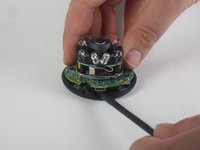
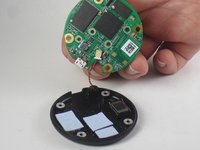
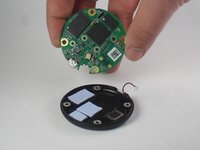
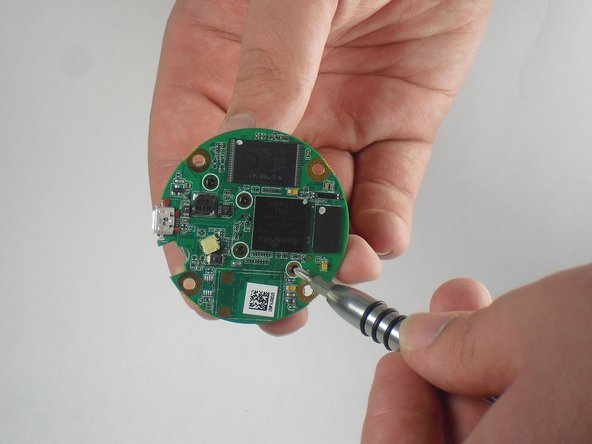
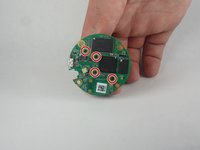
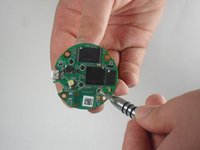
Insert a spudger tool under the micro-USB port and lift to separate the motherboard from the back case.
-
-


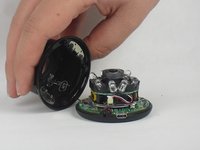
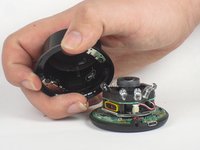


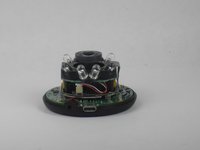




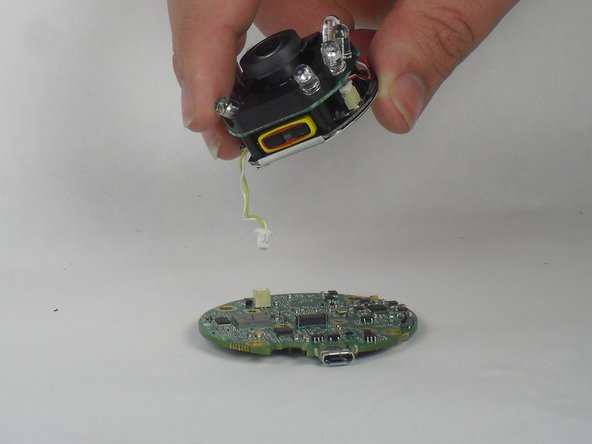
To reassemble your device, follow these instructions in reverse order.
7等其他人完成本指南。

团队

USF Tampa, Team 15-4, Blackwell Fall 2015 USF Tampa, Team 15-4, Blackwell Fall 2015 的会员
USFT-BLACKWELL-F15S15G4
3 名成员
创作了72篇指南
7指南评论
where we can get the mother board to replace
fercervantes - 回复 分享
I need this too
kundimberi - 回复 分享
Can't find it either. Silly to write an entire article for credit if parts arent actually available.
searched for the MB online?? Why no mention of where to get it??
