此翻译由机器生成,尚未经过人工审核。 会说这种语言吗? 查看评论。

Monster M7 平板电脑拆解

最后更新于 2026年8月19日
浏览量: 4269
浏览统计数据:
- 过去24小时
- 3
- 过去 7 天:
- 23
- 过去 30 天:
- 93
- 总计
- 4,269
评论: 2
2 guide comments.
Go to guide comments已完成: 3 4
3 人已将本指南标记为“已完成”。你会是下一个完成的人吗?
4 人已将本指南标记为“已完成”。包括你——干的漂亮!
收藏: 4 5
4 人已收藏(并订阅)本指南。你会是下一个吗?
5 人收藏(并订阅)了本指南——这其中包括你!
社区贡献指南
我们社区的一个非常棒的成员制作了本指南。它不是由 iFixit 工作人员创建的。
简介
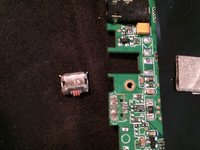
转到步骤 1 ↓这是 Monster M7 16GB 平板电脑。该设备存在一个固有的问题,即 micro USB 接口容易从主板上脱落。重新连接该接口需要显微焊接技术。如果你能将设备拆解并将所需的部件带给专业维修人员,维修费用将会大幅降低。(Monster 不会维修你的平板电脑,他们只会寄给你一台新的;而 Walmart 的保修服务则会退款给你。但这两种方式都会让你经历不少压力和烦恼。)
你所需要的


-
-
-
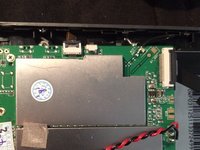
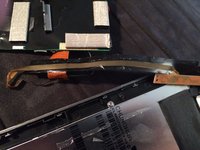
Wi-Fi 天线位于音量开关下方。撕下胶带,将天线移至另一侧。天线电缆直接焊接在电路板上,因此请务必小心操作。
-
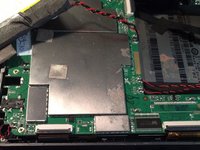
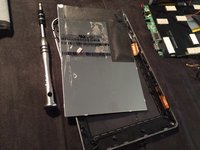
将覆盖在电池和电路板上的胶带撕下。将其完全取下。电池采用粘贴固定,并且焊接在电路板上,所以请再次……
-
-
-
-
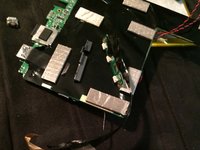
断开排线连接器。右侧有两个,左侧有两个。掀起锁扣,拉出排线。小心左侧的天线电缆。再次提醒,它焊接在电路板上,并连接到电路板下方的扁平线束。
-
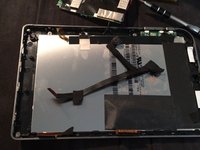
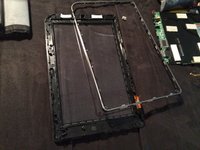
拆下电路板下端的四颗小十字螺丝。从电路板顶部抬起,向上向外拉出。至此,你可以维修 Micro-USB 接口。这需要微型焊接技术。如果你无法完成,请寻求专业人士的帮助。 ;)
-


 询问修复机器人






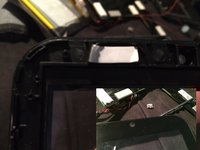
要重新组装设备,请按相反顺序执行这些说明。
3等其他人完成本指南。

2指南评论
Trying to troubleshoot a friend's M7. It froze up on her, so she did a factory reset. After that the WIFI and Bluetooth both refuse to turn on (I switch it to on, but after a few seconds it just switches back to off). This wasn't a problem before the reset. I flashed a ROM to install monster updates (only way to update it without internet connectivity). That worked fine, but the WIFI and Bluetooth still don't work. I removed the back as you instructed to take a look at the WIFI antenna, but nothing looked loose or in need of solder, etc.
Any advice?
So sorry I didn't get back to you, Alison. If you still want advice, check the connections carefully by hand. Sometimes, reseating a connection will correct these type of issues. If that doesn't help, check back in and I'll get back to you sooner.
Eric Viitala - 回复 分享
