跳转到主内容
加入维修社区 - 创建账户

Mad Catz Dual Force 2 Pro Buttons Replacement

你所需要的

  1. Mad Catz Dual Force 2 Pro Buttons Replacement, Buttons: 步骤 1 中的图像 1,1
    • Remove the six 7 mm Phillips screws from the rear cover.

  2. Mad Catz Dual Force 2 Pro Buttons Replacement: 步骤 2 中的图像 1,1
    • Remove the back of the controller.

  3. Mad Catz Dual Force 2 Pro Buttons Replacement: 步骤 3 中的图像 1,1
    • Remove the two 7 mm screws on the closest circuit board.

  4. Mad Catz Dual Force 2 Pro Buttons Replacement: 步骤 4 中的图像 1,2 Mad Catz Dual Force 2 Pro Buttons Replacement: 步骤 4 中的图像 2,2
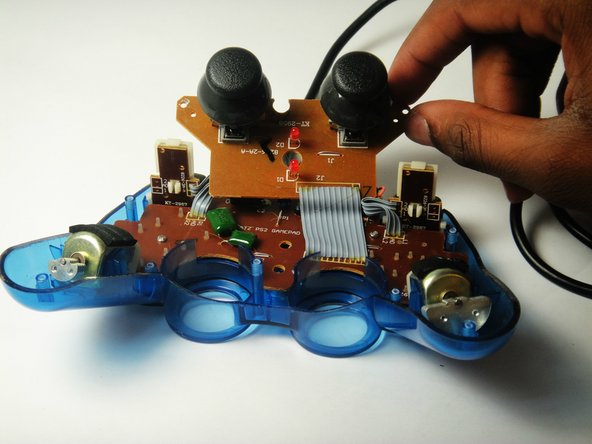
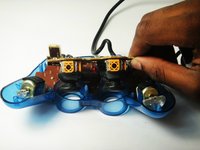
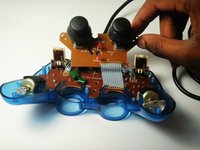
    • Lift the closest circuit board away from the motherboard.

    • Be sure you do not tear the ribbon connecting the smaller circuit board to the motherboard.

  5. Mad Catz Dual Force 2 Pro Buttons Replacement: 步骤 5 中的图像 1,1
    • Remove the two 7 mm Philip screws on the larger circuit board.

  6. Mad Catz Dual Force 2 Pro Buttons Replacement: 步骤 6 中的图像 1,2 Mad Catz Dual Force 2 Pro Buttons Replacement: 步骤 6 中的图像 2,2
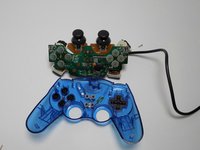
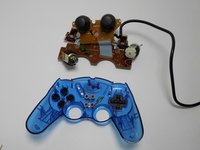
    • Remove the motherboard assembly from the cover.

  7. Mad Catz Dual Force 2 Pro Buttons Replacement: 步骤 7 中的图像 1,1
    • Lift out any of the plastic buttons you want to replace.

结论

To reassemble your device, follow these instructions in reverse order.

Alexander Coyne

于01/11/15注册

847 声望

创作了5篇指南

团队

USF Tampa, Team 7-2, Remmell Winter 2015 USF Tampa, Team 7-2, Remmell Winter 2015 的会员

USFT-REMMELL-W15S7G2

4 名成员

创作了10篇指南

0指南评论

添加评论

浏览统计数据:

过去 24 小时: 2

过去 7 天: 16

过去 30 天: 41

总计 871