跳转到主内容
加入维修社区 - 创建账户

Macintosh PowerBook 165c Display Replacement

你所需要的

    1. Macintosh PowerBook 165c Display Replacement, Display: 步骤 1 中的图像 1,1
      • Orientate the computer right side up and open the display case to reveal the display.

      • Use a plastic opening tool to remove the two small plastic plugs located on the display case just below the display.

      询问修复机器人

      添加评论

    2. Macintosh PowerBook 165c Display Replacement: 步骤 2 中的图像 1,1
      • Use a T8 torx screwdriver to remove the two, 7.7mm long screws that were revealed by removing the plastic plugs.

      • Twist counterclockwise to remove the screw.

      • Caution: Once the screws are removed, the display is only held by two screws. Handle delicately.

      询问修复机器人

      添加评论

    3. Macintosh PowerBook 165c Display Replacement: 步骤 3 中的图像 1,1
      • Grip the two bottom corners of the plastic display cover and gently pull towards yourself so that the display cover rotates about the top of the display case.

      • The display cover should release from top.

      • Remove the display case.

      添加评论

    4. Macintosh PowerBook 165c Display Replacement: 步骤 4 中的图像 1,1
      • Locate the black connector on the right of the display. The connector can be identified by the pink, light blue, and white wires protruding from its side.

      • Remove the black connector from the circuit board by pulling it away from its adapter.

      询问修复机器人

      添加评论

    5. Macintosh PowerBook 165c Display Replacement: 步骤 5 中的图像 1,1
      • Using a T8 torx screwdriver, remove the four, 10.8mm long screws from the corners of the display.

      • Caution: The display is no longer supported and must be handled with care.

      询问修复机器人

      添加评论

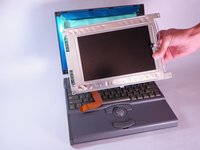
    6. Macintosh PowerBook 165c Display Replacement: 步骤 6 中的图像 1,1
      • Carefully tilt the display downwards and rest it on the keyboard.

      询问修复机器人

      添加评论

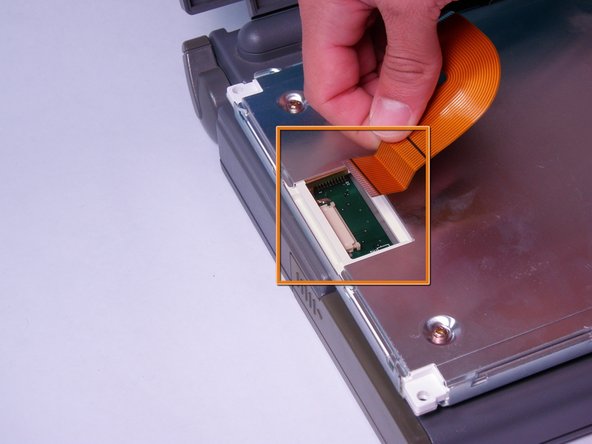
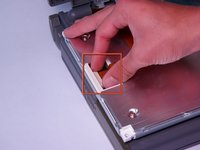
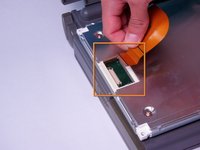
    7. Macintosh PowerBook 165c Display Replacement: 步骤 7 中的图像 1,3 Macintosh PowerBook 165c Display Replacement: 步骤 7 中的图像 2,3 Macintosh PowerBook 165c Display Replacement: 步骤 7 中的图像 3,3
      • Locate the orange ribbon cable on the back of the display.

      • Open the white tab fastener by pulling it outward.

      • Remove the orange ribbon cable by gently pulling it away from the opened tab fastener.

      • The display is now free.

      询问修复机器人

      添加评论

结论

To reassemble your device, follow these instructions in reverse order.

取消:我没有完成这个指南。

另外一个人完成了本指南。

Jason

于10/12/11注册

110 声望

创作了4篇指南

团队

Cal Poly, Team 6-3, Regan Fall 2011 Cal Poly, Team 6-3, Regan Fall 2011 的会员

CPSU-REGAN-F11S6G3

4 名成员

创作了24篇指南

0指南评论

添加评论

浏览统计数据:

过去 24 小时: 1

过去 7 天: 15

过去 30 天: 61

总计 2,984