跳转到主内容
加入维修社区 - 创建账户

MacBook Pro 15" Retina Display Early 2013 I/O Board Cable Replacement

浏览量: 6404

浏览统计数据:

过去24小时
2
过去 7 天:
19
过去 30 天:
93
总计
6,404
评论: 99

98 comments on steps, 1 guide comment.

Go to guide comments
已完成: 1

1 人已将本指南标记为“已完成”。你会是下一个完成的人吗?

收藏: 3

3 人已收藏(并订阅)本指南。你会是下一个吗?

所需时间: 没有估计
难度: 中等
MacBook Pro 15" Retina Display Early 2013 I/O Board Cable Replacement

Input, Output, Sideput. Whatever kind of puting you will be doing, a faulty I/O board cable is going to severely limit the functionality of your MacBook Pro with Retina display. This guide will show you how to replace it.

你所需要的

配件

工具

    1. MacBook Pro 15" Retina Display Early 2013 I/O Board Cable Replacement, Lower Case: 步骤 1 中的图像 1,1
      • Remove the following P5 pentalobe screws securing the lower case to the MacBook Pro:

      • Eight 3.0 mm

      • Two 2.3 mm

      添加评论

    2. MacBook Pro 15" Retina Display Early 2013 I/O Board Cable Replacement: 步骤 2 中的图像 1,1
      • Lifting from the edge nearest the clutch cover, lift the lower case off the MacBook Pro.

      • Set the lower case aside.

      添加评论

    1. MacBook Pro 15" Retina Display Early 2013 I/O Board Cable Replacement, Battery Connector: 步骤 3 中的图像 1,1
      • Peel back the warning label covering the battery connector.

      添加评论

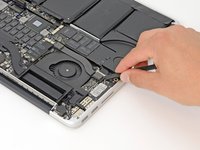
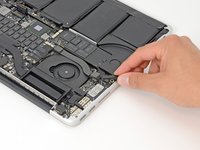
    2. MacBook Pro 15" Retina Display Early 2013 I/O Board Cable Replacement: 步骤 4 中的图像 1,2 MacBook Pro 15" Retina Display Early 2013 I/O Board Cable Replacement: 步骤 4 中的图像 2,2
      • Using the flat end of a spudger, gently pry the battery connector straight up out of its socket on the logic board.

      • Bend the battery cables back and out of the way, ensuring that the battery connector doesn't accidentally make contact with the logic board.

      添加评论

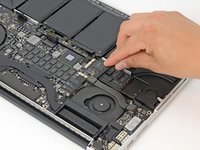
    1. MacBook Pro 15" Retina Display Early 2013 I/O Board Cable Replacement, I/O Board Cable: 步骤 5 中的图像 1,3 MacBook Pro 15" Retina Display Early 2013 I/O Board Cable Replacement, I/O Board Cable: 步骤 5 中的图像 2,3 MacBook Pro 15" Retina Display Early 2013 I/O Board Cable Replacement, I/O Board Cable: 步骤 5 中的图像 3,3
      • Using the flat end of a spudger, pry the I/O board cable straight up out of its socket on the I/O board.

      • In a similar fashion, remove the I/O board cable from its socket on the I/O board.

      询问修复机器人

      添加评论

    2. MacBook Pro 15" Retina Display Early 2013 I/O Board Cable Replacement: 步骤 6 中的图像 1,1
      • Remove the I/O board cable from the MacBook Pro.

      添加评论

结论

To reassemble your device, follow these instructions in reverse order.

取消:我没有完成这个指南。

另外一个人完成了本指南。

作者

与

Sam Goldheart

于10/18/12注册

478,743 声望

创作了538篇指南

团队

iFixit iFixit 的会员

Staff

119 名成员

创作了72,955篇指南

1指南评论

Will this work with a mid-2012 15” MacBook Pro Retina as well?

Andy - 回复 分享

添加评论

浏览统计数据:

过去 24 小时: 2

过去 7 天: 19

过去 30 天: 93

总计 6,404