跳转到主内容

Mac mini Late 2012 Fan Replacement

你所需要的

  1. Mac mini Late 2012 Fan Replacement, Bottom Cover: 步骤 1 中的图像 1,2 Mac mini Late 2012 Fan Replacement, Bottom Cover: 步骤 1 中的图像 2,2
    • Place your thumbs in the depressions cut into the bottom cover.

    • Rotate the bottom cover counter-clockwise until the white dot painted on the bottom cover is aligned with the ring inscribed on the outer case.

    • You do not need to apply much downward pressure while turning.

  2. Mac mini Late 2012 Fan Replacement: 步骤 2 中的图像 1,1
    • Tilt the mini enough to allow the bottom cover to fall away from the outer case.

    • Remove the bottom cover and set it aside.

  3. Mac mini Late 2012 Fan Replacement, Fan: 步骤 3 中的图像 1,1
    • Remove the two 11.3 mm T6 Torx screws securing the fan to the logic board near the antenna plate.

  4. Mac mini Late 2012 Fan Replacement: 步骤 4 中的图像 1,1
    • Lift the ear of the fan nearest the RAM up off the standoff secured to the outer case.

    • Removing the standoff screw is not necessary to remove the fan. You need only raise the fan enough to lift it off the standoff screw.

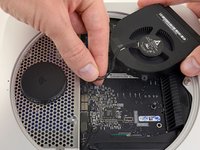
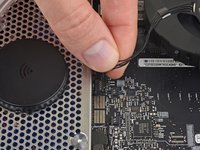
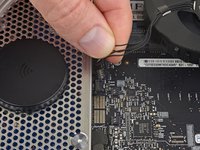
  5. Mac mini Late 2012 Fan Replacement: 步骤 5 中的图像 1,3 Mac mini Late 2012 Fan Replacement: 步骤 5 中的图像 2,3 Mac mini Late 2012 Fan Replacement: 步骤 5 中的图像 3,3
    • Lift the fan out of the mini for enough clearance to access its connector.

    • Grab all the wires at once and gently pull straight up to disconnect the fan from the logic board.

    • Do not pry at the socket, or you may rip it from the logic board.

    • Remove the fan.

结论

To reassemble your device, follow these instructions in reverse order.

33等其他人完成本指南。

团队

iFixit iFixit 的会员

Staff

123 名成员

创作了23,648篇指南

5指南评论

If you shouls happen to rip the connector off the logic board, just replace the end of the connector wire with a usb plug and the connect it to the computer, Vola

Reginald O'Brikis - 回复

What or where does the spring go on the long torque screw?

on the logic board, or the inner bevels on the screw?

[deleted] - 回复

where does the mini get input cooling air?? I can see the output ports but don't see any path for inputting cool air.

thanks..

pvpeel - 回复

See that the cover has two parts, one of which is covering the WiFi antenna, whose base has holes? That's where the air is coming into the Mini from! All the fan is doing is easing/forcing the flow of air (through negative pressure) to go through the CPU heat sink and being exhausted (hot) through the vents on the back of the case.

As a matter of fact, when you remove the bottom cover, you'll normally see heaps of "dust bunnies" stuck in that side of the cover. Evidence that's where the air originally got into the case.

Bernie Hernandez -

The lengthy torque screw has no spring, therefore what's its purpose?

Angelica Rhodes - 回复

添加评论

浏览统计数据:

过去 24 小时: 8

过去 7 天: 49

过去 30 天: 359

总计 31,249