跳转到主内容
加入维修社区 - 创建账户

Logitech M185 Wireless Mouse Motherboard Replacement

你所需要的

  1. Logitech M185 Wireless Mouse Motherboard Replacement, Motherboard: 步骤 1 中的图像 1,3 Logitech M185 Wireless Mouse Motherboard Replacement, Motherboard: 步骤 1 中的图像 2,3 Logitech M185 Wireless Mouse Motherboard Replacement, Motherboard: 步骤 1 中的图像 3,3
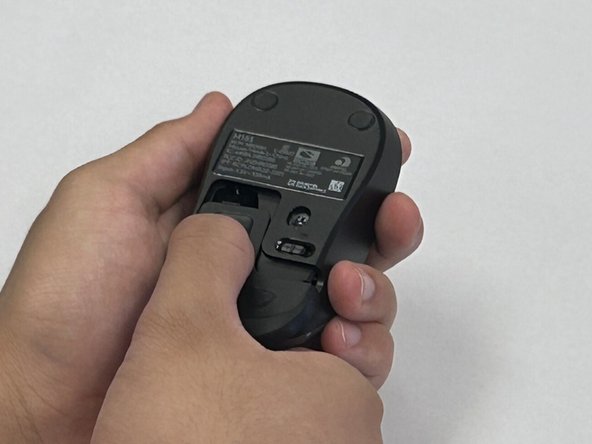
    • Flip the mouse over so the bottom is facing up and you can see the power switch.

    • Before you begin, flip the power switch on the bottom to the "Off" position.

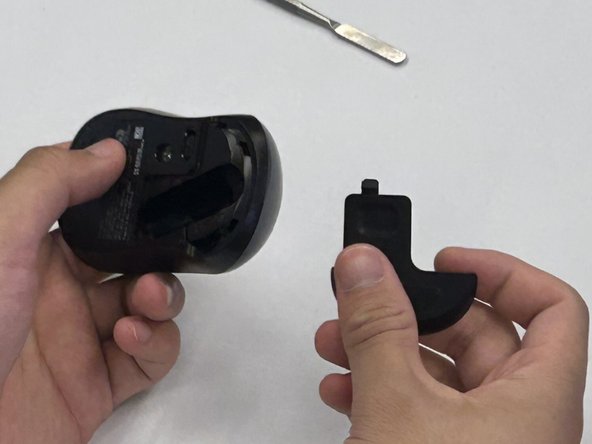
    • Press down on the battery cover.

    • Slide the battery cover off.

    询问修复机器人
  2. Logitech M185 Wireless Mouse Motherboard Replacement: 步骤 2 中的图像 1,2 Logitech M185 Wireless Mouse Motherboard Replacement: 步骤 2 中的图像 2,2
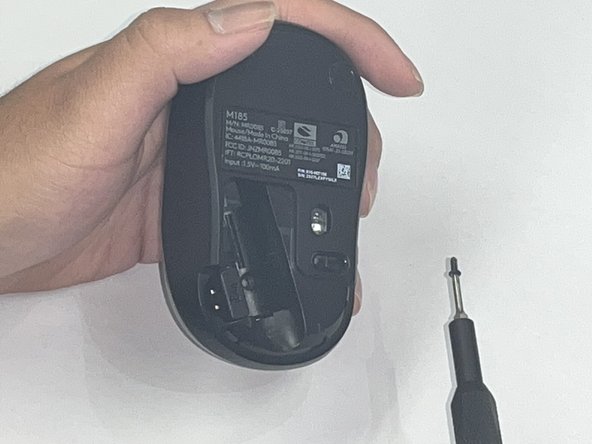
    • There is not a battery in our mouse. However, it is necessary to remove the battery to access the screw beneath.

    • Use a Phillips #00 screwdriver and remove the single screw from the battery compartment.

    询问修复机器人
  3. Logitech M185 Wireless Mouse Motherboard Replacement: 步骤 3 中的图像 1,1
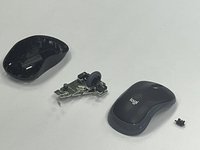
    • Use a black nylon spudger to pry off the shell.

    • Work your way along the seam to release the tabs connecting the top and bottom of the mouse.

    • Do not use a metal spudger for prying, as it may damage internal components, such as the main circuit board, that are not visible.

    • Gently squeeze the sides of the mouse while using the spudger to pry the top case away from the bottom. The pressure will cause the mouse to open.

    询问修复机器人
  4. Logitech M185 Wireless Mouse Motherboard Replacement: 步骤 4 中的图像 1,1
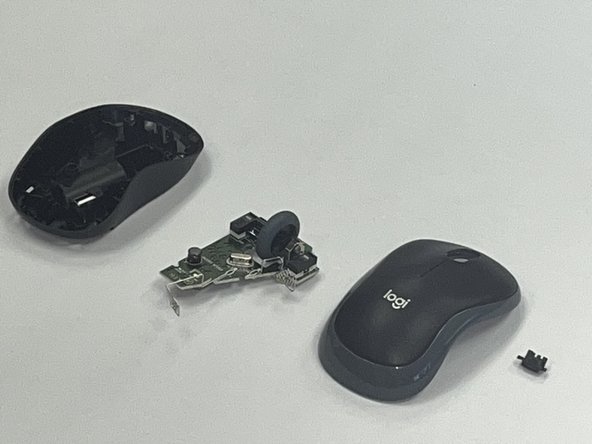
    • Use a black nylon spudger to pry out the motherboard and remove it from the bottom case.

    • Don't use a metal spudger on the internals of your device as displayed in the photo, it can cause damage.

    • Be careful when handling the motherboard. If you don't have any gloves, do not touch the motherboard with your hands. Only hold it by the edges.

    询问修复机器人
  5. Logitech M185 Wireless Mouse Motherboard Replacement: 步骤 5 中的图像 1,2 Logitech M185 Wireless Mouse Motherboard Replacement: 步骤 5 中的图像 2,2
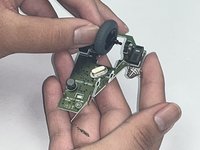
    • Remove the scroll wheel from the motherboard.

    • Before you insert your new motherboard, remember to attach the scroll wheel to it.

    询问修复机器人
结论

To reassemble your device, follow these instructions in reverse order. Take your e-waste to an R2 or e-Stewards certified recycler.

2等其他人完成本指南。

Robert

于09/09/24注册

201 声望

撰写一个指南

团队

CSU Los Angeles, Team 2-5, Kershman Fall 2024 CSU Los Angeles, Team 2-5, Kershman Fall 2024 的会员

CSULA-KERSHMAN-F24S2G5

4 名成员

创作了1篇指南

0指南评论

添加评论

浏览统计数据:

过去 24 小时: 0

过去 7 天: 11

过去 30 天: 68

总计 1,286