跳转到主内容
加入维修社区 - 创建账户

Logitech K480 Back Cover Replacement

你所需要的

  1. Logitech K480 Back Cover Replacement, Back Cover: 步骤 1 中的图像 1,1
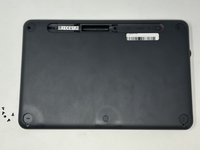
    • Flip the keyboard over.

  2. Logitech K480 Back Cover Replacement: 步骤 2 中的图像 1,3 Logitech K480 Back Cover Replacement: 步骤 2 中的图像 2,3 Logitech K480 Back Cover Replacement: 步骤 2 中的图像 3,3
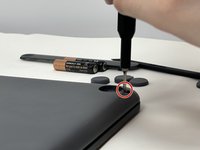
    • Remove the four rubber feet with a spudger.

  3. Logitech K480 Back Cover Replacement: 步骤 3 中的图像 1,3 Logitech K480 Back Cover Replacement: 步骤 3 中的图像 2,3 Logitech K480 Back Cover Replacement: 步骤 3 中的图像 3,3
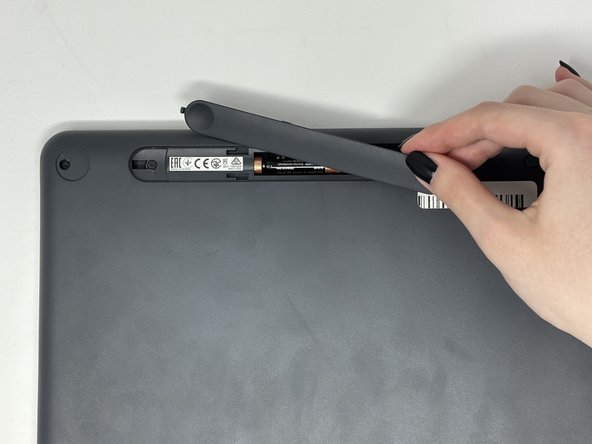
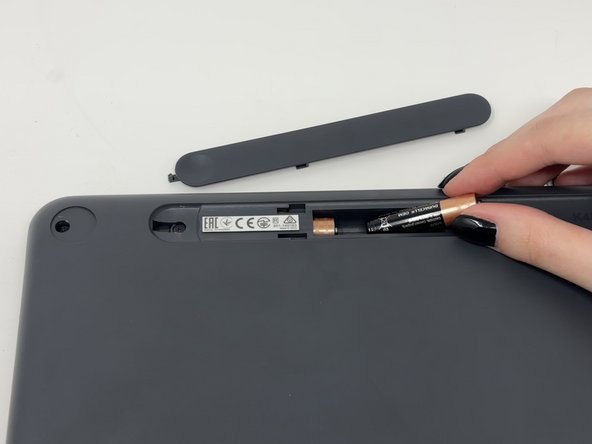
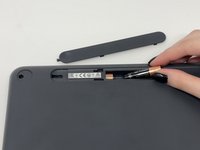
    • Slide open battery panel.

    • Remove the batteries.

  4. Logitech K480 Back Cover Replacement: 步骤 4 中的图像 1,2 Logitech K480 Back Cover Replacement: 步骤 4 中的图像 2,2
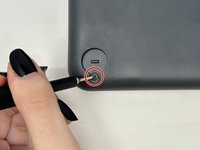
    • Remove the three 4 mm screws under the rubber feet using a Phillips #0 screwdriver.

  5. Logitech K480 Back Cover Replacement: 步骤 5 中的图像 1,2 Logitech K480 Back Cover Replacement: 步骤 5 中的图像 2,2
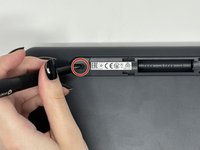
    • Remove the two 4 mm screws from beneath the battery cover using a Phillips #0 screwdriver.

  6. Logitech K480 Back Cover Replacement: 步骤 6 中的图像 1,3 Logitech K480 Back Cover Replacement: 步骤 6 中的图像 2,3 Logitech K480 Back Cover Replacement: 步骤 6 中的图像 3,3
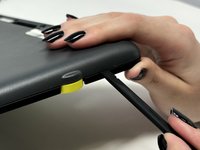
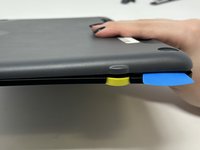
    • Starting by the dial, slide the spudger between the front and back panels until it lifts and snaps.

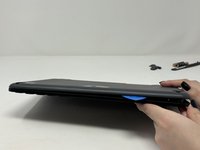
    • Slide a blue pick in to keep the pieces apart while you work on other areas.

    • Continue prying along the edges until you have enough opened that you can pull both pieces apart gently with your hands.

    • The loud snaps are the clips that hold the pieces together. They're not breaking and you do not need to be alarmed.

结论

To reassemble your device, follow these instructions in reverse order.

另外一个人完成了本指南。

Madison

于09/04/24注册

688 声望

创作了4篇指南

0指南评论

添加评论

浏览统计数据:

过去 24 小时: 3

过去 7 天: 14

过去 30 天: 62

总计 629