跳转到主内容
加入维修社区 - 创建账户

LG env2 vx9100 Camera Replacement

你所需要的

  1. LG env2 vx9100 Camera Replacement, Battery: 步骤 1 中的图像 1,3 LG env2 vx9100 Camera Replacement, Battery: 步骤 1 中的图像 2,3 LG env2 vx9100 Camera Replacement, Battery: 步骤 1 中的图像 3,3
    • Power off the phone before disassembly to avoid electric shock or fire.

    • Place the phone face down on the table.

    • Pull down the tab below the battery with your fingernail or an opening tool.

    • Lift the battery out.

  2. LG env2 vx9100 Camera Replacement, Back Panel: 步骤 2 中的图像 1,2 LG env2 vx9100 Camera Replacement, Back Panel: 步骤 2 中的图像 2,2
    • Locate the five rubber covers on the back panel of the phone.

    • Use a metal probe to remove each rubber cover and expose the screws underneath.

  3. LG env2 vx9100 Camera Replacement: 步骤 3 中的图像 1,2 LG env2 vx9100 Camera Replacement: 步骤 3 中的图像 2,2
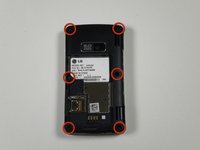
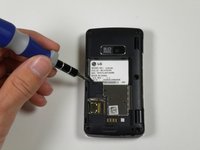
    • Locate the six 2.5-millimeter Phillips #00 screws on the back panel.

    • Remove all six screws with a Phillips #00 screwdriver.

  4. LG env2 vx9100 Camera Replacement: 步骤 4 中的图像 1,2 LG env2 vx9100 Camera Replacement: 步骤 4 中的图像 2,2
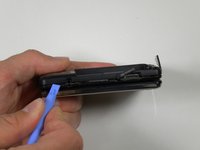
    • Locate the seam around the edge of the phone.

    • Insert a plastic opening tool into the seam and gently pry to release the tabs.

    • Work around the phone until all tabs are released.

    • Remove the back panel.

  5. LG env2 vx9100 Camera Replacement, Camera: 步骤 5 中的图像 1,2 LG env2 vx9100 Camera Replacement, Camera: 步骤 5 中的图像 2,2
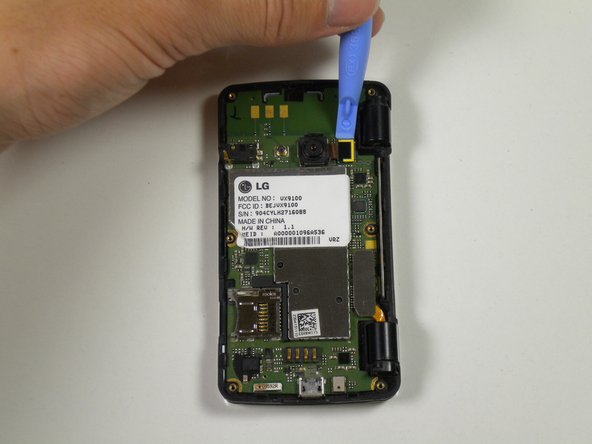
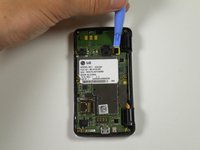
    • Locate the ribbon attached to the lens of the camera.

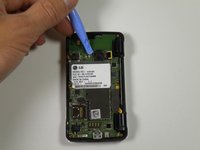
    • Place the plastic opening tool in between the logic board and ribbon.

    • Lift up the plastic opening to detach the ribbon from the logic board.

  6. LG env2 vx9100 Camera Replacement: 步骤 6 中的图像 1,2 LG env2 vx9100 Camera Replacement: 步骤 6 中的图像 2,2
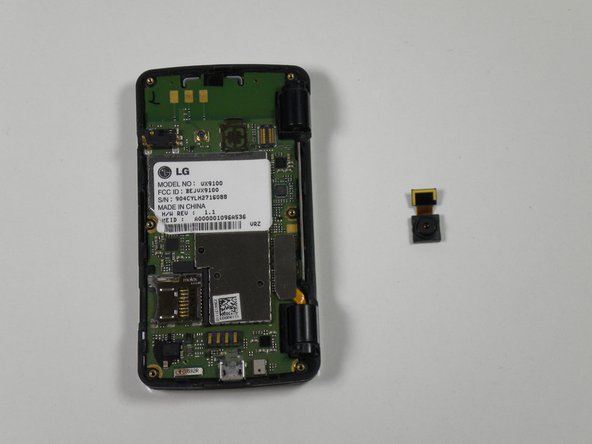
    • Place the plastic opening tool in between the lens and the logic board.

    • Detach the lens from the logic board using the plastic opening tool by popping it out.

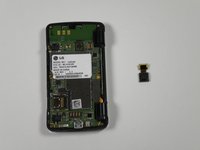
    • Take the entire lens and ribbon off of the logic board.

结论

To reassemble your device, follow these instructions in reverse order.

另外一个人完成了本指南。

Reed Williston

于09/26/12注册

34 声望

创作了7篇指南

团队

Cal Poly, Team 16-55, Forte Fall 2012 Cal Poly, Team 16-55, Forte Fall 2012 的会员

CPSU-FORTE-F12S16G55

5 名成员

创作了14篇指南

0指南评论

添加评论

浏览统计数据:

过去 24 小时: 2

过去 7 天: 3

过去 30 天: 4

总计 537