跳转到主内容
加入维修社区 - 创建账户

LG A275 Screen Replacement

你所需要的

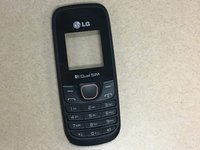
  1. LG A275 Screen Replacement, Replacing the screen: 步骤 1 中的图像 1,2 LG A275 Screen Replacement, Replacing the screen: 步骤 1 中的图像 2,2
    • In order to begin replacing your screen, you should first power down your device and remove the battery.

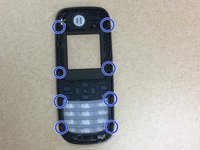
  2. LG A275 Screen Replacement, Unhinging the screen: 步骤 2 中的图像 1,2 LG A275 Screen Replacement, Unhinging the screen: 步骤 2 中的图像 2,2
    • Take a very thin plastic/ metal prying tool and gently work your way around the phone. You should hear popping sounds as each lock is opened. Be very careful as you pry open the case as you could damage the LCD/Motherboard.

    • Hearing popping is a normal sound. You are not breaking your phone. You are simply popping the seals for the first time.

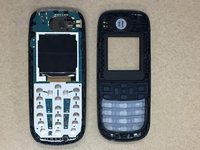
  3. LG A275 Screen Replacement, Putting the New Screen on: 步骤 3 中的图像 1,3 LG A275 Screen Replacement, Putting the New Screen on: 步骤 3 中的图像 2,3 LG A275 Screen Replacement, Putting the New Screen on: 步骤 3 中的图像 3,3
    • Take your new screen and place it onto the front of the phone. Very gently apply pressure until you here the locks click into place.

    • Make sure all of your locking pins line up on your phone or it will not close all the way.

    • Be careful when removing the old cover. It could have jagged pieces of glass/ plastic.

结论

To reassemble your device, follow these instructions in reverse order.

Nicole

于02/13/16注册

237 声望

创作了2篇指南

0指南评论

添加评论

浏览统计数据:

过去 24 小时: 2

过去 7 天: 4

过去 30 天: 14

总计 475