简介
In this guide we will show how to replace the speakers. If you find missing instructions or missing photos, please navigate to the other guides of this product. This guide was made by volunteers and is may not be ultra-complete for beginners.
你所需要的
-
-
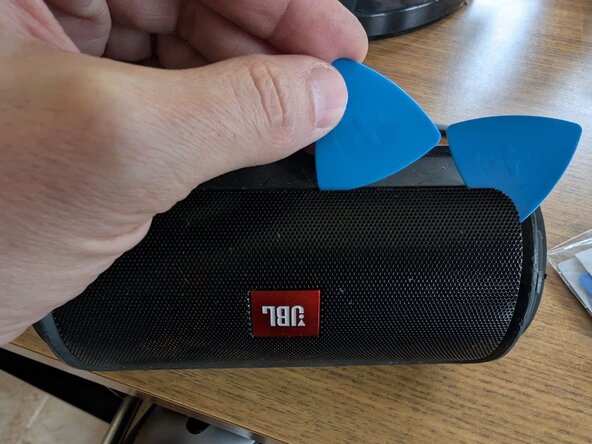
Remove the metal grill: starting from bottom-left corner, use a guitar pick or spudger to lift the metal grill.
-
Unscrew the four screws that hold each speaker in place (8 total).
-
-
-
-
Replace the speakers : simple reinstall in reverse order.
-
To reinstall the metal grille: gently and firmly line it up and press into place. If needed, use the spudging tool to guide the last corners into place.
-



To reassemble your device, follow these instructions in reverse order.
12等其他人完成本指南。



团队

UMass Dartmouth, Team 4-1, Catania Fall 2015 UMass Dartmouth, Team 4-1, Catania Fall 2015 的会员
UMASSD-CATANIA-F15S4G1
4 名成员
创作了14篇指南
11指南评论
http://bit.ly/1VlVWXH - First step in this guide. Hope this helps :)
Tapiwa -
I believe I blew my speakers, where/how can I purchase replacement speakers?
Where to buy these speakers online?
