简介
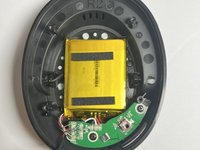
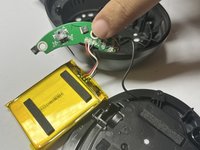
The rechargeable battery in the HyperX CloudX Flight will wear down over time and need to be replaced. The battery is inside the right speaker.
你所需要的
-
-
Gently pull around the perimeter of the right ear cup until the cushion is fully removed.
-
-


结论
To reassemble your device, follow these instructions in reverse order.
另外一个人完成了本指南。



团队

Western Carolina University, Team 1-3, Virtue Fall 2024 Western Carolina University, Team 1-3, Virtue Fall 2024 的会员
WCU-VIRTUE-F24S1G3
4 名成员
创作了5篇指南
