跳转到主内容
加入维修社区 - 创建账户

你所需要的

本篇指南是分解流程而非维修指南。 如果您要维修您的Humax IRHD 5000C,应参考我们的维修指南

  1. Humax IRHD 5000C Teardown, open up case: 步骤 1 中的图像 1,2 Humax IRHD 5000C Teardown, open up case: 步骤 1 中的图像 2,2
    • Unscrew the screws on the outside.

    • Slide the top cover a bit to the back, and lift it from the enclosure.

  2. Humax IRHD 5000C Teardown, remove power supply: 步骤 2 中的图像 1,2 Humax IRHD 5000C Teardown, remove power supply: 步骤 2 中的图像 2,2
    • Remove the various pieces holding in the power supply.

    • Remove power cable (already cut of in the photo).

    • Unscrew screws.

    • Disconnect mainboard cables.

    • Remove the power supply from the enclosure.

  3. Humax IRHD 5000C Teardown, remove front: 步骤 3 中的图像 1,2 Humax IRHD 5000C Teardown, remove front: 步骤 3 中的图像 2,2
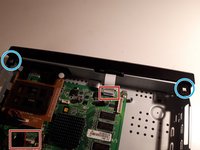
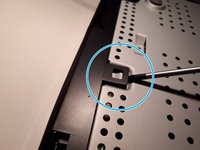
    • Disconnect the cables connecting the mainboard to the front panel.

    • With a flathead screwdriver, unclip the 2 topside clips, and 3 clips on the bottom of the enclosure, and the front will detach.

  4. Humax IRHD 5000C Teardown, disassemble front: 步骤 4 中的图像 1,3 Humax IRHD 5000C Teardown, disassemble front: 步骤 4 中的图像 2,3 Humax IRHD 5000C Teardown, disassemble front: 步骤 4 中的图像 3,3
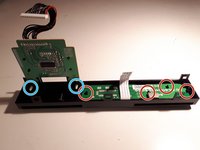
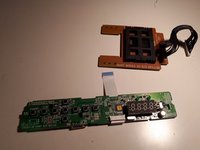
    • Unclip the 4 clips from left to right, and remove the panel.

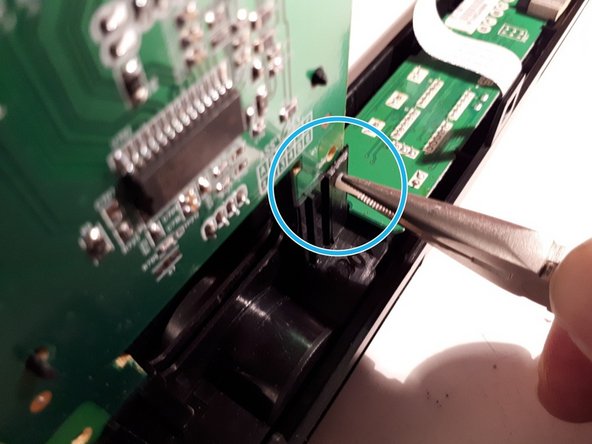
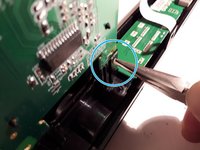
    • With the pliers, clamp the white connector and push it through.

  5. Humax IRHD 5000C Teardown, remove mainboard: 步骤 5 中的图像 1,2 Humax IRHD 5000C Teardown, remove mainboard: 步骤 5 中的图像 2,2
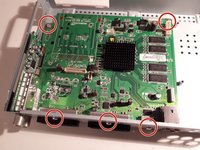
    • Unscrew the screws and remove the mainboard from the case.

knipwim

于09/01/18注册

14,906 声望

创作了42篇指南

2指南评论

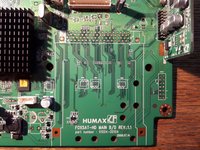
What are those unsoldered pad connectors for? A hard drive?

Jessica Parnelli Fawkes - 回复 分享

Don’t know, could be a SCSI drive, there are 68 pins. I included a detail picture in the last step.

knipwim - 分享

添加评论

浏览统计数据:

过去 24 小时: 2

过去 7 天: 20

过去 30 天: 60

总计 1,791