跳转到主内容

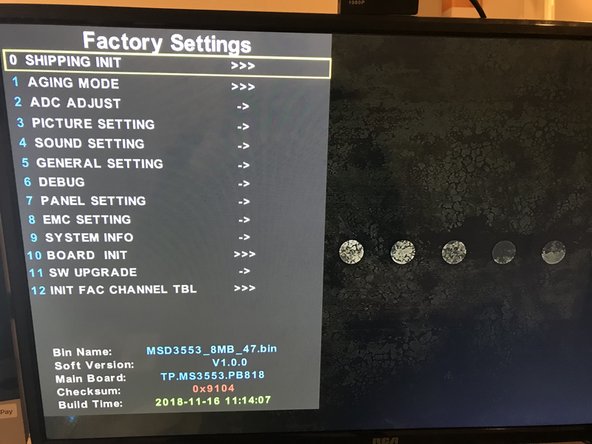
How to access hidden settings on RCA RT2806

  1. How to access hidden settings on RCA RT2806, Power: 步骤 1 中的图像 1,1
    • Turn on your TV

  2. How to access hidden settings on RCA RT2806, Open the Menu: 步骤 2 中的图像 1,2 How to access hidden settings on RCA RT2806, Open the Menu: 步骤 2 中的图像 2,2
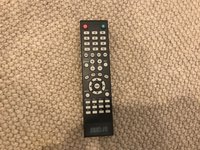
    • Open the menu, by pressing the menu button on the remote

  3. How to access hidden settings on RCA RT2806, NumPad Shortcut: 步骤 3 中的图像 1,2 How to access hidden settings on RCA RT2806, NumPad Shortcut: 步骤 3 中的图像 2,2
    • Press the following buttons quickly after opening the menu:

    • 1-1-4-7

    • This is a column of numbers on your NumPad

    • If it doesn't work, do it more quickly after opening the menu, and check your TV model number.

结论

To close the new menu, press EXIT

2等其他人完成本指南。
9021007

于07/13/18注册

4,656 声望

创作了25篇指南

3指南评论

You can disable the dog logo on here under General Settings.

9021007 - 回复

Thank you very much. This was driving me insane

Will McCreary -

Is there any way to save settings? Some settings are permanent, but specifically the overscan settings are reset to their original values when I power the screen off, whether by the remote power button, the power button on the screen itself. or by unplugging it.
Please advise.

Jyri Keir - 回复

添加评论

浏览统计数据:

过去 24 小时: 0

过去 7 天: 7

过去 30 天: 37

总计 4,010