跳转到主内容

How to Use Your Own Photos as Apple Watch Wallpapers

  1. How to Use Your Own Photos as Apple Watch Wallpapers, How to Use Your Own Photos as Apple Watch Wallpapers: 步骤 1 中的图像 1,2 How to Use Your Own Photos as Apple Watch Wallpapers, How to Use Your Own Photos as Apple Watch Wallpapers: 步骤 1 中的图像 2,2
    • To begin, open the Photos app on your iPhone and select the "Recents" albums.

    • Tap on the photo you want as your Apple Watch wallpaper, and then tap on the heart icon at the bottom to flag it as a "Favorite."

    • By default, your Apple Watch syncs photos from your Favorites. If you changed it to a different album, be sure to add the photo to that album in the Photos app instead.

    • If you want your Apple Watch to cycle through different photos as your wallpaper (instead of showing just a single photo), you can Favorite as many photos as you want.

  2. How to Use Your Own Photos as Apple Watch Wallpapers: 步骤 2 中的图像 1,3 How to Use Your Own Photos as Apple Watch Wallpapers: 步骤 2 中的图像 2,3 How to Use Your Own Photos as Apple Watch Wallpapers: 步骤 2 中的图像 3,3
    • Open up the Watch app on your iPhone and tap on the "Face Gallery" tab at the bottom.

    • Scroll down and select the "Photos" watch face.

    • Tap on "Add" to add the watch face to your Apple Watch.

  3. How to Use Your Own Photos as Apple Watch Wallpapers: 步骤 3 中的图像 1,1
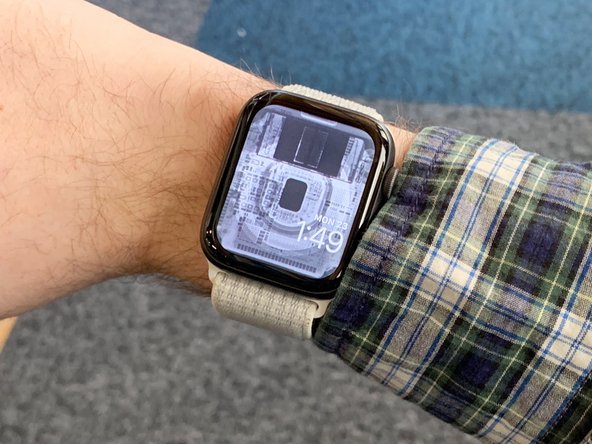
    • That's it! Your new watch face will automatically appear on your Apple Watch.

    • If you'd like, you can go back into the Watch app (where you tapped "Add") and customize the location of the time and add complications.

终点

5等其他人完成本指南。

Craig Lloyd

于02/10/16注册

41,045 声望

创作了82篇指南

0指南评论

添加评论

浏览统计数据:

过去 24 小时: 29

过去 7 天: 170

过去 30 天: 640

总计 70,953