简介
Acer Swift 3 2022.
Model Number: N20C12
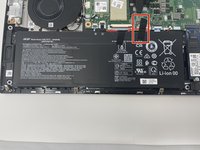
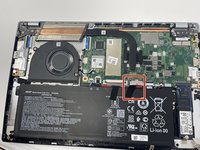
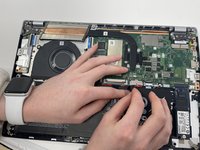
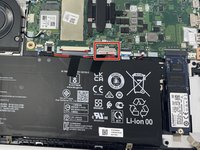
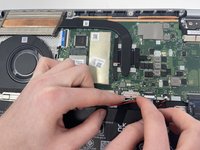
Here is a guide on how to unplug the battery. It is important to have the battery completely unplugged to prevent any electrical damage to the laptop before disassembly. The battery is a piece of hardware that powers the rest of the computer, so it is important to have it unplugged for any disassembly. This will keep your laptop's longevity while fixing those pesky problems.
These five steps will be listed in every guide to ensure the best quality of life for your laptop. It is important to be careful during the 5th step, for it is easy to damage the white plastic plug-in or the attachment on the motherboard.
你所需要的




To reassemble your device, follow these instructions in reverse order.
另外一个人完成了本指南。


团队

Utah Tech University, Team 1-2, McMurrin Fall 2022 Utah Tech University, Team 1-2, McMurrin Fall 2022 的会员
UTAHTECH-MCMURRIN-F22S1G2
2 名成员
创作了6篇指南
