
How to Unclog an Inissia Nespresso Machine

最后更新于 2021年10月7日
浏览量: 1.1万
浏览统计数据:
- 过去24小时
- 21
- 过去 7 天:
- 104
- 过去 30 天:
- 411
- 总计
- 10,957
评论: 0
暂时还没有人对本指南发表评论。你想做第一个评论的人吗?
Go to guide comments已完成: 0 1
暂时还没有人将本指南标记为“已完成”。你会是第一个完成的人吗?
1 人已将本指南标记为“已完成”。就是你——干得漂亮!
收藏: 0 1
暂时还没有人收藏(和订阅)本指南。你会是第一个收藏(和订阅)的人吗?
1 人收藏(并订阅)了本指南——那就是你!
动态照片拍摄
成为一个动作片主人公!本指南需要一些图片,这些图片能够更好演示如何进行某些特定操作。
需要更好的图片
更好的照片将改善本指南。请帮助拍摄,编辑,或上传新的图片!
需要更多图片
更多的图片将使本指南的操作过程一清二楚。
简介
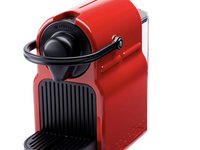
转到步骤 1 ↓Espresso machines are arguably one of the best options for top quality coffee, yet can be hard to get. Nespresso has gained popularity as an easy-to-use, at home solution to great coffee. While Nespresso machines are durable and operate well with regular care and maintenance, clogs still occur! In this case, it is necessary to thoroughly clean the machine to remove the clog and maintain proper function. This guide will show users how to properly clean their Nespresso machine in an efficient way without risk of damage to the machine.
你所需要的
工具

-
-
-
Welcome to the how to unclog a Inissia Nespresso Machine guide!
 询问修复机器人
-
-
-
Remove the filter basket and drip tray by pulling the drip tray towards you. Remove any coffee grounds or water, then empty and clean the capsule container. Thoroughly rinse the capsule container and drip tray.
-
Return both parts to their proper place.
-
Remove the water tank located at the back of the machine by gently pulling up and out.
-
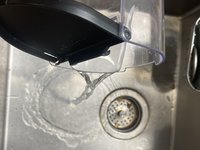
Clean with warm water and soap.
-
-
-
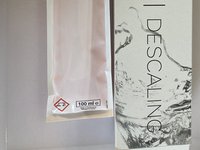
Locate descaling solution. Click on 'descaling solution' to purchase from Nespresso website.
-
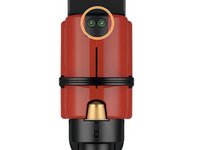
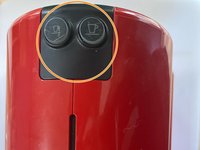
Press the two buttons on top of the machine at the same time for approximately three seconds to put Nespresso into descaling mode.
-
-
-
-
To begin the descaling process, press any of the blinking coffee buttons.
-
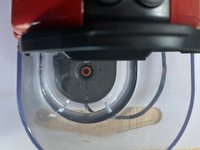
The machine will run water through the internals and expel water into the container under the coffee nozzle.
-
Pour the water in the container back into the tank and start the descaling process again by repeating instructions from the first bullet point.
-
-
-
Dispose of the solution.
-
Remove the water tank, drip tray, and cup support. Rinse all pieces thoroughly by hand and dry using a microfiber cloth.
-
Fill water tank with clean water and place the container back under the coffee outlet.
-
Click one of the blinking lights to run the machine through with clean water.
-
-




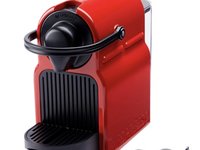




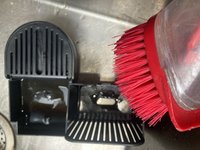
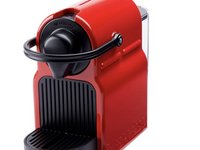

At this point, your Inissia Nespresso should be back to making great coffee! If not, contact Nespresso directly to determine proper next steps. To reassemble your device, please see steps 2 and 6.

团队

York University, Team S16-G16, Melo-Thaiss Summer 2021 York University, Team S16-G16, Melo-Thaiss Summer 2021 的会员
YORK-MELO-THAISS-SU21S16G16
1 名成员
创作了12篇指南
