跳转到主内容

How to Open Your DualShock 4 (CUH-ZCT1U)

仅作为前提条件
本指南仅提供前提条件!本指南是另一个程序的一部分,不能单独使用。

你所需要的

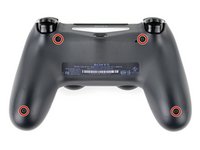
  1. How to Open Your DualShock 4 (CUH-ZCT1U), Check your controller model: 步骤 1 中的图像 1,1
    • Check the model number on the back of your controller. This guide was written using model CUH-ZCT1U. If you have another model, the guide procedure and replacement parts may differ slightly.

    • If you have the second generation DualShock 4, model CUH-ZCT2U, use these guides.

  2. How to Open Your DualShock 4 (CUH-ZCT1U), Unfasten the rear case: 步骤 2 中的图像 1,2 How to Open Your DualShock 4 (CUH-ZCT1U), Unfasten the rear case: 步骤 2 中的图像 2,2
    在这个步骤中使用的工具:
    Microfiber Cleaning Cloths
    $3.99
    • If you need to stabilize your controller during this repair, lay it on a soft surface such as a microfiber cloth.

    • Use a Phillips screwdriver to remove the four 6.4 mm-long screws securing the rear case.

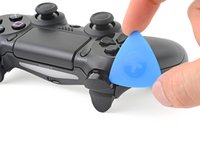
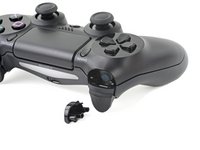
  3. How to Open Your DualShock 4 (CUH-ZCT1U), Remove the L1 button: 步骤 3 中的图像 1,3 How to Open Your DualShock 4 (CUH-ZCT1U), Remove the L1 button: 步骤 3 中的图像 2,3 How to Open Your DualShock 4 (CUH-ZCT1U), Remove the L1 button: 步骤 3 中的图像 3,3
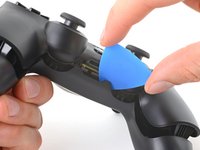
    • Use an opening pick to pry each corner of the L1 button from the front case.

    • Cover the button to prevent it from ejecting out of your workspace.

    • Remove the button.

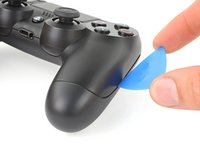
  4. How to Open Your DualShock 4 (CUH-ZCT1U), Remove the R1 button: 步骤 4 中的图像 1,1
    • Use your opening pick to pry and remove the R1 button, just as you did for the L1 button.

  5. How to Open Your DualShock 4 (CUH-ZCT1U), Unclip the rear case: 步骤 5 中的图像 1,3 How to Open Your DualShock 4 (CUH-ZCT1U), Unclip the rear case: 步骤 5 中的图像 2,3 How to Open Your DualShock 4 (CUH-ZCT1U), Unclip the rear case: 步骤 5 中的图像 3,3
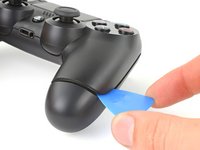
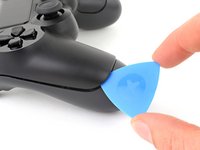
    • Six plastic clips secure the rear case to the front case. The next four steps demonstrate how to release these clips before you can open the controller.

    • Insert your opening pick at a downward angle between the front case and rear case, halfway between the handle and the action buttons.

    • Slide your pick toward the handle and pry up to release the first clip.

    • Repeat this procedure on the other side of the controller to release the second clip.

  6. How to Open Your DualShock 4 (CUH-ZCT1U): 步骤 6 中的图像 1,3 How to Open Your DualShock 4 (CUH-ZCT1U): 步骤 6 中的图像 2,3 How to Open Your DualShock 4 (CUH-ZCT1U): 步骤 6 中的图像 3,3
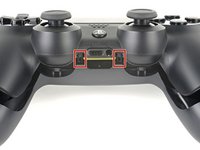
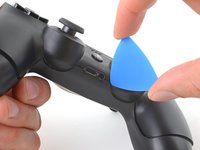
    • Two more clips secure the rear case near the extension port and the headphone jack.

    • Insert your opening pick between the front case and rear case at either side of the ports.

    • Twist your pick to unclip this section of the rear case from the front case.

    • If the rear case feels stuck, insert and twist your pick from different angles.

    • Don't open the controller yet, as it's still held together by two very delicate clips near the triggers.

  7. How to Open Your DualShock 4 (CUH-ZCT1U): 步骤 7 中的图像 1,1
    • The final two clips are very delicate, and must be disengaged from inside the controller. If you break them, don't worry—it won't affect this repair or your controllers functionality.

    • Locate the clips by looking through the gap above the R2 or L2 buttons.

  8. How to Open Your DualShock 4 (CUH-ZCT1U): 步骤 8 中的图像 1,3 How to Open Your DualShock 4 (CUH-ZCT1U): 步骤 8 中的图像 2,3 How to Open Your DualShock 4 (CUH-ZCT1U): 步骤 8 中的图像 3,3
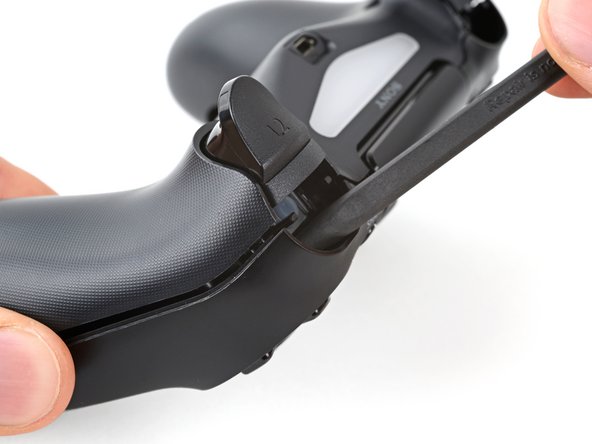
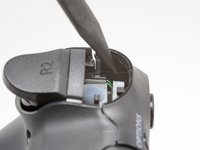
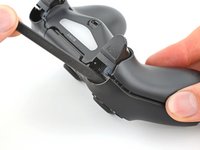
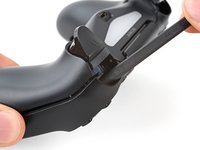
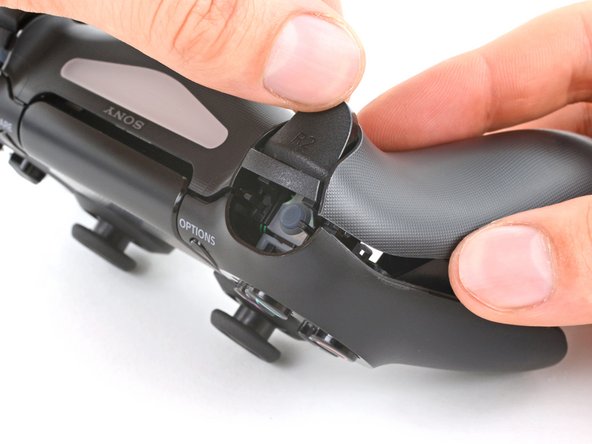
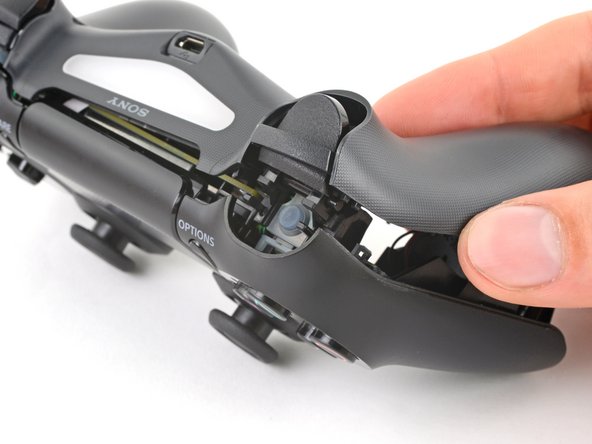
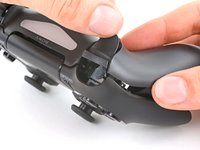
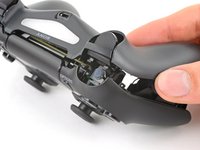
    • Insert the point of a spudger through the gap above the R2 button and push the retaining clip outward.

    • While pushing the clip outward, slowly pull the rear case away from the front case until you feel them separate.

    • Don't fully open the controller until each of the R2 and L2 clips have been disengaged.

    • Repeat this procedure for the clip near the L2 button.

  9. How to Open Your DualShock 4 (CUH-ZCT1U), Remove the rear case: 步骤 9 中的图像 1,3 How to Open Your DualShock 4 (CUH-ZCT1U), Remove the rear case: 步骤 9 中的图像 2,3 How to Open Your DualShock 4 (CUH-ZCT1U), Remove the rear case: 步骤 9 中的图像 3,3
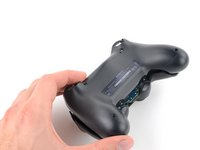
    • Press the R2 button and slide the rear case over it.

  10. How to Open Your DualShock 4 (CUH-ZCT1U): 步骤 10 中的图像 1,1
    • Press the L2 button and slide the rear case over it.

  11. How to Open Your DualShock 4 (CUH-ZCT1U): 步骤 11 中的图像 1,3 How to Open Your DualShock 4 (CUH-ZCT1U): 步骤 11 中的图像 2,3 How to Open Your DualShock 4 (CUH-ZCT1U): 步骤 11 中的图像 3,3
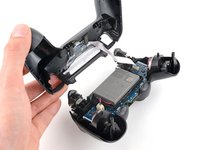
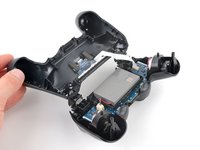
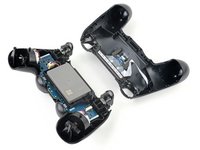
    • Flip the rear case over the top of the controller and lay it down, being careful not to strain the interconnect cable.

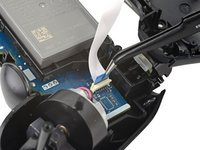
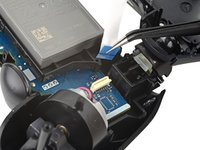
  12. How to Open Your DualShock 4 (CUH-ZCT1U), Disconnect the interconnect cable: 步骤 12 中的图像 1,3 How to Open Your DualShock 4 (CUH-ZCT1U), Disconnect the interconnect cable: 步骤 12 中的图像 2,3 How to Open Your DualShock 4 (CUH-ZCT1U), Disconnect the interconnect cable: 步骤 12 中的图像 3,3
    在这个步骤中使用的工具:
    Tweezers
    $4.99
    • Use tweezers or your fingers to remove the interconnect cable by pulling its blue pull tab straight out of the socket.

    • During reassembly, reconnect the cable with its blue pull tab facing the outside of the controller.

结论

To reassemble your device, follow these instructions in reverse order.

另外一个人完成了本指南。

Clay Eickemeyer

于09/19/22注册

95,775 声望

创作了466篇指南

团队

Guide Team Guide Team 的会员

Staff

10 名成员

创作了15,897篇指南

0指南评论

添加评论

浏览统计数据:

过去 24 小时: 0

过去 7 天: 2

过去 30 天: 11

总计 167