跳转到主内容

How to Fix Unresponsive Keys for an Optimus Concertmate 980

你所需要的

  1. How to Fix Unresponsive Keys for an Optimus Concertmate 980, How to Fix Unresponsive Keys for an Optimus Concertmate 980: 步骤 1 中的图像 1,2 How to Fix Unresponsive Keys for an Optimus Concertmate 980, How to Fix Unresponsive Keys for an Optimus Concertmate 980: 步骤 1 中的图像 2,2
    • Test all keys to identify the ones that are not functional.

  2. How to Fix Unresponsive Keys for an Optimus Concertmate 980: 步骤 2 中的图像 1,3 How to Fix Unresponsive Keys for an Optimus Concertmate 980: 步骤 2 中的图像 2,3 How to Fix Unresponsive Keys for an Optimus Concertmate 980: 步骤 2 中的图像 3,3
    • Flip the piano to its backside.

    • Remove all the screws on the back of the piano using a Phillips #0 screwdriver.

  3. How to Fix Unresponsive Keys for an Optimus Concertmate 980: 步骤 3 中的图像 1,3 How to Fix Unresponsive Keys for an Optimus Concertmate 980: 步骤 3 中的图像 2,3 How to Fix Unresponsive Keys for an Optimus Concertmate 980: 步骤 3 中的图像 3,3
    • Remove the back metal plate.

    • Flip the piano to its front before the next step.

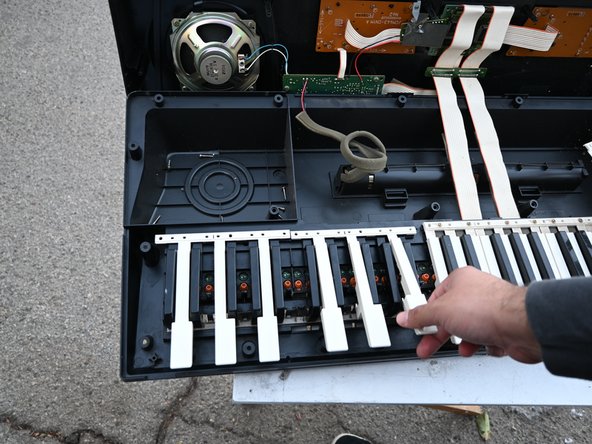
  4. How to Fix Unresponsive Keys for an Optimus Concertmate 980: 步骤 4 中的图像 1,2 How to Fix Unresponsive Keys for an Optimus Concertmate 980: 步骤 4 中的图像 2,2
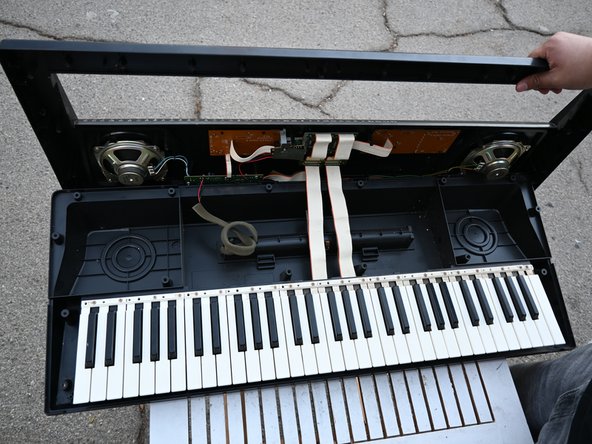
    • Lift up the top panel from the back.

    • The panel won't come off completely due to the cables connected.

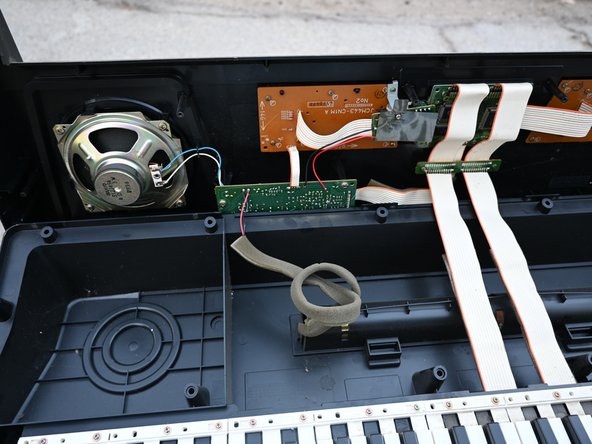
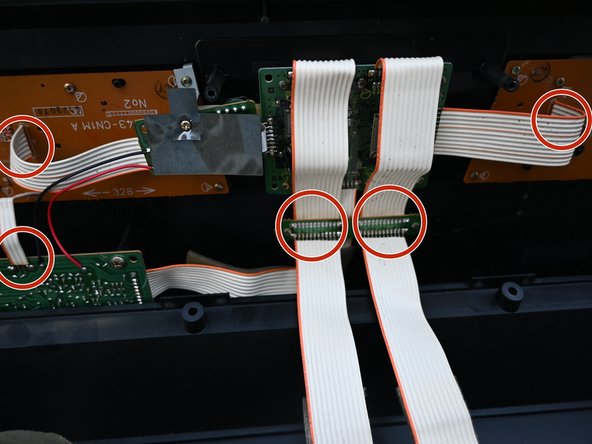
  5. How to Fix Unresponsive Keys for an Optimus Concertmate 980: 步骤 5 中的图像 1,2 How to Fix Unresponsive Keys for an Optimus Concertmate 980: 步骤 5 中的图像 2,2
    • Reattach any loose cables.

    • Clean any dust from the top of the keys with a vacuum or cotton swab.

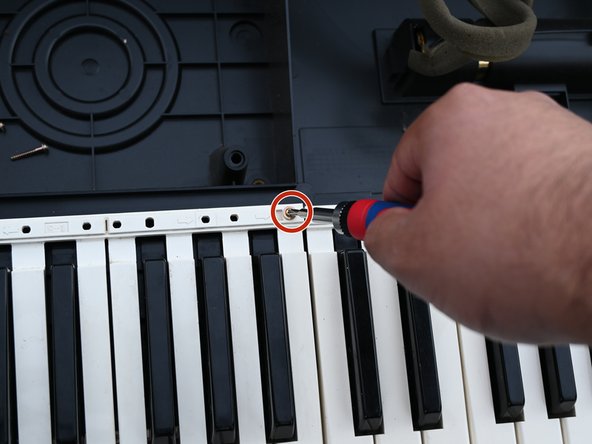
  6. How to Fix Unresponsive Keys for an Optimus Concertmate 980: 步骤 6 中的图像 1,2 How to Fix Unresponsive Keys for an Optimus Concertmate 980: 步骤 6 中的图像 2,2
    • Using a Phillips #00 screwdriver, remove all the screws attached to the top of the keys.

  7. How to Fix Unresponsive Keys for an Optimus Concertmate 980: 步骤 7 中的图像 1,3 How to Fix Unresponsive Keys for an Optimus Concertmate 980: 步骤 7 中的图像 2,3 How to Fix Unresponsive Keys for an Optimus Concertmate 980: 步骤 7 中的图像 3,3
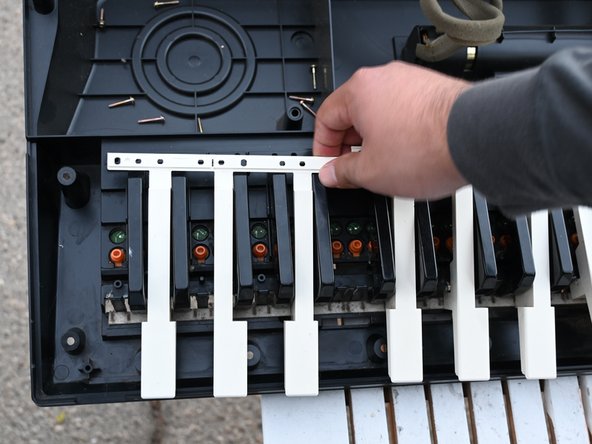
    • Remove the white keys by pulling them from the top and sliding them down.

    • To remove the black keys, pull on the keys first to pull off, then remove the keys entirely.

  8. How to Fix Unresponsive Keys for an Optimus Concertmate 980: 步骤 8 中的图像 1,3 How to Fix Unresponsive Keys for an Optimus Concertmate 980: 步骤 8 中的图像 2,3 How to Fix Unresponsive Keys for an Optimus Concertmate 980: 步骤 8 中的图像 3,3
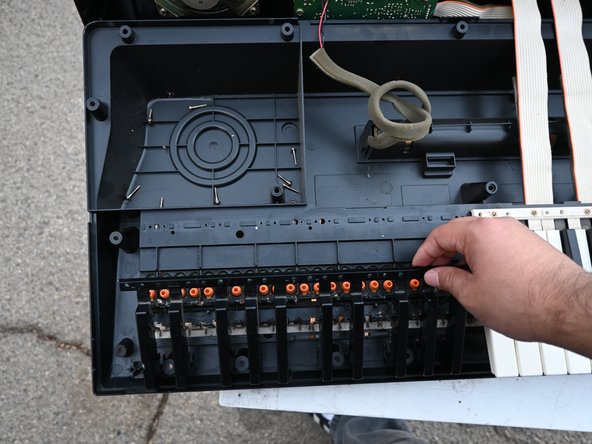
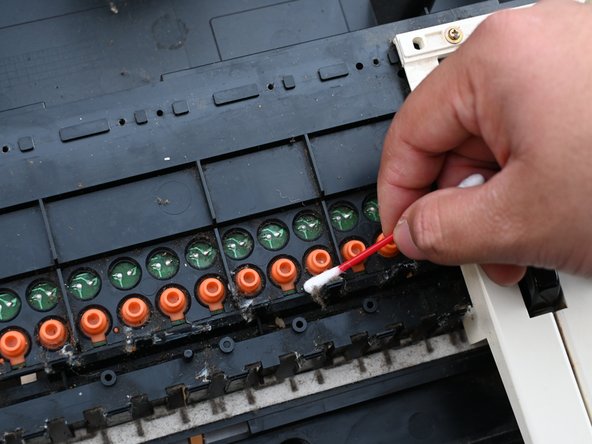
    • Clean all the dust under the keys.

    • Clean around the orange tips, making sure they are upright.

  9. How to Fix Unresponsive Keys for an Optimus Concertmate 980: 步骤 9 中的图像 1,3 How to Fix Unresponsive Keys for an Optimus Concertmate 980: 步骤 9 中的图像 2,3 How to Fix Unresponsive Keys for an Optimus Concertmate 980: 步骤 9 中的图像 3,3
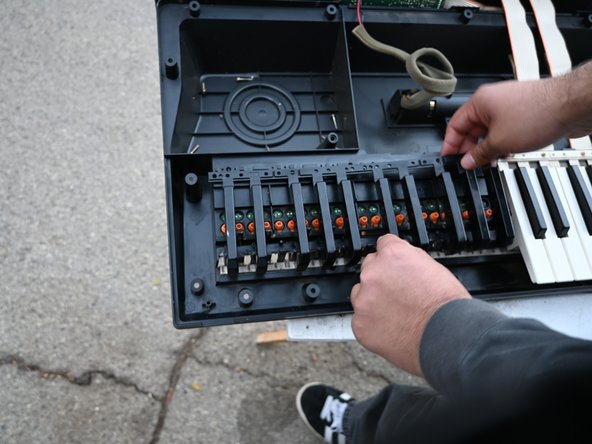
    • Place the keys in the same order as you took them out.

    • Using a Phillips screwdriver, replace all the screws in the same places as you removed them.

结论

To reassemble your device, follow these instructions in reverse order.

另外一个人完成了本指南。

Randy Coronado

于10/22/24注册

169 声望

撰写一个指南

团队

CSU Los Angeles, Team 3-19, Harris Fall 2024 CSU Los Angeles, Team 3-19, Harris Fall 2024 的会员

CSULA-HARRIS-F24S3G19

1 名成员

创作了1篇指南

0指南评论

添加评论

浏览统计数据:

过去 24 小时: 2

过去 7 天: 4

过去 30 天: 16

总计 220