跳转到主内容

Handspring Visor Edge Screen Replacement

你所需要的

  1. Handspring Visor Edge Screen Replacement, Flip Cover: 步骤 1 中的图像 1,2 Handspring Visor Edge Screen Replacement, Flip Cover: 步骤 1 中的图像 2,2
    • Open the Visor Edge placing the screen and the inner part of the flip cover face down on a flat surface such as a table

    • On the back of the PDA there is a tab connecting the flip cover to the device. Push gently on this tab trying to slide the cover upwards along the surface then lift the pieces apart to fully detach them

    • Do not pull or tug on the flip cover in an attempt to remove it from the PDA this can result in the cover snapping causing damage to the device

    • To reassemble push the downward on the flip cover where there is an indent on the PDA indicating where the pieces connect. Finally, push the cover until it snaps into place.

  2. Handspring Visor Edge Screen Replacement, Back Panel: 步骤 2 中的图像 1,1
    • Remove the six 4.1 mm Phillips screws from the back plate using the #00 Phillips Scewdriver.

  3. Handspring Visor Edge Screen Replacement: 步骤 3 中的图像 1,1
    • Remove the gray back plate from the PDA.

  4. Handspring Visor Edge Screen Replacement: 步骤 4 中的图像 1,2 Handspring Visor Edge Screen Replacement: 步骤 4 中的图像 2,2
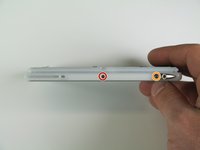
    • Remove the four 2.6 mm Philips screws that are on the sides of the frame.

    • Remove the 3.9 mm Philips screw holding the stylus holster to the frame.

  5. Handspring Visor Edge Screen Replacement: 步骤 5 中的图像 1,2 Handspring Visor Edge Screen Replacement: 步骤 5 中的图像 2,2
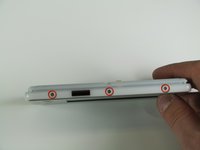
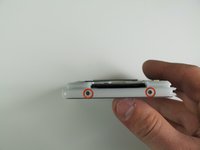
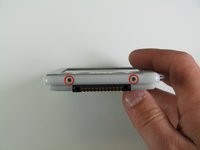
    • Remove the four 2.6 mm Philips screws on the top and bottom of the frame.

  6. Handspring Visor Edge Screen Replacement: 步骤 6 中的图像 1,1
    • Gently remove the white frame from the back of the PDA.

  7. Handspring Visor Edge Screen Replacement, Screen: 步骤 7 中的图像 1,1
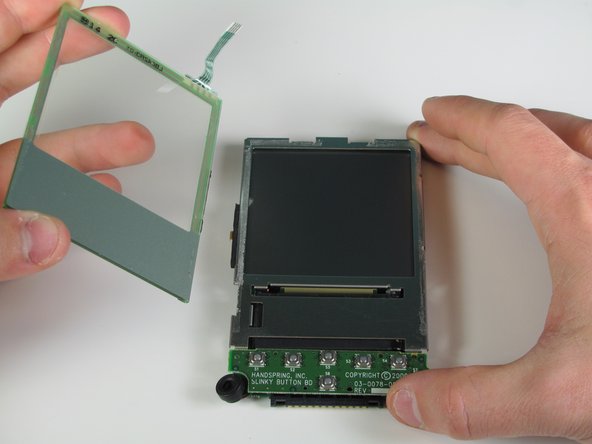
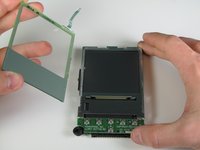
    • Place the PDA front face up.

    • Gently pull off the front cover.

  8. Handspring Visor Edge Screen Replacement: 步骤 8 中的图像 1,2 Handspring Visor Edge Screen Replacement: 步骤 8 中的图像 2,2
    在这个步骤中使用的工具:
    Tweezers
    $4.99
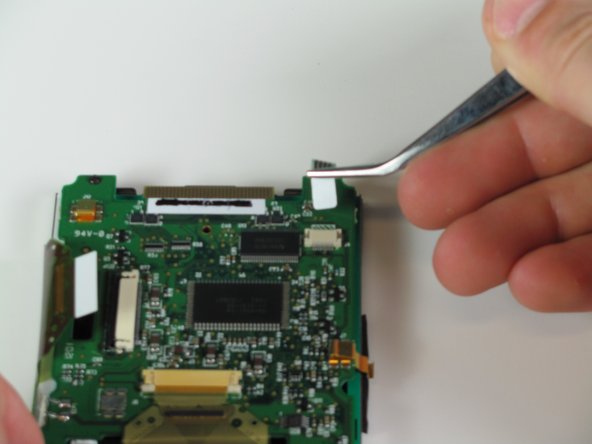
    • Flip over the PDA.

    • Use the tweezers to remove the ribbon cable attaching the screen to the circuit board.

  9. Handspring Visor Edge Screen Replacement: 步骤 9 中的图像 1,2 Handspring Visor Edge Screen Replacement: 步骤 9 中的图像 2,2
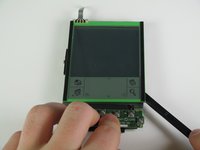
    • Wedge the spudger in between the glass and the metal frame.

    • Slide the spudger down the length of the screen to detach from the frame.

    • With your hands, pry the screen up from the detached side. The screen will pop off.

结论

To reassemble your device, follow these instructions in reverse order.

团队

Cal Poly, Team 11-28, Maness Winter 2011 Cal Poly, Team 11-28, Maness Winter 2011 的会员

CPSU-MANESS-W11S11G28

4 名成员

创作了7篇指南

0指南评论

添加评论

浏览统计数据:

过去 24 小时: 0

过去 7 天: 6

过去 30 天: 15

总计 1,743