跳转到主内容

HTC Droid Incredible Battery Replacement

  1. HTC Droid Incredible Battery Replacement, Battery: 步骤 1 中的图像 1,3 HTC Droid Incredible Battery Replacement, Battery: 步骤 1 中的图像 2,3 HTC Droid Incredible Battery Replacement, Battery: 步骤 1 中的图像 3,3
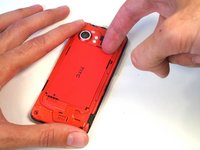
    • Press your thumbnail into the slot between the rear panel and the front case located in the bottom of the phone.

    • Useful tip: a penny or dime works in a pinch if you can't use your thumbnail.

    • Gently pry the rear panel up and away from the phone. You may need to slide your thumb up the crack to separate the rear panel from the front case.

  2. HTC Droid Incredible Battery Replacement: 步骤 2 中的图像 1,1
    • Remove the rear panel from the phone.

  3. HTC Droid Incredible Battery Replacement: 步骤 3 中的图像 1,3 HTC Droid Incredible Battery Replacement: 步骤 3 中的图像 2,3 HTC Droid Incredible Battery Replacement: 步骤 3 中的图像 3,3
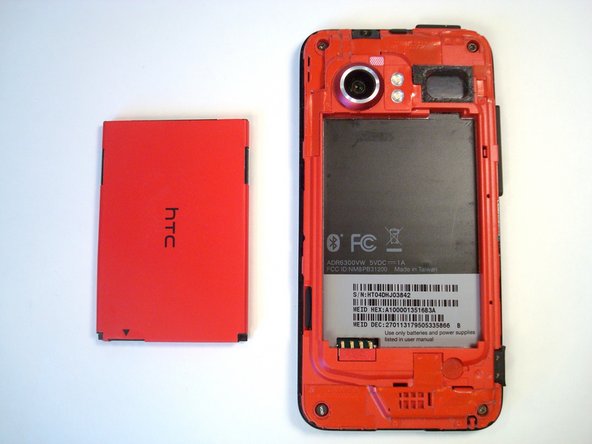
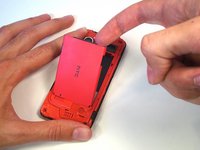
    • Insert a fingertip into the gap between the battery and the rear inner frame, located between the battery and the speaker. Slide the battery away from the speaker, widening the gap.

    • Lift the top of the battery up and remove the battery from the rear inner frame.

结论

To reassemble your device, follow these instructions in reverse order.

另外一个人完成了本指南。

团队

iFixit iFixit 的会员

Staff

123 名成员

创作了23,629篇指南

0指南评论

添加评论

浏览统计数据:

过去 24 小时: 0

过去 7 天: 3

过去 30 天: 9

总计 1,716