跳转到主内容
加入维修社区 - 创建账户

Google Pixel 9a Battery Connection

仅作为前提条件
本指南仅提供前提条件!本指南是另一个程序的一部分,不能单独使用。

你所需要的

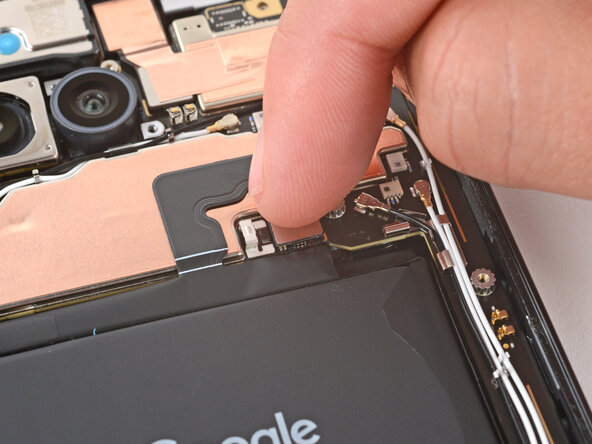
  1. Google Pixel 9a Battery Connection, Connect the battery press connector: 步骤 1 中的图像 1,2 Google Pixel 9a Battery Connection, Connect the battery press connector: 步骤 1 中的图像 2,2
    • Use your finger to align the battery press connector over its socket and press down to connect it.

    • Don't try to force the connector into place. If you're having trouble, reposition it and try again.

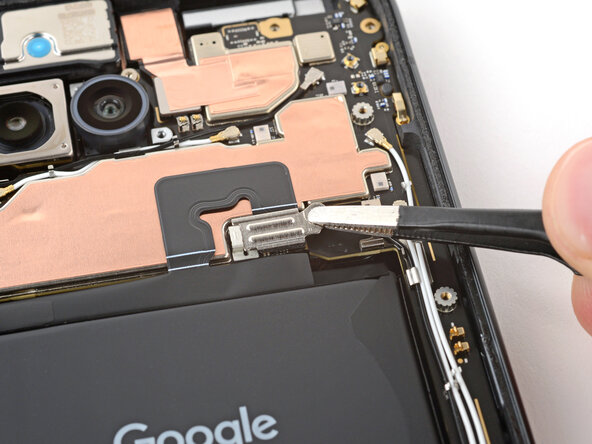
  2. Google Pixel 9a Battery Connection, Install the battery connector cover: 步骤 2 中的图像 1,3 Google Pixel 9a Battery Connection, Install the battery connector cover: 步骤 2 中的图像 2,3 Google Pixel 9a Battery Connection, Install the battery connector cover: 步骤 2 中的图像 3,3
    • Use tweezers to hook the left edge of the battery connector cover into place, then lay the cover down flat.

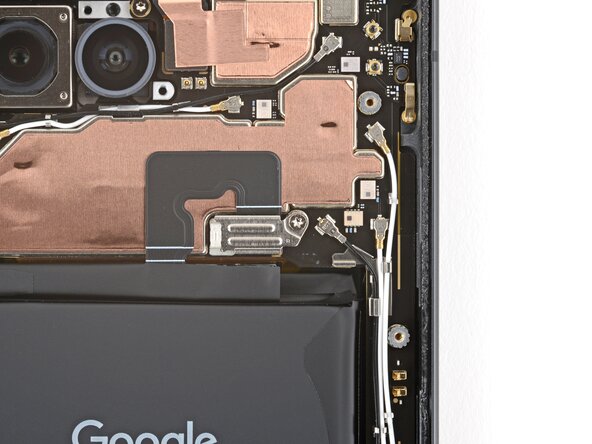
  3. Google Pixel 9a Battery Connection: 步骤 3 中的图像 1,2 Google Pixel 9a Battery Connection: 步骤 3 中的图像 2,2
    • Use a 3IP Torx Plus screwdriver to install the 1.7 mm‑long screw securing the battery connector cover.

终点

Spencer Day

于09/14/22注册

158,832 声望

创作了1,043篇指南

团队

iFixit iFixit 的会员

Staff

123 名成员

创作了23,914篇指南

0指南评论

添加评论

浏览统计数据:

过去 24 小时: 0

过去 7 天: 2

过去 30 天: 3

总计 54