跳转到主内容
加入维修社区 - 创建账户

Fujitsu LifeBook N3510 Fan Replacement

你所需要的

    1. Fujitsu LifeBook N3510 Fan Replacement, Battery: 步骤 1 中的图像 1,1
      • Locate the two clips on the bottom of the computer that support the battery.

      询问修复机器人

      添加评论

    2. Fujitsu LifeBook N3510 Fan Replacement: 步骤 2 中的图像 1,1
      • Using your fingers, push the clips inward and then upward.

      • Lift the battery out of the computer.

      询问修复机器人

      添加评论

    1. Fujitsu LifeBook N3510 Fan Replacement, Hinge Cover: 步骤 3 中的图像 1,3 Fujitsu LifeBook N3510 Fan Replacement, Hinge Cover: 步骤 3 中的图像 2,3 Fujitsu LifeBook N3510 Fan Replacement, Hinge Cover: 步骤 3 中的图像 3,3
      • Use a spudger to lift the back of the hinge cover on the left and right sides of the computer.

      询问修复机器人

      添加评论

    2. Fujitsu LifeBook N3510 Fan Replacement: 步骤 4 中的图像 1,1
      • Lay the computer flat on a stable surface with the monitor pointing away from you.

      询问修复机器人

      添加评论

    3. Fujitsu LifeBook N3510 Fan Replacement: 步骤 5 中的图像 1,3 Fujitsu LifeBook N3510 Fan Replacement: 步骤 5 中的图像 2,3 Fujitsu LifeBook N3510 Fan Replacement: 步骤 5 中的图像 3,3
      • Use a spudger to partially lift the hinge cover.

      询问修复机器人

      添加评论

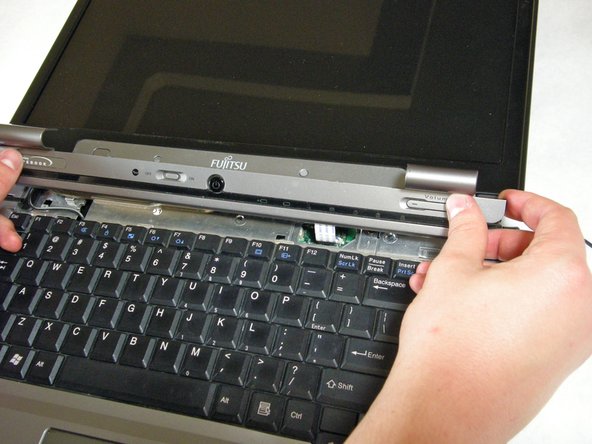
    4. Fujitsu LifeBook N3510 Fan Replacement: 步骤 6 中的图像 1,2 Fujitsu LifeBook N3510 Fan Replacement: 步骤 6 中的图像 2,2
      • The hinge cover has a ribbon cable that is attached to the motherboard. To prevent damage, lift the hinge cover slowly.

      • Lift the hinge cover enough to expose the ribbon cable.

      询问修复机器人

      添加评论

    5. Fujitsu LifeBook N3510 Fan Replacement: 步骤 7 中的图像 1,2 Fujitsu LifeBook N3510 Fan Replacement: 步骤 7 中的图像 2,2
      • Disconnect the ribbon cable from the motherboard and remove the hinge cover from the computer.

      询问修复机器人

      添加评论

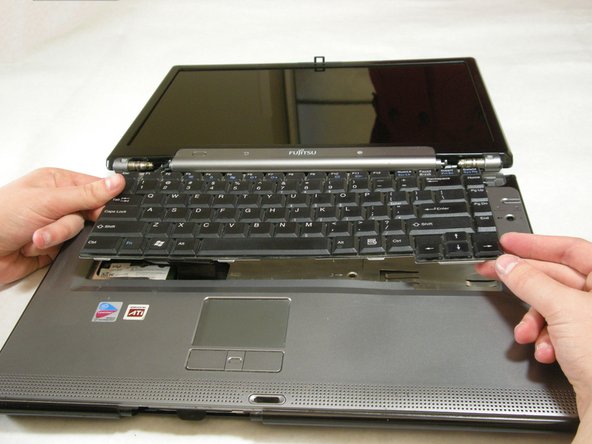
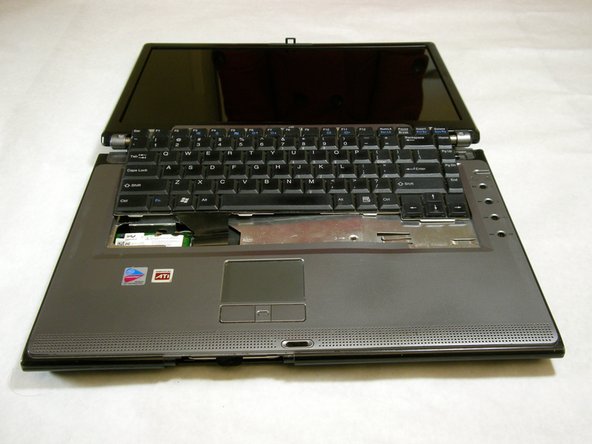
    1. Fujitsu LifeBook N3510 Fan Replacement, Keyboard: 步骤 8 中的图像 1,3 Fujitsu LifeBook N3510 Fan Replacement, Keyboard: 步骤 8 中的图像 2,3 Fujitsu LifeBook N3510 Fan Replacement, Keyboard: 步骤 8 中的图像 3,3
      • The keyboard has a ribbon cable that is attached to the motherboard. To prevent damage, lift keyboard slowly.

      • Lift the keyboard enough to expose the ribbon cable.

      询问修复机器人

      添加评论

    2. Fujitsu LifeBook N3510 Fan Replacement: 步骤 9 中的图像 1,2 Fujitsu LifeBook N3510 Fan Replacement: 步骤 9 中的图像 2,2
      • Use a spudger to release the ribbon cable from the motherboard.

      询问修复机器人

      添加评论

    3. Fujitsu LifeBook N3510 Fan Replacement: 步骤 10 中的图像 1,2 Fujitsu LifeBook N3510 Fan Replacement: 步骤 10 中的图像 2,2
      • After the ribbon has been detached, carefully remove the keyboard.

      询问修复机器人

      添加评论

    1. Fujitsu LifeBook N3510 Fan Replacement, Metal Motherboard Cover: 步骤 11 中的图像 1,1
      • Remove the following screws, all labeled "3."

      • Two 8.63mm screws.

      • One 7.65mm screw.

      • One 5.74mm screw.

      • Remove the following screw, labeled "15."

      • One 17.81mm screw.

      询问修复机器人

      添加评论

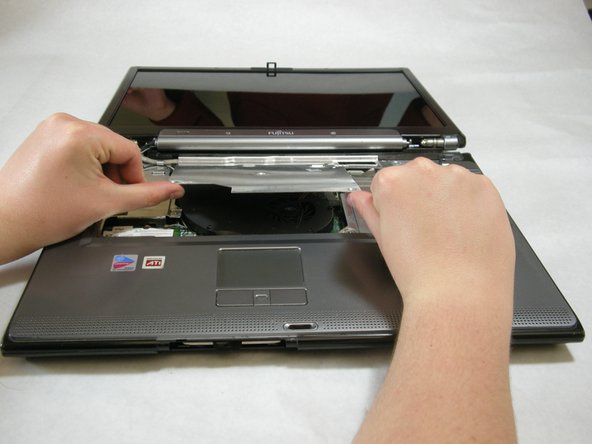
    2. Fujitsu LifeBook N3510 Fan Replacement: 步骤 12 中的图像 1,3 Fujitsu LifeBook N3510 Fan Replacement: 步骤 12 中的图像 2,3 Fujitsu LifeBook N3510 Fan Replacement: 步骤 12 中的图像 3,3
      • Lift the cover with fingers and remove.

      询问修复机器人

      添加评论

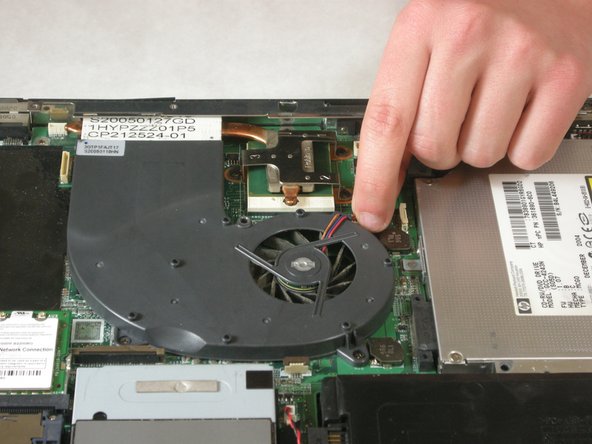
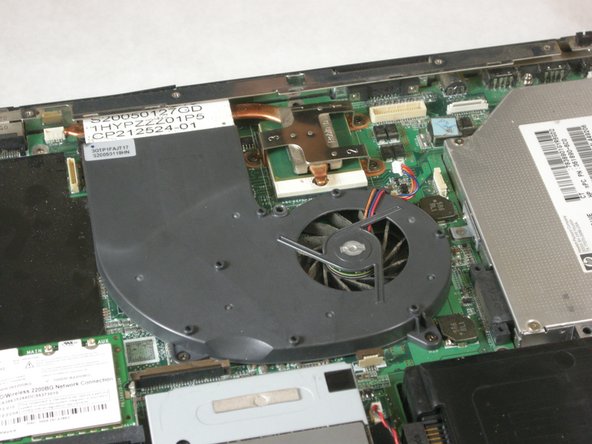
    1. Fujitsu LifeBook N3510 Fan Replacement, Fan: 步骤 13 中的图像 1,3 Fujitsu LifeBook N3510 Fan Replacement, Fan: 步骤 13 中的图像 2,3 Fujitsu LifeBook N3510 Fan Replacement, Fan: 步骤 13 中的图像 3,3
      • Detach fan cable from motherboard.

      询问修复机器人

      添加评论

    2. Fujitsu LifeBook N3510 Fan Replacement: 步骤 14 中的图像 1,1
      • Remove labeled screws.

      询问修复机器人

      添加评论

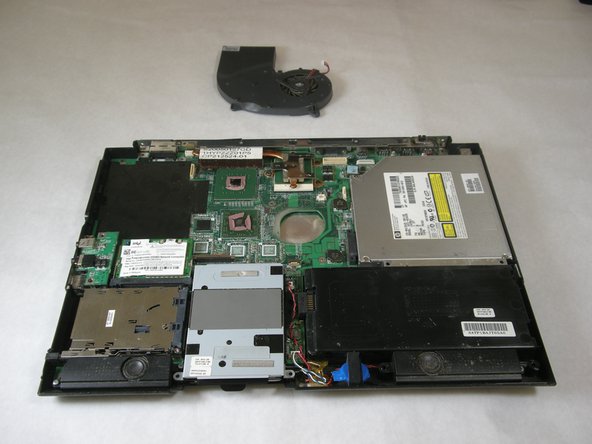
    3. Fujitsu LifeBook N3510 Fan Replacement: 步骤 15 中的图像 1,2 Fujitsu LifeBook N3510 Fan Replacement: 步骤 15 中的图像 2,2
      • Remove fan.

      询问修复机器人

      添加评论

结论

To reassemble your device, follow these instructions in reverse order.

取消:我没有完成这个指南。

另外一个人完成了本指南。

Neil Daniels

于01/17/11注册

1,411 声望

创作了11篇指南

团队

Cal Poly, Team 5-18, Amido Winter 2011 Cal Poly, Team 5-18, Amido Winter 2011 的会员

CPSU-AMIDO-W11S5G18

3 名成员

创作了132篇指南

0指南评论

添加评论

浏览统计数据:

过去 24 小时: 3

过去 7 天: 8

过去 30 天: 27

总计 4,441