跳转到主内容
加入维修社区 - 创建账户

Framework Laptop 16 Touchpad Module Replacement

你所需要的

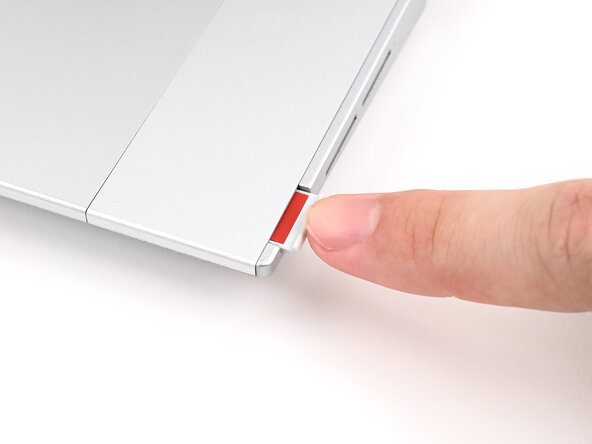
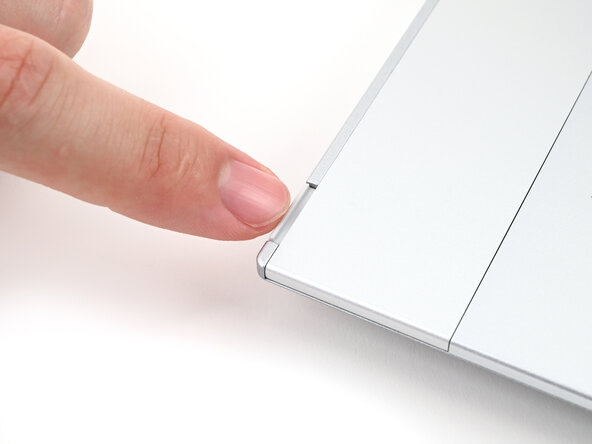
  1. Framework Laptop 16 Touchpad Module Replacement, Unlock the Input Modules: 步骤 1 中的图像 1,3 Framework Laptop 16 Touchpad Module Replacement, Unlock the Input Modules: 步骤 1 中的图像 2,3 Framework Laptop 16 Touchpad Module Replacement, Unlock the Input Modules: 步骤 1 中的图像 3,3
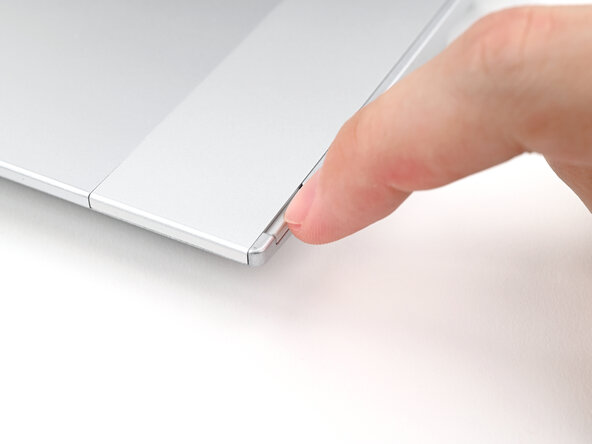
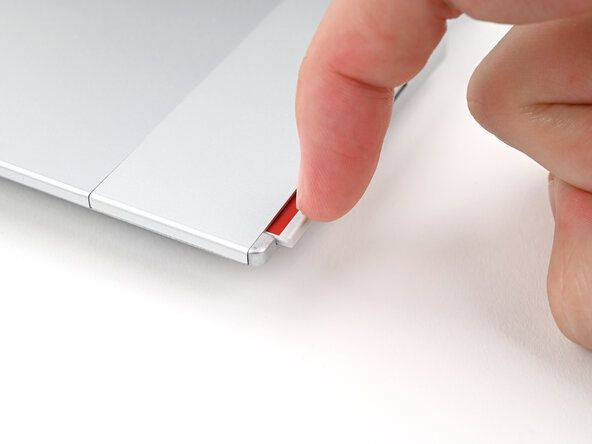
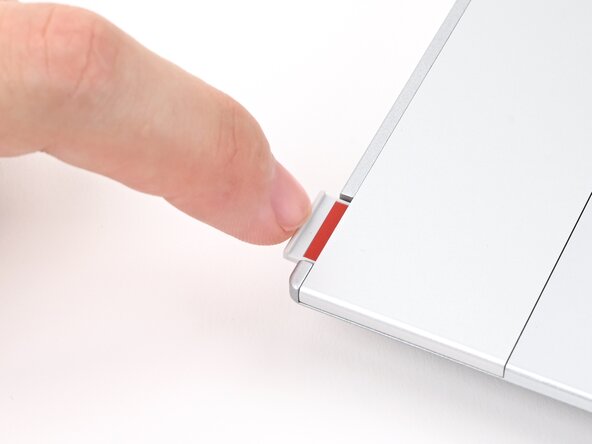
    • Use your fingernail to pull out the two Input Module latches and unlock them.

    • The latch will show red if it's unlocked.

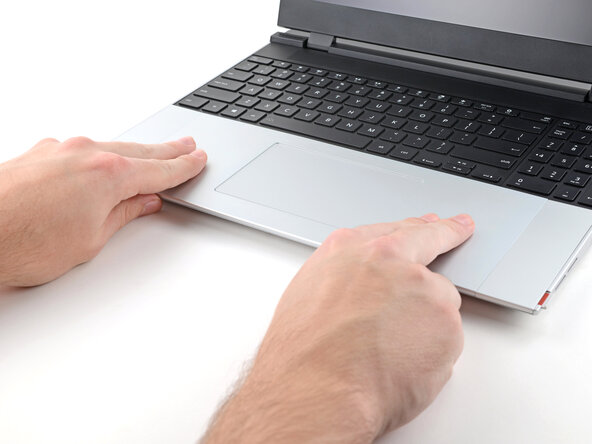
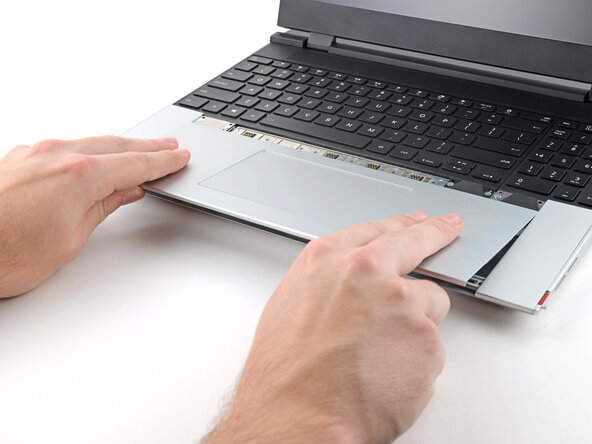
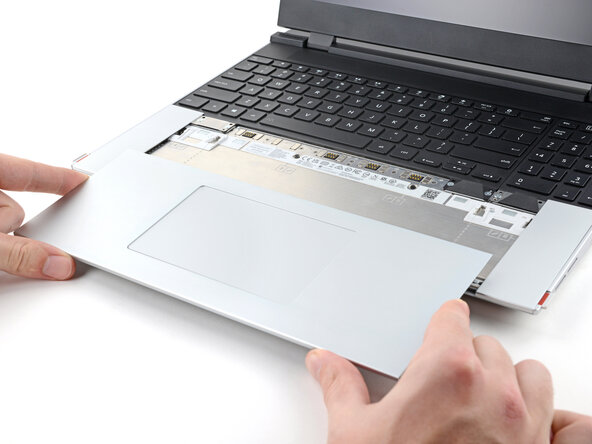
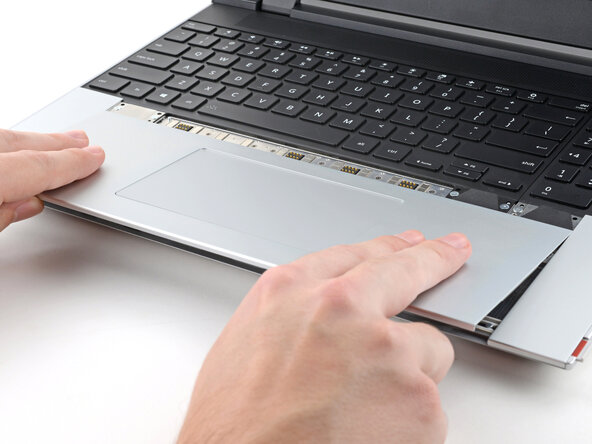
  2. Framework Laptop 16 Touchpad Module Replacement, Remove the Touchpad Module: 步骤 2 中的图像 1,3 Framework Laptop 16 Touchpad Module Replacement, Remove the Touchpad Module: 步骤 2 中的图像 2,3 Framework Laptop 16 Touchpad Module Replacement, Remove the Touchpad Module: 步骤 2 中的图像 3,3
    • Use your fingers to slide the Touchpad Module toward the bottom edge of the laptop and disconnect it.

    • If you're having trouble, check if the Input Module latches are properly unlocked.

    • Lift the Touchpad Module and remove it.

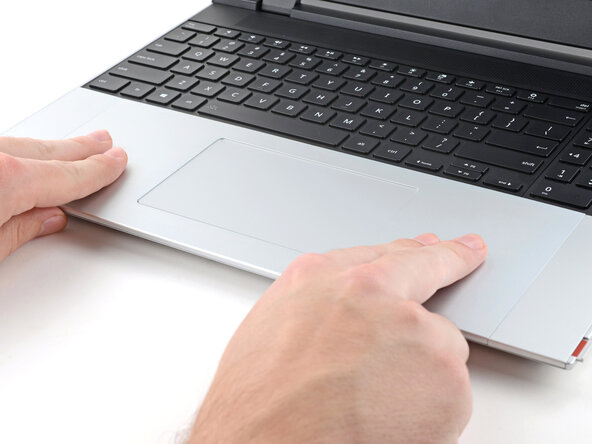
  3. Framework Laptop 16 Touchpad Module Replacement, Install the Touchpad Module: 步骤 3 中的图像 1,2 Framework Laptop 16 Touchpad Module Replacement, Install the Touchpad Module: 步骤 3 中的图像 2,2
    • Place the Touchpad Module flat on its cutout so its clips are properly aligned.

    • Press the Touchpad Module down and slide it into place so it lines up evenly with the bottom edge of the laptop.

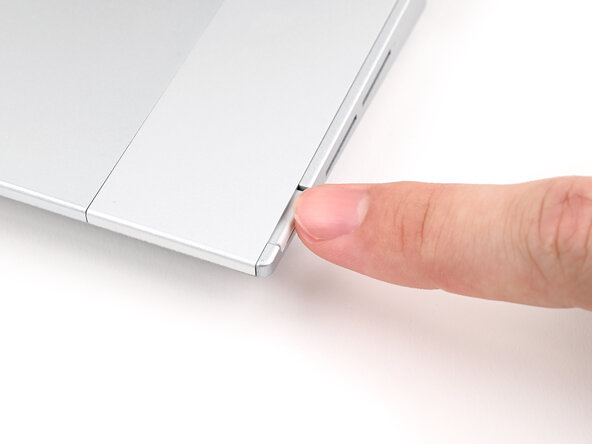
  4. Framework Laptop 16 Touchpad Module Replacement, Lock the Input Modules: 步骤 4 中的图像 1,3 Framework Laptop 16 Touchpad Module Replacement, Lock the Input Modules: 步骤 4 中的图像 2,3 Framework Laptop 16 Touchpad Module Replacement, Lock the Input Modules: 步骤 4 中的图像 3,3
    • Push the Input Module latches back into place to lock them.

结论

If you need help, contact Framework support.

Alex Diaz-Kokaisl

于01/16/22注册

217,908 声望

创作了1,087篇指南

0指南评论

添加评论

浏览统计数据:

过去 24 小时: 0

过去 7 天: 4

过去 30 天: 20

总计 112