跳转到主内容
加入维修社区 - 创建账户

Framework Desktop Heatsink Installation

仅作为前提条件
本指南仅提供前提条件!本指南是另一个程序的一部分,不能单独使用。
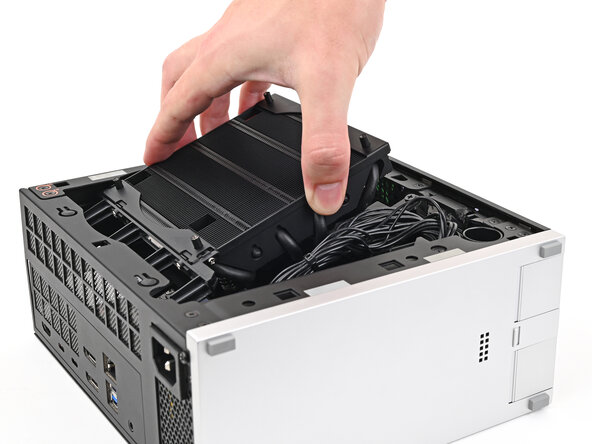
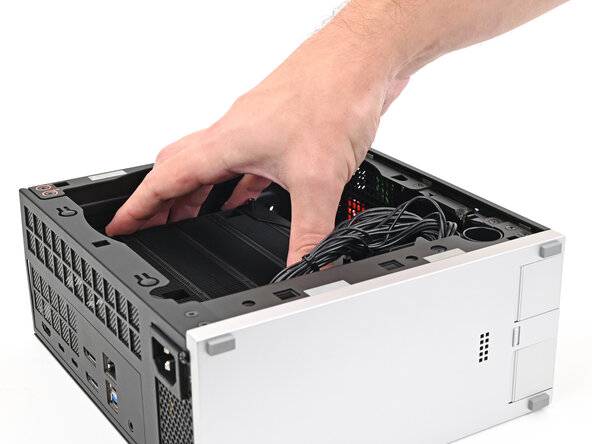
  1. Framework Desktop Heatsink Installation, Place the heatsink: 步骤 1 中的图像 1,2 Framework Desktop Heatsink Installation, Place the heatsink: 步骤 1 中的图像 2,2
    • Tilt the heatsink down towards the rear of the Desktop and place it into its slot on the Mainboard.

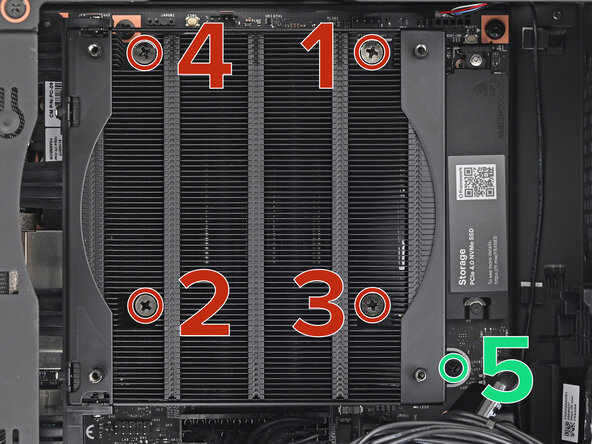
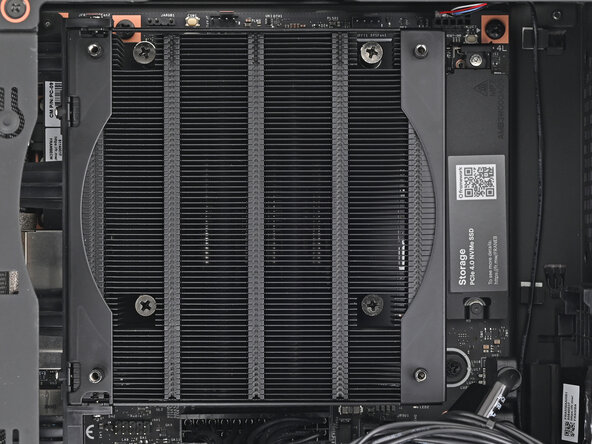
  2. Framework Desktop Heatsink Installation, Tighten the heatsink screws: 步骤 2 中的图像 1,2 Framework Desktop Heatsink Installation, Tighten the heatsink screws: 步骤 2 中的图像 2,2
    • Use your Framework Desktop Screwdriver to tighten the four captive Phillips screws securing the heatsink in an "X" pattern starting with the top right screw.

    • Only tighten the screws a few turns at a time to evenly compress the APU and thermal pads.

    • In order: top right → bottom left → bottom right → top left

    • Use your Framework Desktop Screwdriver to tighten the captive Phillips screw jutting out under the Primary Storage.

结论

To reassemble your device, follow these instructions in reverse order.

Alex Diaz-Kokaisl

于01/16/22注册

218,513 声望

创作了1,087篇指南

0指南评论

添加评论

浏览统计数据:

过去 24 小时: 0

过去 7 天: 0

过去 30 天: 1

总计 28