跳转到主内容
加入维修社区 - 创建账户

Flip Video LCD Screen

你所需要的

    1. Flip Video LCD Screen, Outer Shell: 步骤 1 中的图像 1,2 Flip Video LCD Screen, Outer Shell: 步骤 1 中的图像 2,2
      • Turn off the device and take the batteries out.

      • Remove metal sticker under the LCD screen with a spudger.

      • This may require a large force to pry off the glued sticker.

      询问修复机器人

      添加评论

    2. Flip Video LCD Screen: 步骤 2 中的图像 1,1
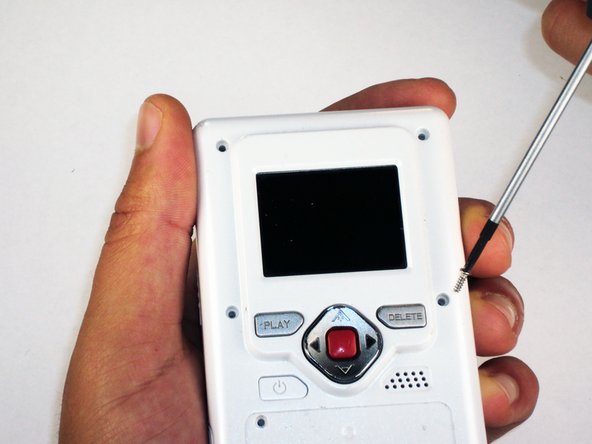
      • Remove the 4 gray screw caps with the spudger. These cover the screw heads and protect from dirt or grime.

      询问修复机器人

      添加评论

    3. Flip Video LCD Screen: 步骤 3 中的图像 1,2 Flip Video LCD Screen: 步骤 3 中的图像 2,2
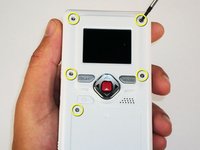
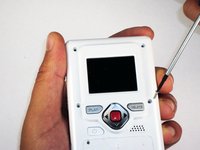
      • Remove the 5 10mm screws with the #00 Phillips screwdriver. These connect the back of the outer shell to the front of the outer shell.

      询问修复机器人

      添加评论

    4. Flip Video LCD Screen: 步骤 4 中的图像 1,1
      • Open battery door. This can be done by gently depressing and sliding the battery down downward.

      询问修复机器人

      添加评论

    5. Flip Video LCD Screen: 步骤 5 中的图像 1,1
      • Use the spudger to separate outer shells.

      • The spudger must be inserted between the shell halves to pry the edges apart.

      • Slowly work around the outside to separate the halves.

      询问修复机器人

      添加评论

    1. Flip Video LCD Screen, Circuit Board: 步骤 6 中的图像 1,1
      • Remove the 3 5mm screws securing the circuit board to the front shell with the #00 Phillips screwdriver.

      询问修复机器人

      添加评论

    2. Flip Video LCD Screen: 步骤 7 中的图像 1,1
      • Slowly lift the left side of the circuit board.

      • Do not attempt to remove the circuit board completely yet. It is still connected to the device.

      询问修复机器人

      添加评论

    3. Flip Video LCD Screen: 步骤 8 中的图像 1,1
      • Disconnect the USB port cable from the back side of the circuit board.

      询问修复机器人

      添加评论

    4. Flip Video LCD Screen: 步骤 9 中的图像 1,1
      • Slide out the battery contacts.

      • Battery contacts

      • Slot where battery contacts were located

      询问修复机器人

      添加评论

    1. Flip Video LCD Screen, LCD Screen: 步骤 10 中的图像 1,1
      • With the LCD screen facing away from you, remove the 2 bronze 3 mm screws securing the LCD using the #00 Phillips screwdriver.

      询问修复机器人

      添加评论

    2. Flip Video LCD Screen: 步骤 11 中的图像 1,1
      • Flip over the circuit board and unlock the two black tabs on the ribbon connector by sliding them upwards.

      询问修复机器人

      添加评论

    3. Flip Video LCD Screen: 步骤 12 中的图像 1,1
      • Gently pull out ribbon cable.

      • If the ribbon cable does not come out easily you may not have fully unlocked the ribbon cable connector in the previous step.

      • The LCD screen is now removed and can be replaced.

      询问修复机器人

      添加评论

结论

To reassemble your device, follow these instructions in reverse order.

取消:我没有完成这个指南。

另外一个人完成了本指南。

Elizabeth

于04/15/10注册

100 声望

创作了6篇指南

团队

Cal Poly, Team 26-21, Regan Spring 2010 Cal Poly, Team 26-21, Regan Spring 2010 的会员

CPSU-REGAN-S10S26G21

4 名成员

创作了18篇指南

0指南评论

添加评论

浏览统计数据:

过去 24 小时: 0

过去 7 天: 7

过去 30 天: 32

总计 5,748