跳转到主内容

Epson PowerLite 83+ Motherboard Replacement

你所需要的

  1. Epson PowerLite 83+ Motherboard Replacement, Motherboard: 步骤 1 中的图像 1,3 Epson PowerLite 83+ Motherboard Replacement, Motherboard: 步骤 1 中的图像 2,3 Epson PowerLite 83+ Motherboard Replacement, Motherboard: 步骤 1 中的图像 3,3
    • Remove the eight 5mm Phillips #2 screws securing the projector's bottom cover.

    • A long shank Phillips #2 screwdriver is required to reach the screws.

  2. Epson PowerLite 83+ Motherboard Replacement: 步骤 2 中的图像 1,3 Epson PowerLite 83+ Motherboard Replacement: 步骤 2 中的图像 2,3 Epson PowerLite 83+ Motherboard Replacement: 步骤 2 中的图像 3,3
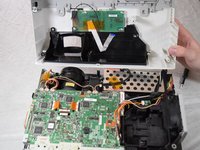
    • Flip the projector over and lift the top cover from the rear of the projector.

    • Two cables are connected at the front that prevent full removal.

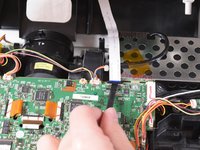
    • Disconnect the slide cover JST connector. Grip the connector and rock it back and forth while apply gentle pressure.

  3. Epson PowerLite 83+ Motherboard Replacement: 步骤 3 中的图像 1,2 Epson PowerLite 83+ Motherboard Replacement: 步骤 3 中的图像 2,2
    • Using a spudger, lift the ribbon cable's locking tab along the length of the cable.

    • Remove the ribbon cable from the connector and place the projector's top cover aside.

  4. Epson PowerLite 83+ Motherboard Replacement: 步骤 4 中的图像 1,3 Epson PowerLite 83+ Motherboard Replacement: 步骤 4 中的图像 2,3 Epson PowerLite 83+ Motherboard Replacement: 步骤 4 中的图像 3,3
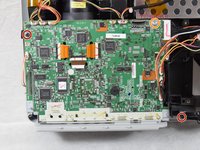
    • Remove the two 6 mm Phillips #2 screws.

    • Remove the single silver 5 mm Phillips #2 screw.

  5. Epson PowerLite 83+ Motherboard Replacement: 步骤 5 中的图像 1,3 Epson PowerLite 83+ Motherboard Replacement: 步骤 5 中的图像 2,3 Epson PowerLite 83+ Motherboard Replacement: 步骤 5 中的图像 3,3
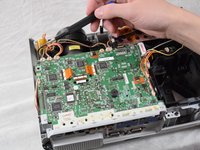
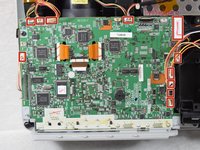
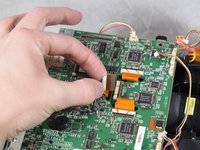
    • Using your fingernails or a spudger, remove the eleven JST connectors attached to the motherboard.

  6. Epson PowerLite 83+ Motherboard Replacement: 步骤 6 中的图像 1,2 Epson PowerLite 83+ Motherboard Replacement: 步骤 6 中的图像 2,2
    • Using a spudger, flip up the plastic locking tabs and gently remove the three ribbon cables from their connectors.

  7. Epson PowerLite 83+ Motherboard Replacement: 步骤 7 中的图像 1,2 Epson PowerLite 83+ Motherboard Replacement: 步骤 7 中的图像 2,2
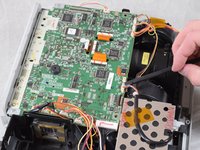
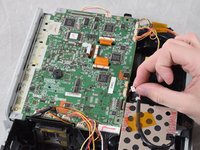
    • Ensure all JST connectors are clear of the motherboard and that the ribbon cables freely move in their motherboard cutouts.

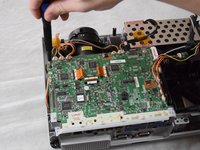
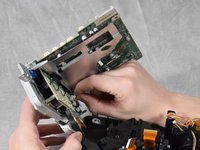
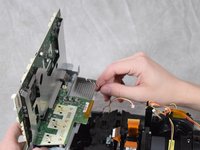
    • Lift the motherboard from the front side of the projector to clear the ribbon cables.

    • Disconnect the speaker's JST connector on the underside of the motherboard using your fingernails.

    • Remove the motherboard from the case.

结论

To reassemble your device, follow these instructions in reverse order.

Lucas Bell

于02/22/22注册

229 声望

创作了2篇指南

团队

Clemson, Team 2-4, Hunter Spring 2022 Clemson, Team 2-4, Hunter Spring 2022 的会员

CLEM-HUNTER-S22S2G4

4 名成员

创作了6篇指南

0指南评论

添加评论

浏览统计数据:

过去 24 小时: 0

过去 7 天: 3

过去 30 天: 8

总计 414