跳转到主内容

Epson PowerLite 83+ Lamp Replacement

你所需要的

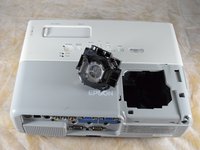
  1. Epson PowerLite 83+ Lamp Replacement, Lamp: 步骤 1 中的图像 1,1
    • Turn off and unplug the projector.

    • Allow the projector to cool for an hour before performing maintenance on it.

  2. Epson PowerLite 83+ Lamp Replacement: 步骤 2 中的图像 1,2 Epson PowerLite 83+ Lamp Replacement: 步骤 2 中的图像 2,2
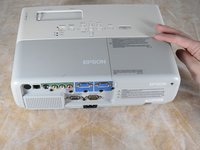
    • Remove the 6 mm Phillips #2 screw securing the lamp cover.

  3. Epson PowerLite 83+ Lamp Replacement: 步骤 3 中的图像 1,3 Epson PowerLite 83+ Lamp Replacement: 步骤 3 中的图像 2,3 Epson PowerLite 83+ Lamp Replacement: 步骤 3 中的图像 3,3
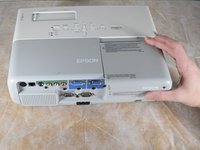
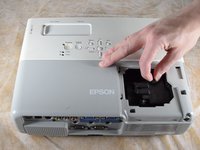
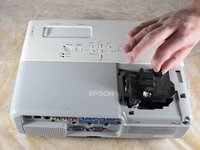
    • Apply gentle pressure to the end of the lamp cover.

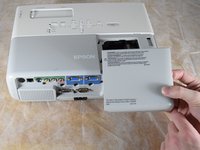
    • Pull the lamp cover towards the end of the projector.

    • When the cover is released, pull the cover straight up off of the projector to reveal the lamp.

  4. Epson PowerLite 83+ Lamp Replacement: 步骤 4 中的图像 1,2 Epson PowerLite 83+ Lamp Replacement: 步骤 4 中的图像 2,2
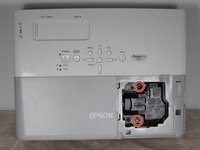
    • Loosen the two captive Phillips #2 screws securing the lamp.

    • Captive screws cannot be removed. They are secured to the lamp itself with retaining rings and will be removed along with the lamp.

  5. Epson PowerLite 83+ Lamp Replacement: 步骤 5 中的图像 1,3 Epson PowerLite 83+ Lamp Replacement: 步骤 5 中的图像 2,3 Epson PowerLite 83+ Lamp Replacement: 步骤 5 中的图像 3,3
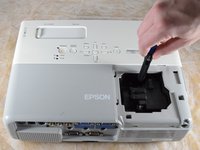
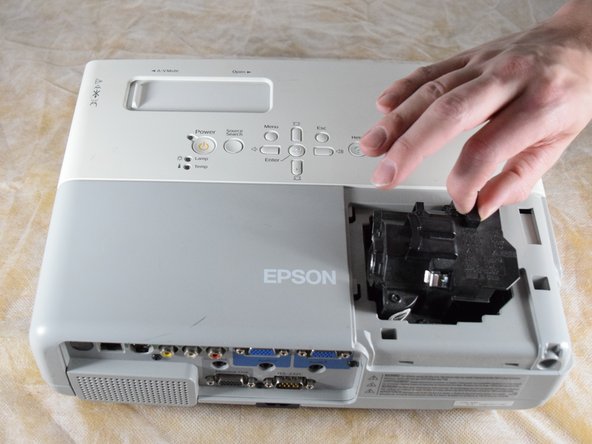
    • Gently grip the lamp by the finger hold.

    • Remove the lamp by pulling it off the guide rail, straight out of the projector.

结论

To reassemble your device, follow these instructions in reverse order.

2等其他人完成本指南。

Billy Fox

于02/22/22注册

467 声望

创作了3篇指南

团队

Clemson, Team 2-4, Hunter Spring 2022 Clemson, Team 2-4, Hunter Spring 2022 的会员

CLEM-HUNTER-S22S2G4

4 名成员

创作了6篇指南

0指南评论

添加评论

浏览统计数据:

过去 24 小时: 0

过去 7 天: 7

过去 30 天: 17

总计 807