跳转到主内容

Disassembling ModRetro Chromatic (Released Mid-2025)

你所需要的

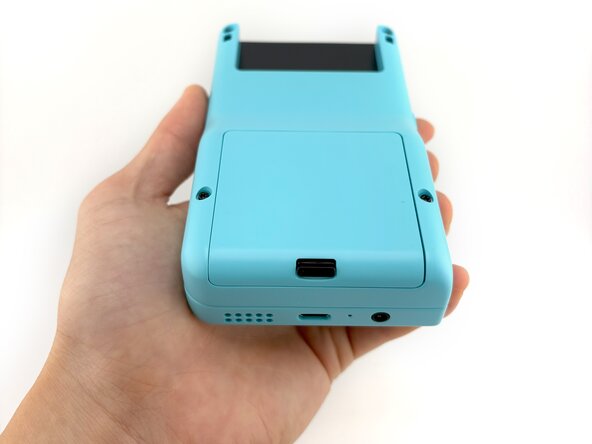
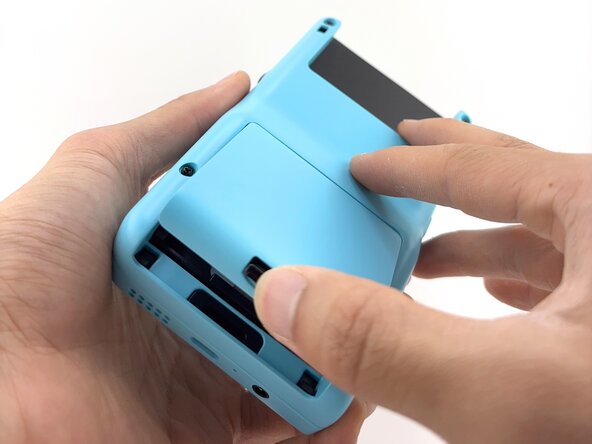
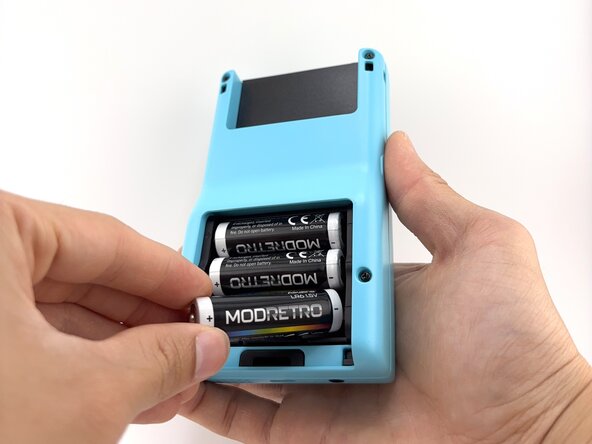
  1. Disassembling ModRetro Chromatic (Released Mid-2025), Battery Cover and Batteries: 步骤 1 中的图像 1,3 Disassembling ModRetro Chromatic (Released Mid-2025), Battery Cover and Batteries: 步骤 1 中的图像 2,3 Disassembling ModRetro Chromatic (Released Mid-2025), Battery Cover and Batteries: 步骤 1 中的图像 3,3
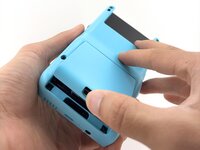
    • To remove the battery cover, push upward on the battery cover lock. The battery cover will pop open.

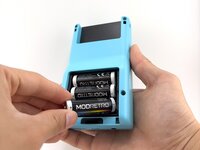
    • Lift the battery cover off and set aside.

    • Remove the batteries.

    • Always remove the batteries before working on your Chromatic!

  2. Disassembling ModRetro Chromatic (Released Mid-2025), Back Shell: 步骤 2 中的图像 1,3 Disassembling ModRetro Chromatic (Released Mid-2025), Back Shell: 步骤 2 中的图像 2,3 Disassembling ModRetro Chromatic (Released Mid-2025), Back Shell: 步骤 2 中的图像 3,3
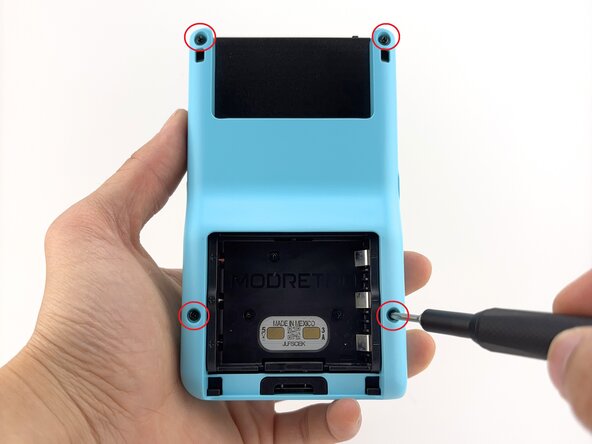
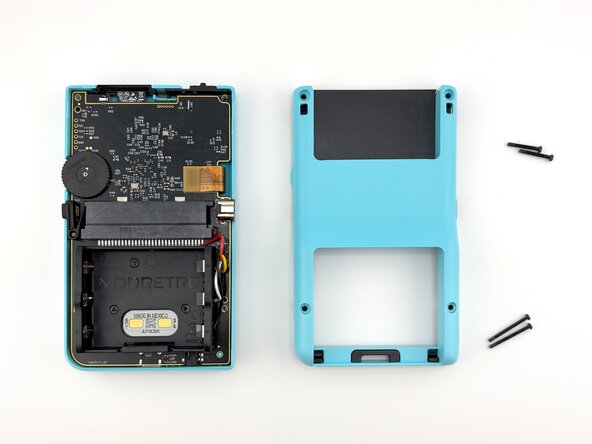
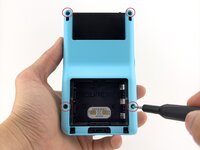
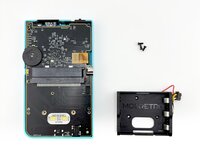
    • Remove the back shell screws (x4) using a Tri-wing Y1 Screwdriver.

    • A Tri-wing Y1.5 will also work for all screws.

    • The screws near the top are a different length than the screws near the bottom of the shell.

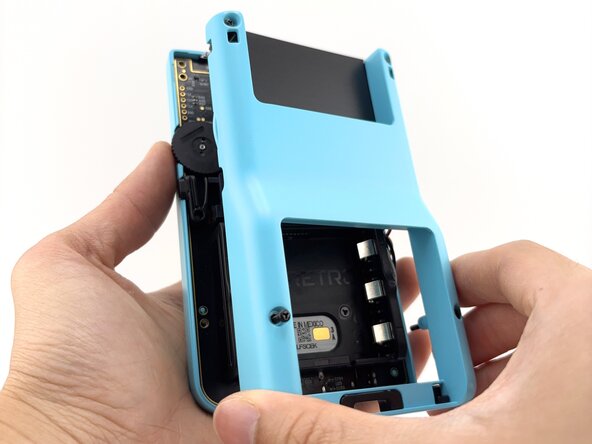
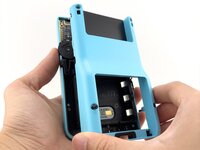
    • Remove the back shell by lifting away from the device.

  3. Disassembling ModRetro Chromatic (Released Mid-2025), Menu Button: 步骤 3 中的图像 1,3 Disassembling ModRetro Chromatic (Released Mid-2025), Menu Button: 步骤 3 中的图像 2,3 Disassembling ModRetro Chromatic (Released Mid-2025), Menu Button: 步骤 3 中的图像 3,3
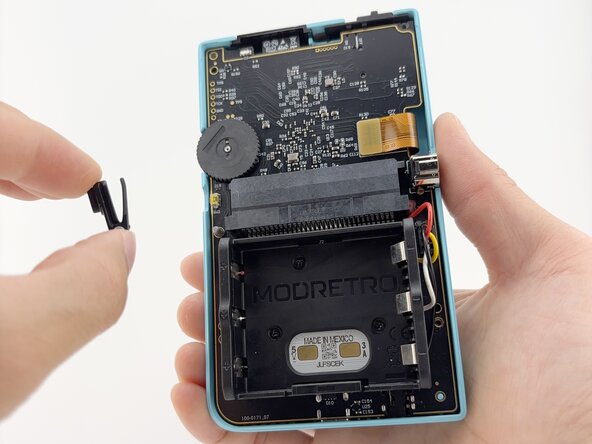
    • Remove the menu button by lifting it off the post. It will remove with little to no resistance.

  4. Disassembling ModRetro Chromatic (Released Mid-2025), Battery Tray: 步骤 4 中的图像 1,3 Disassembling ModRetro Chromatic (Released Mid-2025), Battery Tray: 步骤 4 中的图像 2,3 Disassembling ModRetro Chromatic (Released Mid-2025), Battery Tray: 步骤 4 中的图像 3,3
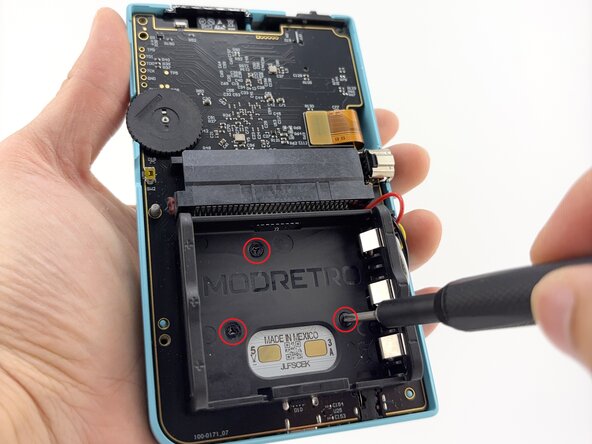
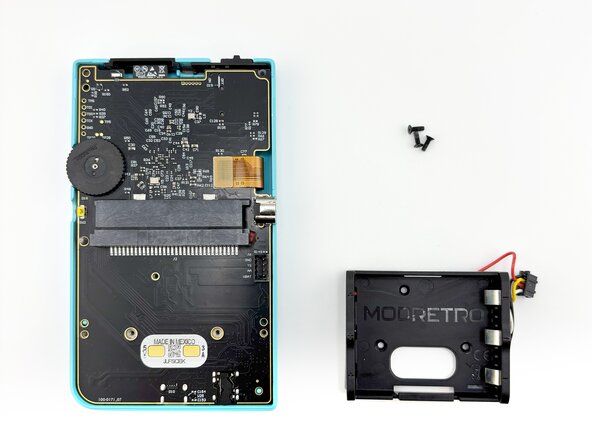
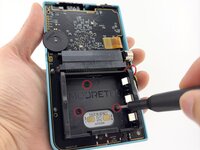
    • Remove the battery tray screws (x3) using a Tri-wing Y1 Screwdriver.

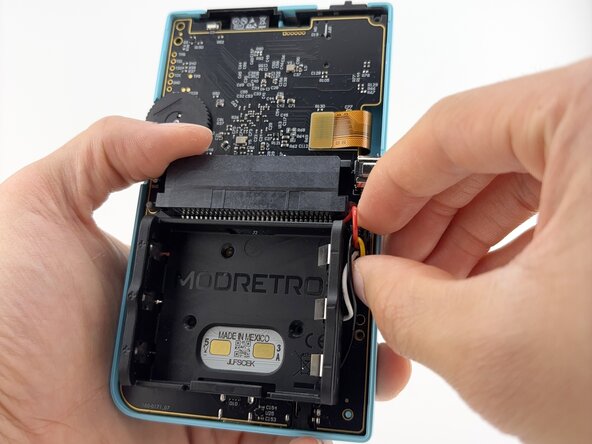
    • Remove the battery tray connector.

    • It is helpful to press lightly against the PCB with your off hand while working the connector loose.

  5. Disassembling ModRetro Chromatic (Released Mid-2025), PCB: 步骤 5 中的图像 1,2 Disassembling ModRetro Chromatic (Released Mid-2025), PCB: 步骤 5 中的图像 2,2
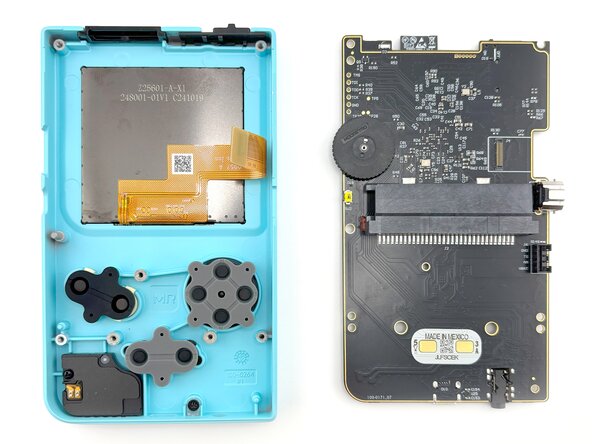
    • Carefully lift the LCD screen ribbon cable from the PCB.

    • Handle with care!

    • Carefully remove the PCB from the front shell.

    • Lifting at a slight angle will help clear the headphone jack on the bottom more easily. This is also important during re-assembly.

  6. Disassembling ModRetro Chromatic (Released Mid-2025), Speaker Module: 步骤 6 中的图像 1,3 Disassembling ModRetro Chromatic (Released Mid-2025), Speaker Module: 步骤 6 中的图像 2,3 Disassembling ModRetro Chromatic (Released Mid-2025), Speaker Module: 步骤 6 中的图像 3,3
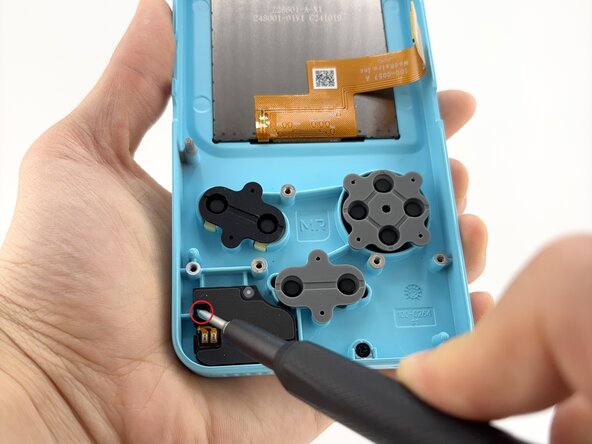
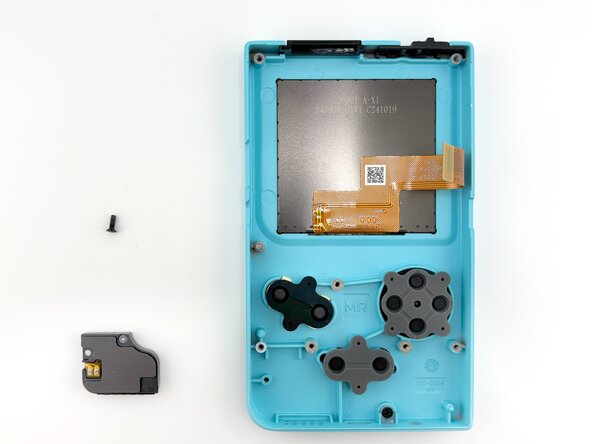
    • Remove the speaker module screw (x1) using a Tri-wing Y1 Screwdriver.

    • Carefully remove the speaker module from the front shell.

  7. Disassembling ModRetro Chromatic (Released Mid-2025), Light Pipe: 步骤 7 中的图像 1,2 Disassembling ModRetro Chromatic (Released Mid-2025), Light Pipe: 步骤 7 中的图像 2,2
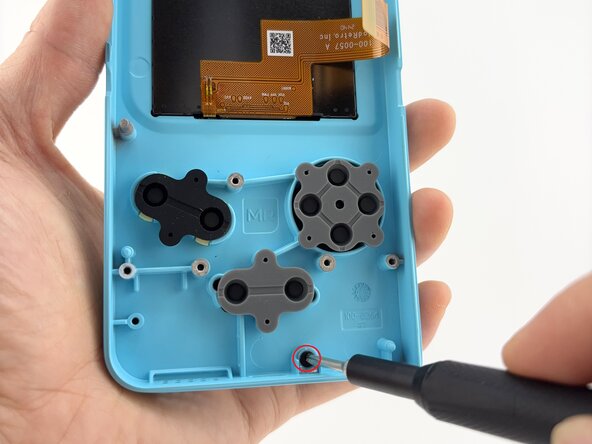
    • Remove the light pipe screw (x1) using a Tri-wing Y1 Screwdriver.

  8. Disassembling ModRetro Chromatic (Released Mid-2025), Buttons and Membranes: 步骤 8 中的图像 1,3 Disassembling ModRetro Chromatic (Released Mid-2025), Buttons and Membranes: 步骤 8 中的图像 2,3 Disassembling ModRetro Chromatic (Released Mid-2025), Buttons and Membranes: 步骤 8 中的图像 3,3
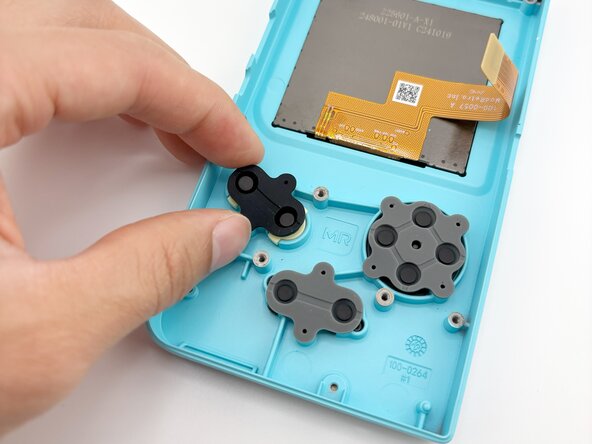
    • Remove the rubber button membranes (x3) from their pockets.

    • Remove the buttons and the D-pad from the shell with tweezers or by hand. If you flip the shell over, they will fall out freely.

    • The buttons will come out easily once the membranes are removed.

    • When re-attaching the rubber button membranes, be sure the positive features on the membranes seat securely into the pockets on the shell.

  9. Disassembling ModRetro Chromatic (Released Mid-2025), IR Window: 步骤 9 中的图像 1,3 Disassembling ModRetro Chromatic (Released Mid-2025), IR Window: 步骤 9 中的图像 2,3 Disassembling ModRetro Chromatic (Released Mid-2025), IR Window: 步骤 9 中的图像 3,3
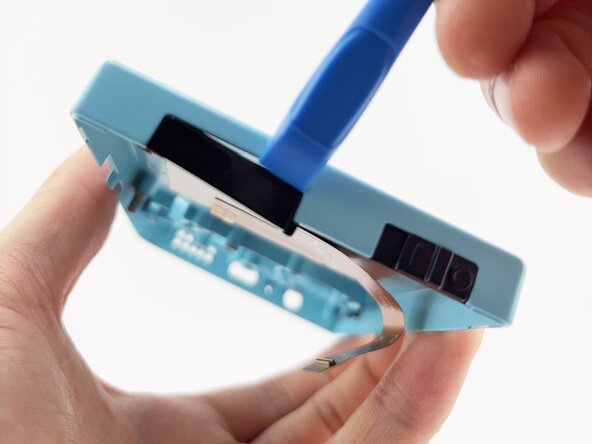
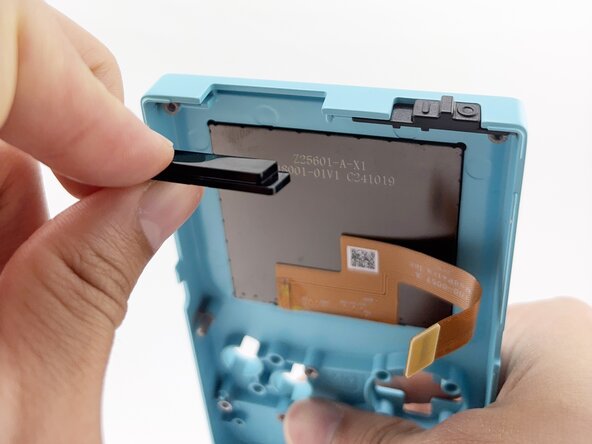
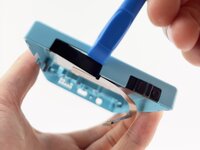
    • Carefully separate the IR window by gently wedging a plastic spudger between the IR window and the front shell.

    • Re-installing the IR window:

    • Note the side with the lip is inserted towards the front shell first.

    • Press in firmly until fully seated against the shell.

    • If the IR window fits loosely, the orientation is incorrect. The fit should be snug.

  10. Disassembling ModRetro Chromatic (Released Mid-2025), Power Switch: 步骤 10 中的图像 1,1
    • Remove the power switch by lifting away from the front shell. It will remove with little resistance.

    • When re-assembling the power switch, make sure it is inserted in the OFF position.

  11. Disassembling ModRetro Chromatic (Released Mid-2025), Cartridge Backer: 步骤 11 中的图像 1,3 Disassembling ModRetro Chromatic (Released Mid-2025), Cartridge Backer: 步骤 11 中的图像 2,3 Disassembling ModRetro Chromatic (Released Mid-2025), Cartridge Backer: 步骤 11 中的图像 3,3
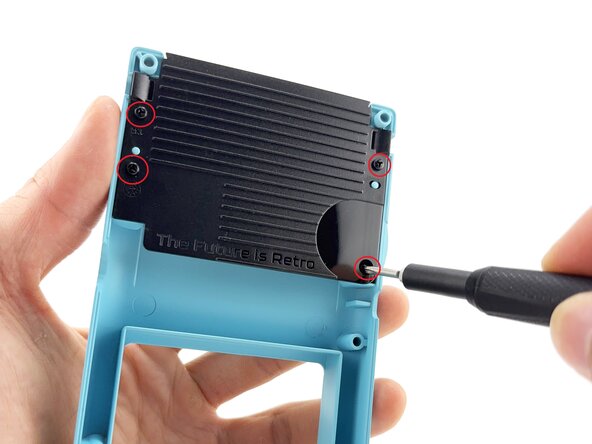
    • Remove the cartridge backer screws (x4) using a Tri-wing Y1 Screwdriver.

  12. Disassembling ModRetro Chromatic (Released Mid-2025), Latch Catch: 步骤 12 中的图像 1,3 Disassembling ModRetro Chromatic (Released Mid-2025), Latch Catch: 步骤 12 中的图像 2,3 Disassembling ModRetro Chromatic (Released Mid-2025), Latch Catch: 步骤 12 中的图像 3,3
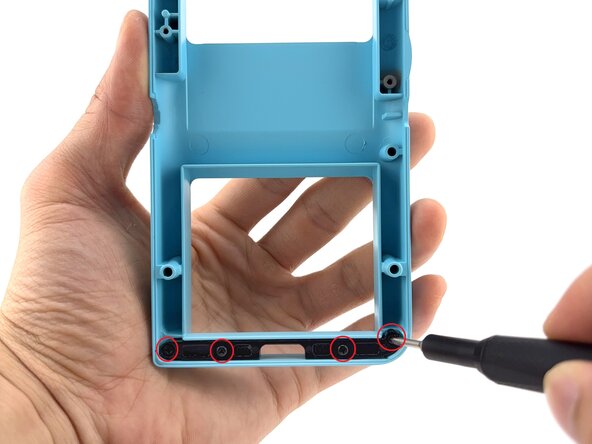
    • Remove the latch catch screws (x4) using a Tri-wing Y1 Screwdriver.

    • Gently push the latch up from the back using your finger.

  13. Disassembling ModRetro Chromatic (Released Mid-2025), Battery Cover: 步骤 13 中的图像 1,3 Disassembling ModRetro Chromatic (Released Mid-2025), Battery Cover: 步骤 13 中的图像 2,3 Disassembling ModRetro Chromatic (Released Mid-2025), Battery Cover: 步骤 13 中的图像 3,3
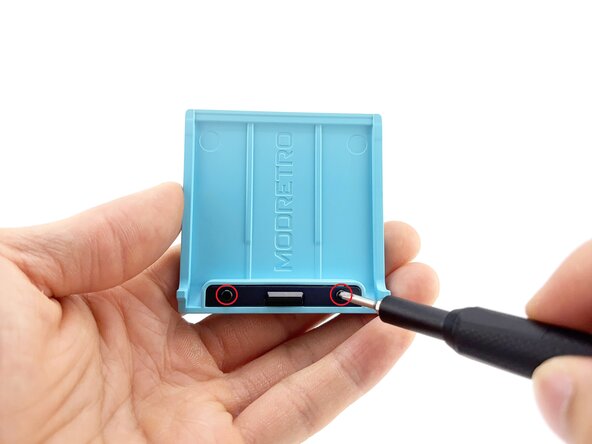
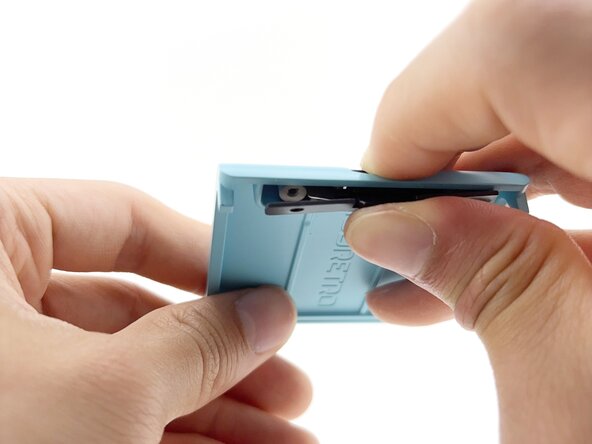
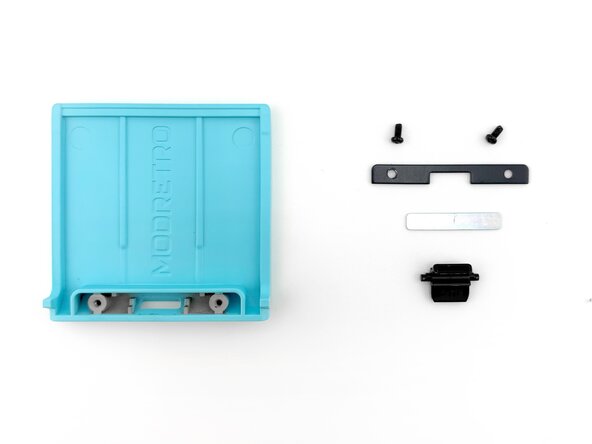
    • Remove the screws (x2) securing the latch cover using a Tri-wing Y1 Screwdriver.

    • Remove the door plate spring by fully depressing the battery cover lock. The spring should pop out.

    • Use a spudger if the spring does not fully dislodge.

    • Once the spring is removed, the battery cover lock can be removed without resistance through the underside of the battery cover.

结论

To reassemble your device, follow these instructions in reverse order.

cj@modretro

于08/05/25注册

229 声望

撰写一个指南

0指南评论

添加评论

浏览统计数据:

过去 24 小时: 16

过去 7 天: 130

过去 30 天: 338

总计 903