你所需要的
-
-
Use an opening pick and an opening tool to pry the backing off the back of the tablet.
-
-
-
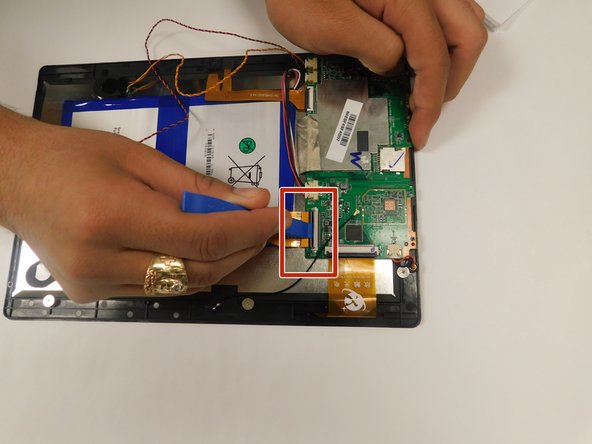
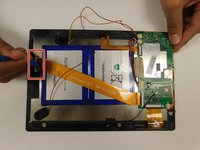
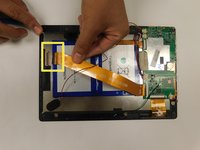
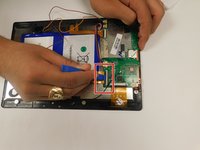
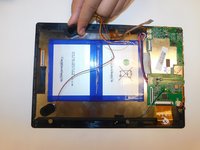
Pull back the black flaps on the ZIF cable connectors.
-
Pull the ribbon cables out of the connectors.
-
-
-
步骤 4 Digiland 10.1'' DL1016 Disconnect Wires going off the Motherboard
注意:步骤 4 源自标记为进行中的 指南。
-
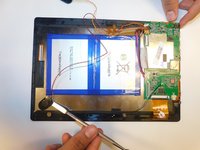
Gently pull the wiring back.
-
-
-
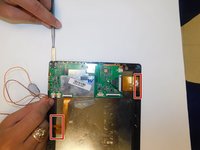
Disconnect the black cable off the motherboard.
-
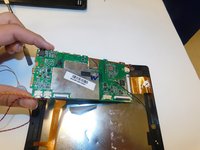
Remove the four 1.5mm Phillips #000 screws from the motherboard.
-







结论
To reassemble your device, follow these instructions in reverse order. When following the Prerequisite Guide for Replacing the Power Button ONLY go to step 7.



团队

Gateway, Team S1-G2, Saknee Fall 2019 Gateway, Team S1-G2, Saknee Fall 2019 的会员
GCC-SAKNEE-F19S1G2
4 名成员
创作了5篇指南
