跳转到主内容
加入维修社区 - 创建账户

Dell VRC100-R Daughterboard Replacement

你所需要的

  1. Dell VRC100-R Daughterboard Replacement, Battery: 步骤 1 中的图像 1,3 Dell VRC100-R Daughterboard Replacement, Battery: 步骤 1 中的图像 2,3 Dell VRC100-R Daughterboard Replacement, Battery: 步骤 1 中的图像 3,3
    • Orient your controller so that the black ring is on the bottom and the buttons are facing away from yourself.

    • Place your thumb on the small arrow that is on the controller's battery cover and firmly push upwards.

    • Slide the cover off and separate it from the controller.

    询问修复机器人

    添加评论

  2. Dell VRC100-R Daughterboard Replacement: 步骤 2 中的图像 1,2 Dell VRC100-R Daughterboard Replacement: 步骤 2 中的图像 2,2
    • Remove the right battery by pushing the positive end down and pulling the battery out toward yourself.

    • Repeat the procedure for the left battery.

    询问修复机器人

    添加评论

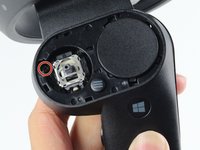
  3. Dell VRC100-R Daughterboard Replacement, Joystick: 步骤 3 中的图像 1,3 Dell VRC100-R Daughterboard Replacement, Joystick: 步骤 3 中的图像 2,3 Dell VRC100-R Daughterboard Replacement, Joystick: 步骤 3 中的图像 3,3
    • Hold the joystick down with your left thumb to make space for the plastic opening tool.

    • Insert the plastic opening tool into the circle above the joystick and pry upwards to lift the front panel.

    • Slide the plastic opening tool around the perimeter until you can lift the front panel.

    • You may hear a popping noise when you pry off the front panel.

    添加评论

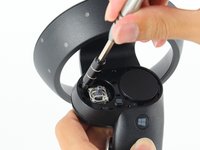
  4. Dell VRC100-R Daughterboard Replacement: 步骤 4 中的图像 1,2 Dell VRC100-R Daughterboard Replacement: 步骤 4 中的图像 2,2
    • Grab the joystick and pull away from the controller to remove it.

    询问修复机器人

    添加评论

  5. Dell VRC100-R Daughterboard Replacement, Daughterboard: 步骤 5 中的图像 1,2 Dell VRC100-R Daughterboard Replacement, Daughterboard: 步骤 5 中的图像 2,2
    • Remove one 6mm Phillips #0 screw.

    询问修复机器人

    添加评论

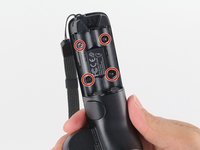
  6. Dell VRC100-R Daughterboard Replacement: 步骤 6 中的图像 1,2 Dell VRC100-R Daughterboard Replacement: 步骤 6 中的图像 2,2
    • Turn your controller over and orient it so that the thin side is on the top.

    • Remove four 4mm Phillips #0 screws.

    询问修复机器人

    添加评论

  7. Dell VRC100-R Daughterboard Replacement: 步骤 7 中的图像 1,2 Dell VRC100-R Daughterboard Replacement: 步骤 7 中的图像 2,2
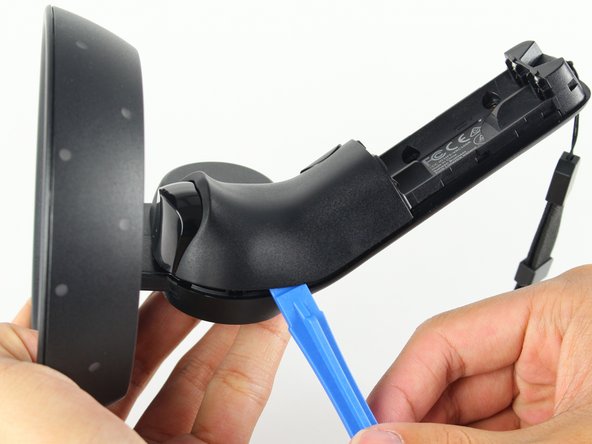
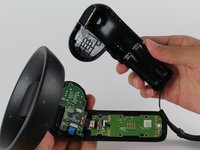
    • Turn your controller 90 degrees clockwise and insert a blue plastic opening tool into the crease of the back panel.

    • Push down on the end of the plastic opening tool closest to you to lift the panel up.

    • Slide the plastic opening tool around the perimeter of the back panel until you can remove it.

    • You may hear loud popping noises as the back panel separates from the controller.

    询问修复机器人

    添加评论

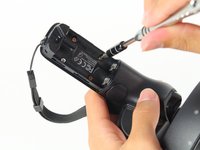
  8. Dell VRC100-R Daughterboard Replacement: 步骤 8 中的图像 1,2 Dell VRC100-R Daughterboard Replacement: 步骤 8 中的图像 2,2
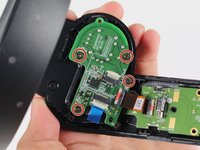
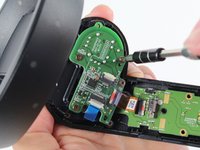
    • Remove four 4mm Phillips #0 screws.

    询问修复机器人

    添加评论

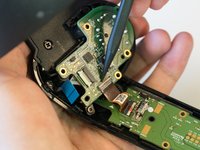
  9. Dell VRC100-R Daughterboard Replacement: 步骤 9 中的图像 1,3 Dell VRC100-R Daughterboard Replacement: 步骤 9 中的图像 2,3 Dell VRC100-R Daughterboard Replacement: 步骤 9 中的图像 3,3
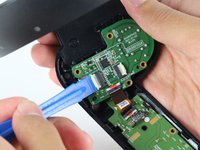
    • Use the tip of the blue plastic opening tool or your fingernail to gently flip-up the white locking flap.

    • Make sure to only lift the flap and not the connector socket because the socket easily breaks off.

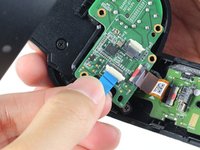
    • Grab the blue cable and pull away from the socket.

    • To reinstall, insert the blue cable into the connector and close the flap on the black line.

    询问修复机器人

    添加评论

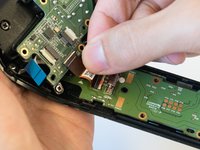
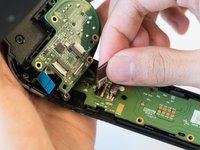
  10. Dell VRC100-R Daughterboard Replacement: 步骤 10 中的图像 1,3 Dell VRC100-R Daughterboard Replacement: 步骤 10 中的图像 2,3 Dell VRC100-R Daughterboard Replacement: 步骤 10 中的图像 3,3
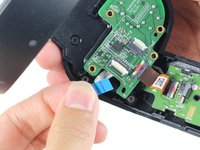
    • Use the tip of a spudger or your fingernail to gently flip-up the small white flap holding the orange ribbon cable.

    • Make sure to only lift the flap and not the connector socket because the socket easily breaks off.

    • Grab the orange cable and pull away from the socket.

    • To reinstall, insert the orange cable into the connector and close the flap on the white line.

    询问修复机器人

    添加评论

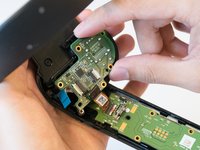
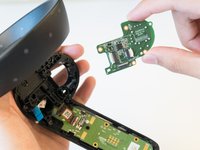
  11. Dell VRC100-R Daughterboard Replacement: 步骤 11 中的图像 1,2 Dell VRC100-R Daughterboard Replacement: 步骤 11 中的图像 2,2
    • Place two fingers on the perimeter of the daughterboard and lift it away from the controller.

    询问修复机器人

    添加评论

结论

To reassemble your device, follow these instructions in reverse order.

取消:我没有完成这个指南。

22等其他人完成本指南。

Steven Pineda

于04/16/18注册

1,049 声望

创作了3篇指南

团队

Cal Poly, Team S18-G3, Livingston Spring 2018 Cal Poly, Team S18-G3, Livingston Spring 2018 的会员

CPSU-LIVINGSTON-S18S18G3

4 名成员

创作了5篇指南

1指南评论

Really instructive & easy to follow!

Daisy Chavez - 回复 分享

添加评论

浏览统计数据:

过去 24 小时: 0

过去 7 天: 7

过去 30 天: 48

总计 7,185