此翻译由机器生成,尚未经过人工审核。 会说这种语言吗? 查看评论。

Dell Inspiron 15 5584 电池更换

Sam Vorn 和
最后更新于 2026年8月10日
浏览量: 5070
浏览统计数据:
- 过去24小时
- 6
- 过去 7 天:
- 34
- 过去 30 天:
- 136
- 总计
- 5,070
评论: 2
2 guide comments.
Go to guide comments已完成: 1 2
1 人已将本指南标记为“已完成”。你会是下一个完成的人吗?
2 人已将本指南标记为“已完成”。包括你——干的漂亮!
收藏: 0 1
暂时还没有人收藏(和订阅)本指南。你会是第一个收藏(和订阅)的人吗?
1 人收藏(并订阅)了本指南——那就是你!
特色学生指南
该指南是我们优秀学生的辛勤劳动的成果,iFixit的工作人员认为这个很酷。
简介
转到步骤 1 ↓使用本指南可协助你更换 Dell Inspiron 15 5584 的电池。
电池是笔记本电脑所有组件的电源。没有电池,笔记本电脑将无法工作。老旧或损坏的电池可能无法保持原来的充电量,也可能无法为设备的其他组件提供足够的电量。
在拆解设备之前,请务必耗尽电量并关闭笔记本电脑。带电操作存在火灾隐患,并可能导致人身伤害或损坏电子元件。此外,在开始拆卸之前,请确保笔记本电脑未连接任何外接电源。
你所需要的
修复工具包
本套装包含完成指南所需的所有零件和工具。

配件

工具


 询问修复机器人


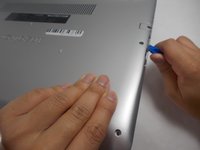
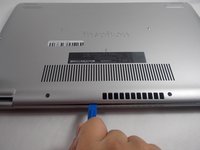


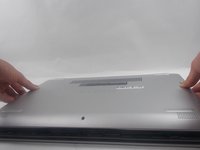
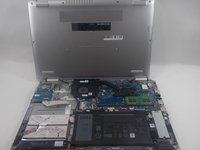


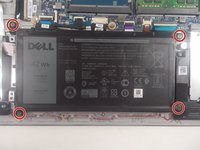
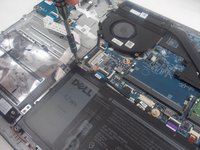


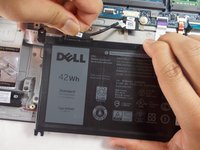
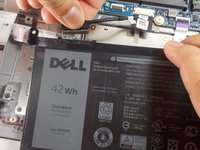
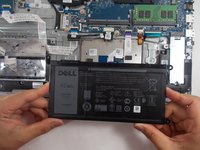
要重新组装设备,请按相反顺序执行这些说明。
另外一个人完成了本指南。

团队

UMass Dartmouth, Team 1-1, Mellen Spring 2022 UMass Dartmouth, Team 1-1, Mellen Spring 2022 的会员
UMASSD-MELLEN-S22S1G1
3 名成员
创作了120篇指南
2指南评论
I used this guide for a Dell Inspiron 5579 and it was close enough. The 5579 is larger. There were 10 screws instead of 9, and the back corner screws were removable. For the battery there were only the 2 left screws to remove as the 2 right battery mounts were also case-mounting screws. Was easy peazy. Now just need to charge it! Thanks!
John Highet - 回复 分享
Thanks for this guide! I discovered right away that I bought the battery for the 5548 accidentally and had to ship it back. I got the battery for the 5584, and by following this guide, I got it up and running within minutes.
One concern: the new battery has a closer port for the motherboard connector tab, which means the cable for that tab has to bend a bit. Hopefully I haven't introduced a problem with heat or anything.
