跳转到主内容
加入维修社区 - 创建账户

Dell AC511 Rear Panel Replacement

你所需要的

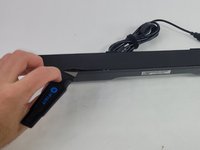
  1. Dell AC511 Rear Panel Replacement, Front Panel: 步骤 1 中的图像 1,3 Dell AC511 Rear Panel Replacement, Front Panel: 步骤 1 中的图像 2,3 Dell AC511 Rear Panel Replacement, Front Panel: 步骤 1 中的图像 3,3
    • Use a Jimmy to peel off the screen stuck to the front of the speaker.

    • Start from any corner and use the Jimmy to get under the screen. Once one side lifts up, you can use your fingers to peel the rest off.

    • Be careful to avoid damage to the rest of the speaker and especially to yourself.

    • Don't worry if it tears; use the Jimmy again to peel off the rest.

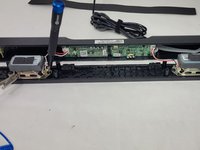
  2. Dell AC511 Rear Panel Replacement: 步骤 2 中的图像 1,2 Dell AC511 Rear Panel Replacement: 步骤 2 中的图像 2,2
    • Remove ten 6 mm screws using a Phillips #1 screwdriver.

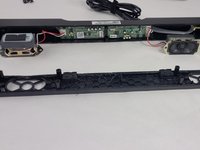
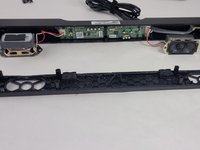
  3. Dell AC511 Rear Panel Replacement: 步骤 3 中的图像 1,2 Dell AC511 Rear Panel Replacement: 步骤 3 中的图像 2,2
    • Lift the front panel off of the rest of the device.

    • The speakers will still be attached to the front panel. Being too rough could damage them.

    • Remove the 4 mm screws from the speakers using a JIS #1 screwdriver.

    • Remove the front panel from the device.

  4. Dell AC511 Rear Panel Replacement, Speaker: 步骤 4 中的图像 1,2 Dell AC511 Rear Panel Replacement, Speaker: 步骤 4 中的图像 2,2
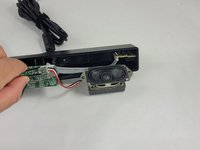
    • Follow the three wires connected to the speaker to find where they connect to the circuit board.

    • Use tweezers to gently rock the end of the wires back and forth until they disconnect from the board.

  5. Dell AC511 Rear Panel Replacement, Volume Knob: 步骤 5 中的图像 1,1
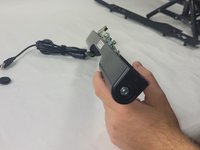
    • Apply a light downward pressure on the circuit board next to the volume control.

    • While doing, so carefully remove the clear piece of plastic connected to the side of the soundbar using the Halberd Spudger.

  6. Dell AC511 Rear Panel Replacement: 步骤 6 中的图像 1,1
    • Grab the knob and rock it back and forth until you can get the Jimmy under it. Then, use the Jimmy to pull it out of the soundbar.

    • Remember to reinstall the clear piece of plastic attached to the LED when finished replacing the volume knob.

  7. Dell AC511 Rear Panel Replacement, Rear Panel: 步骤 7 中的图像 1,1
    • Use the pointy end of the spudger to push the audio jack ports into the device to disconnect the secondary circuit board from the rear ranel.

    • Do not use too much force. Pushing too hard will risk breaking the audio jacks.

  8. Dell AC511 Rear Panel Replacement: 步骤 8 中的图像 1,2 Dell AC511 Rear Panel Replacement: 步骤 8 中的图像 2,2
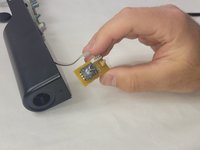
    • Remove the 10 mm bolt using a socket wrench with a 10-11 mm socket.

    • After removing the bolt, pull the disconnected volume control board out.

结论

To reassemble your device, follow these instructions in reverse order.

William Cook

于03/19/24注册

653 声望

创作了6篇指南

团队

UMass Dartmouth, Team 4-6, Shaddix Spring 2024 UMass Dartmouth, Team 4-6, Shaddix Spring 2024 的会员

UMASSD-SHADDIX-S24S4G6

4 名成员

创作了6篇指南

0指南评论

添加评论

浏览统计数据:

过去 24 小时: 0

过去 7 天: 5

过去 30 天: 25

总计 343