跳转到主内容

Dell 3100 (Touch) Battery Replacement

  1. Dell 3100 (Touch) Battery Replacement, Detach Bottom Cover: 步骤 1 中的图像 1,2 Dell 3100 (Touch) Battery Replacement, Detach Bottom Cover: 步骤 1 中的图像 2,2
    • Unscrew the nine PH#0 captive screws on the bottom of the device.

    • Use a pick to run along the outside of the device popping all the clips. Prying should not be necessary.

  2. Dell 3100 (Touch) Battery Replacement, Unplug the battery: 步骤 2 中的图像 1,2 Dell 3100 (Touch) Battery Replacement, Unplug the battery: 步骤 2 中的图像 2,2
    • Pull carefully, but firmly, on the battery cable until it becomes detached.

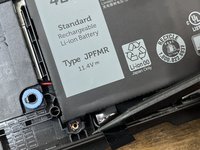
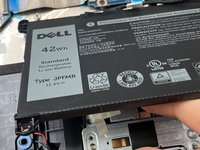
  3. Dell 3100 (Touch) Battery Replacement, Remove the battery: 步骤 3 中的图像 1,1
    • Remove these three M2x5 screws and take the battery out

    • If your replacement battery doesn't come with a cable, you will need to remove the cable from the old battery before disposing of it.

    • DO NOT throw batteries in the trash. Take them to a proper battery recycling center.

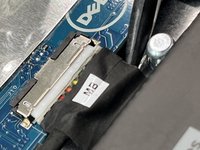
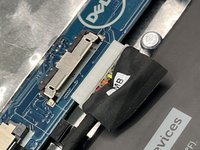
  4. Dell 3100 (Touch) Battery Replacement, Battery: 步骤 4 中的图像 1,2 Dell 3100 (Touch) Battery Replacement, Battery: 步骤 4 中的图像 2,2
    • Use a plastic spudger to lift up the flap. Use the flap to pull the connector straight away from the board (towards the battery).

  5. Dell 3100 (Touch) Battery Replacement: 步骤 5 中的图像 1,1
    • Remove 3 M2x4 screws

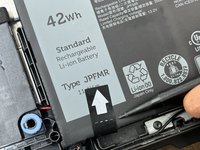
  6. Dell 3100 (Touch) Battery Replacement: 步骤 6 中的图像 1,3 Dell 3100 (Touch) Battery Replacement: 步骤 6 中的图像 2,3 Dell 3100 (Touch) Battery Replacement: 步骤 6 中的图像 3,3
    • Use a spudger to detach the tab, and pull the tab up away from the device. This will break the adhesive holding in the battery.

结论

To reassemble your device, follow these instructions in reverse order.

另外一个人完成了本指南。

0指南评论

添加评论

浏览统计数据:

过去 24 小时: 0

过去 7 天: 2

过去 30 天: 8

总计 122