跳转到主内容

Casio fx-300ES Plus 2nd Edition Battery Replacement

你所需要的

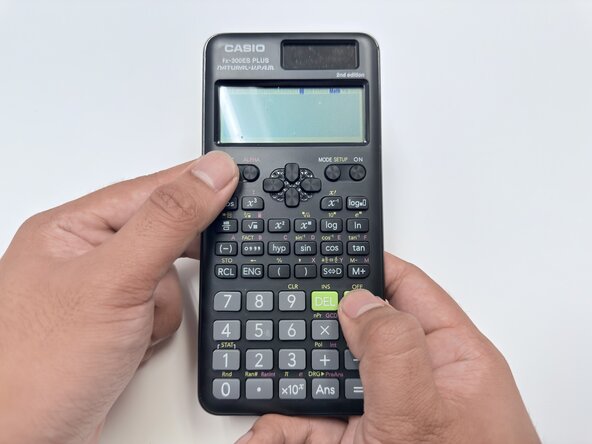
  1. Casio fx-300ES Plus 2nd Edition Battery Replacement, Battery Replacement: 步骤 1 中的图像 1,1
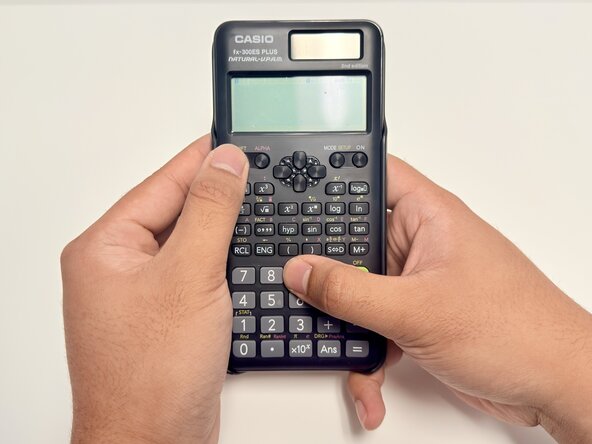
    • Press (Shift + AC) to turn off the calculator.

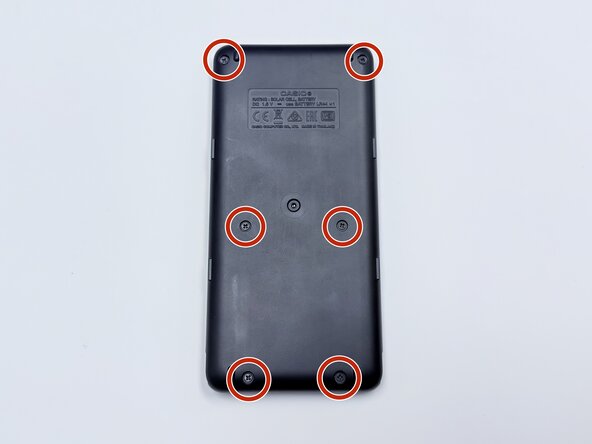
  2. Casio fx-300ES Plus 2nd Edition Battery Replacement: 步骤 2 中的图像 1,3 Casio fx-300ES Plus 2nd Edition Battery Replacement: 步骤 2 中的图像 2,3 Casio fx-300ES Plus 2nd Edition Battery Replacement: 步骤 2 中的图像 3,3
    • Use a Phillips #00 screwdriver to remove the six 7.5 mm screws from the back panel.

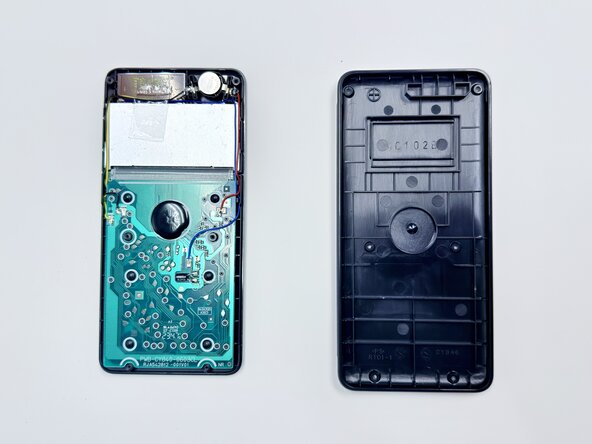
    • Insert an opening pick in the seam between the top and bottom casing.

    • Slide it around the perimeter of the calculator to release the clips that connect the front and back panels.

    • Carefully separate the front and back halves of the calculator casing.

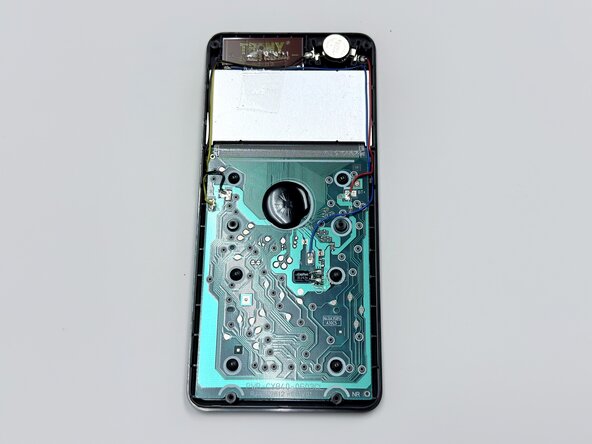
  3. Casio fx-300ES Plus 2nd Edition Battery Replacement: 步骤 3 中的图像 1,3 Casio fx-300ES Plus 2nd Edition Battery Replacement: 步骤 3 中的图像 2,3 Casio fx-300ES Plus 2nd Edition Battery Replacement: 步骤 3 中的图像 3,3
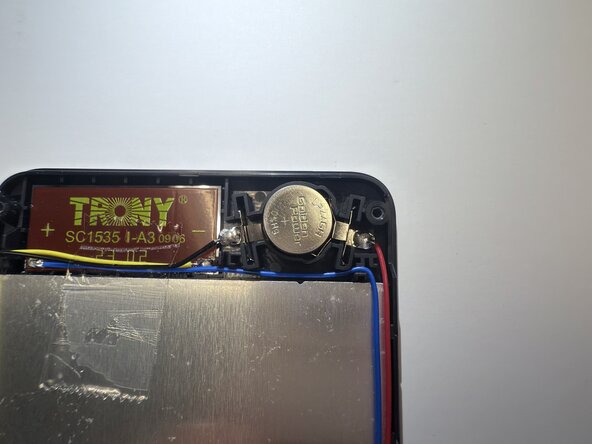
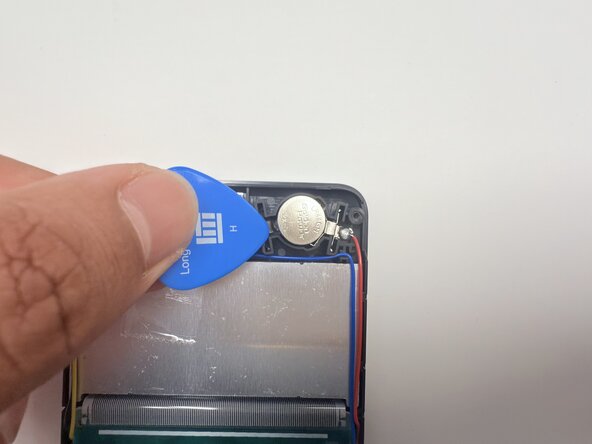
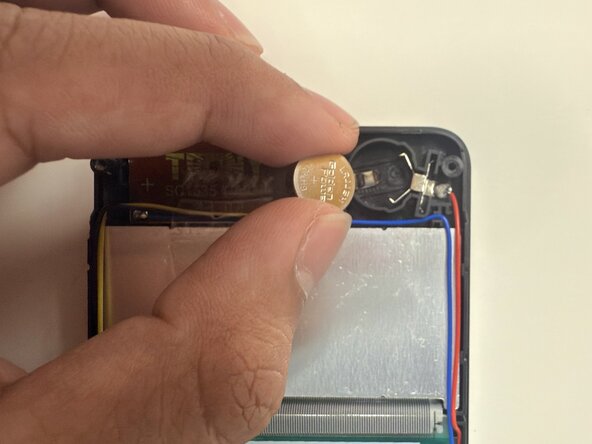
    • Use a plastic spudger or opening pick to remove the old battery.

  4. Casio fx-300ES Plus 2nd Edition Battery Replacement: 步骤 4 中的图像 1,1
    • Insert the new LR44 battery into the compartment with the positive (+) side facing up.

  5. Casio fx-300ES Plus 2nd Edition Battery Replacement: 步骤 5 中的图像 1,2 Casio fx-300ES Plus 2nd Edition Battery Replacement: 步骤 5 中的图像 2,2
    • Replace the panel on the back of the calculator and use a Phillips #00 screwdriver to secure the six 7.5 mm Philips #00 screws.

  6. Casio fx-300ES Plus 2nd Edition Battery Replacement: 步骤 6 中的图像 1,2 Casio fx-300ES Plus 2nd Edition Battery Replacement: 步骤 6 中的图像 2,2
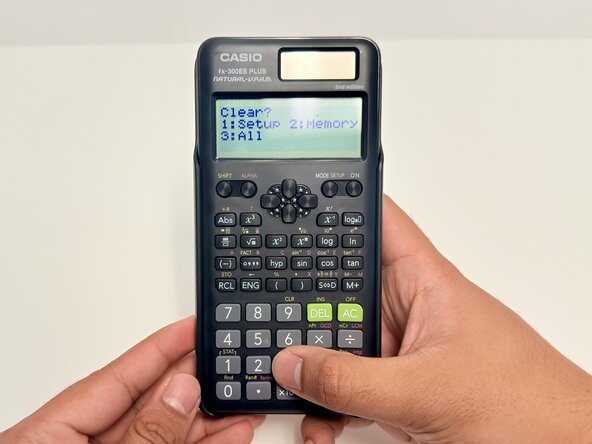
    • Power on the calculator, then bring up the 'clear' menu by pressing (SHIFT + 9).

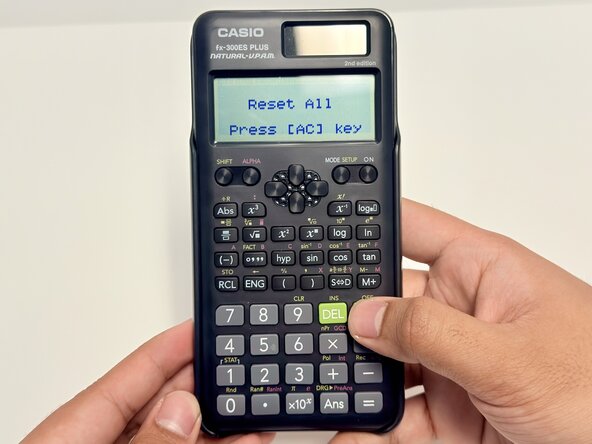
  7. Casio fx-300ES Plus 2nd Edition Battery Replacement: 步骤 7 中的图像 1,3 Casio fx-300ES Plus 2nd Edition Battery Replacement: 步骤 7 中的图像 2,3 Casio fx-300ES Plus 2nd Edition Battery Replacement: 步骤 7 中的图像 3,3
    • Perform a restoration of the calculator's default settings.

    • The order to press is (SHIFT, 9, 1, =).

结论

You've done it! ;)

另外一个人完成了本指南。

Andrei John Tabanao

于01/07/25注册

163 声望

撰写一个指南

团队

0指南评论

添加评论

浏览统计数据:

过去 24 小时: 1

过去 7 天: 7

过去 30 天: 31

总计 274