跳转到主内容

Casio CZ-1000 Display Screen Replacement

你所需要的

  1. Casio CZ-1000 Display Screen Replacement, Backplate: 步骤 1 中的图像 1,2 Casio CZ-1000 Display Screen Replacement, Backplate: 步骤 1 中的图像 2,2
    • Use a Phillips #1 screwdriver to remove the eleven 7.5 mm screws securing the back plate.

  2. Casio CZ-1000 Display Screen Replacement: 步骤 2 中的图像 1,3 Casio CZ-1000 Display Screen Replacement: 步骤 2 中的图像 2,3 Casio CZ-1000 Display Screen Replacement: 步骤 2 中的图像 3,3
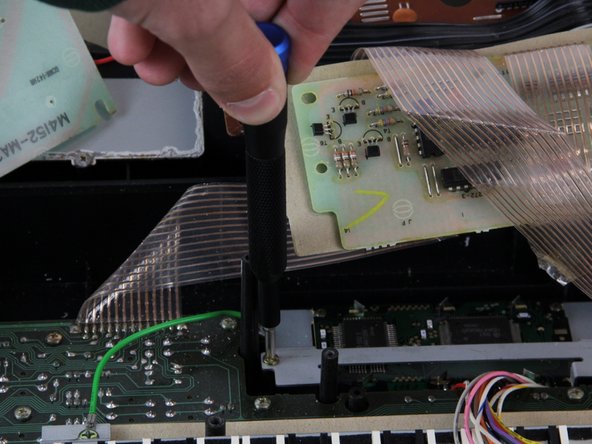
    • Using a Phillips #1 screwdriver, remove all 14 5.5 mm screws from the two motherboards.

    • These screws secure the motherboards to the keyboard assembly and the dial on the right side.

  3. Casio CZ-1000 Display Screen Replacement: 步骤 3 中的图像 1,3 Casio CZ-1000 Display Screen Replacement: 步骤 3 中的图像 2,3 Casio CZ-1000 Display Screen Replacement: 步骤 3 中的图像 3,3
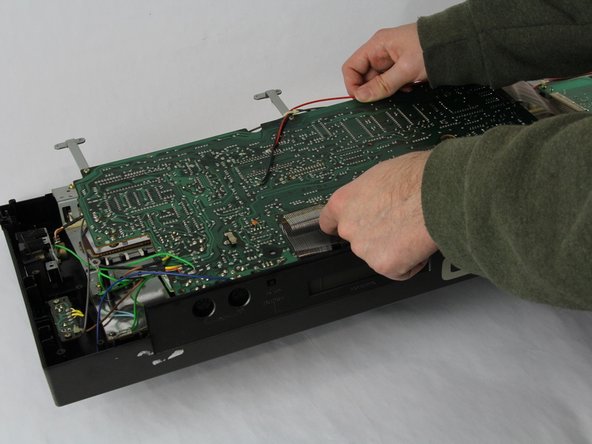
    • Carefully cut the zip tie located in the right-hand corner using a pair of scissors or wire cutters.

    • Be sure to avoid cutting any nearby wires or components.

    • Gently slide all the plugs out of their sockets.

    • This will prevent them from catching on anything or damaging the connectors as you lift.

  4. Casio CZ-1000 Display Screen Replacement, Display Screen: 步骤 4 中的图像 1,2 Casio CZ-1000 Display Screen Replacement, Display Screen: 步骤 4 中的图像 2,2
    • Pull out the orange 24 pin connector.

    • Pull on the orange plastic piece and not the wires. Pulling on the wires can potentially damage the device.

  5. Casio CZ-1000 Display Screen Replacement: 步骤 5 中的图像 1,2 Casio CZ-1000 Display Screen Replacement: 步骤 5 中的图像 2,2
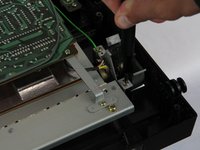
    • Remove the four 7.5 mm screws that are holding down the metal sheets using a Phillips #1 screwdriver.

    • Set the sheet to the side for now.

  6. Casio CZ-1000 Display Screen Replacement: 步骤 6 中的图像 1,3 Casio CZ-1000 Display Screen Replacement: 步骤 6 中的图像 2,3 Casio CZ-1000 Display Screen Replacement: 步骤 6 中的图像 3,3
    • Remove the four 5.5 mm screws from the corners of the display screen using a Phillips #1 screwdriver.

    • Lift the side of the display screen that is closer to you and then pull out the screen.

结论

To reassemble your device, follow these instructions in reverse order.

Ayman Benbrahim

于10/24/24注册

97 声望

撰写一个指南

团队

Cuesta, Team 60-3, Krynen Fall 2024 Cuesta, Team 60-3, Krynen Fall 2024 的会员

CUESTA-KRYNEN-F24S60G3

4 名成员

创作了5篇指南

0指南评论

添加评论

浏览统计数据:

过去 24 小时: 0

过去 7 天: 4

过去 30 天: 18

总计 129