跳转到主内容
加入维修社区 - 创建账户

Canon PowerShot SD700 Motherboard Replacement

你所需要的

  1. Canon PowerShot SD700 Motherboard Replacement, Outside Case: 步骤 1 中的图像 1,1
    • Turn off the camera by pressing the power button above the LCD screen.

    询问修复机器人
  2. Canon PowerShot SD700 Motherboard Replacement: 步骤 2 中的图像 1,1
    • Remove the two small screws on the bottom of the camera using a Phillips #00 screwdriver.

    询问修复机器人
  3. Canon PowerShot SD700 Motherboard Replacement: 步骤 3 中的图像 1,1
    • Use a Phillips #00 screwdriver to remove the two small screws on the right side of the camera.

    询问修复机器人
  4. Canon PowerShot SD700 Motherboard Replacement: 步骤 4 中的图像 1,1
    • Use a Phillips #00 screwdriver to remove the screw on the left of the camera under the A/V out digital label.

    询问修复机器人
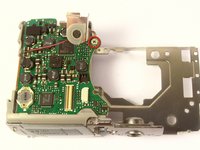
  5. Canon PowerShot SD700 Motherboard Replacement: 步骤 5 中的图像 1,1
    • Use a Phillips #00 screwdriver to remove the screw on the bottom of the camera near the battery and memory card slots.

    • This screw will be longer than the rest of the screws.

    询问修复机器人
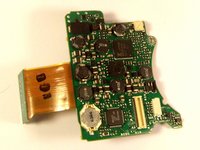
  6. Canon PowerShot SD700 Motherboard Replacement: 步骤 6 中的图像 1,1
    • Remove the front, back, and side casings from the camera and set to the side.

    询问修复机器人
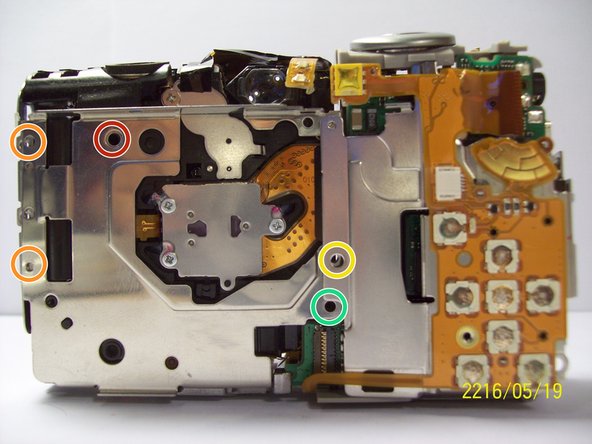
  7. Canon PowerShot SD700 Motherboard Replacement, Motherboard: 步骤 7 中的图像 1,1
    • Detach the LCD and backlight.

    • Remove the larger screw.

    • Remove the two smaller sized screws.

    • Remove the small screw.

    • Remove the small screw.

  8. Canon PowerShot SD700 Motherboard Replacement: 步骤 8 中的图像 1,1
    • Remove the two screws near the the tripod mount using a Phillips #00 screwdriver.

  9. Canon PowerShot SD700 Motherboard Replacement: 步骤 9 中的图像 1,1
    • Remove the screw next to the shutter on the top of the camera with a Phillips screwdriver.

    询问修复机器人
  10. Canon PowerShot SD700 Motherboard Replacement: 步骤 10 中的图像 1,1
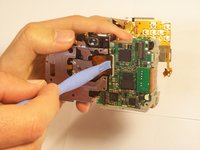
    • Remove the orange ribbon cable by lifting the ZIF connector attached to the ribbon with a spudger.

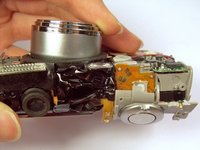
  11. Canon PowerShot SD700 Motherboard Replacement: 步骤 11 中的图像 1,2 Canon PowerShot SD700 Motherboard Replacement: 步骤 11 中的图像 2,2
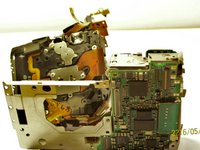
    • Carefully lift the shutter along with the ribbon connected to it. This will remove the casing around the motherboard.

    询问修复机器人
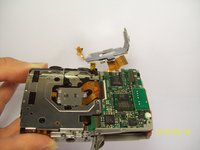
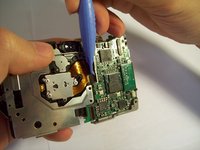
  12. Canon PowerShot SD700 Motherboard Replacement: 步骤 12 中的图像 1,3 Canon PowerShot SD700 Motherboard Replacement: 步骤 12 中的图像 2,3 Canon PowerShot SD700 Motherboard Replacement: 步骤 12 中的图像 3,3
    • With the motherboard casing detached, remove the short orange ribbon by lifting the ZIF connector with a spudger or other plastic opening tools and slide the ribbon out. Detaching this ribbon will disconnect the side of the camera containing the motherboard from the rest of the camera.

    询问修复机器人
  13. Canon PowerShot SD700 Motherboard Replacement: 步骤 13 中的图像 1,2 Canon PowerShot SD700 Motherboard Replacement: 步骤 13 中的图像 2,2
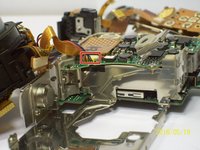
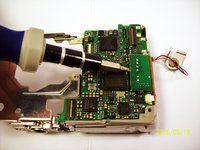
    • Disconnect the wires that are attached to the motherboard.

    • Remove the film by lifting it gently from the motherboard.

    询问修复机器人
  14. Canon PowerShot SD700 Motherboard Replacement: 步骤 14 中的图像 1,1
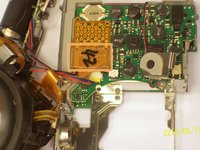
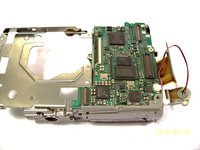
    • Remove the last wires connected to the motherboard by gently lifting upwards.

    询问修复机器人
  15. Canon PowerShot SD700 Motherboard Replacement: 步骤 15 中的图像 1,2 Canon PowerShot SD700 Motherboard Replacement: 步骤 15 中的图像 2,2
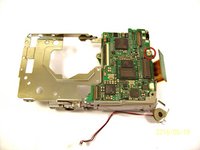
    • Use a spudger to gently lift the circuit board.

    询问修复机器人
  16. Canon PowerShot SD700 Motherboard Replacement: 步骤 16 中的图像 1,2 Canon PowerShot SD700 Motherboard Replacement: 步骤 16 中的图像 2,2
    • Remove the screw using a Phillips #00 screwdriver.

    • Gently lift the motherboard away from the case.

    询问修复机器人
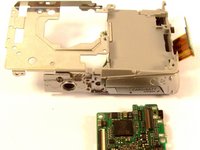
  17. Canon PowerShot SD700 Motherboard Replacement: 步骤 17 中的图像 1,2 Canon PowerShot SD700 Motherboard Replacement: 步骤 17 中的图像 2,2
    • Remove the screw.

    • Once the screw is removed, you can remove the board.

    询问修复机器人
结论

To reassemble your device, follow these instructions in reverse order.

Kenneth Lim

于04/07/11注册

61 声望

创作了2篇指南

团队

Cal Poly, Team 9-71, Walters Spring 2011 Cal Poly, Team 9-71, Walters Spring 2011 的会员

CPSU-WALTERS-S11S9G71

4 名成员

创作了9篇指南

0指南评论

添加评论

浏览统计数据:

过去 24 小时: 0

过去 7 天: 6

过去 30 天: 75

总计 1,681