简介
The Canon EOS T6i was a camera produced and sold by Canon in 2015. The functionality of the LCD screen is to produce high resolution images of the photos taken by the camera and to adjust any settings within the camera. In any case where your Canon EOS T6i LCD screen is: cracked,damaged,fading or not functional; this guide will show you how to safely disassembly and remove the screen from the camera for replacement.
你所需要的
-
-
Remove the battery and use an anti-static wrist strap to ground yourself to prevent damage to device.
-
-
-
-
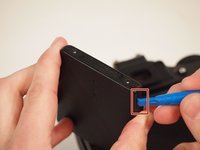
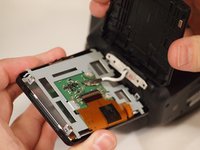
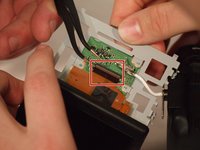
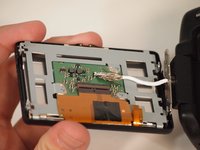
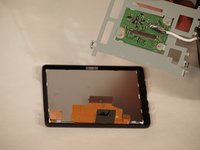
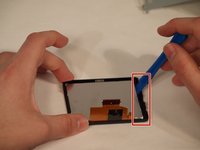
The screen is glued into the casing. Remove the screen by carefulyl lifting along the edges of the case until the screen pops out. Place new screen into the existing casing. A small about of glue or adhesive may be necessary if their isn't sufficient adhesive remaining in the case. Repeat steps in reverse to reapply screen.
-








To reassemble your device, follow these instructions in reverse order.
2等其他人完成本指南。



团队

University of Memphis, Team S2-G1, Kim Spring 2018 University of Memphis, Team S2-G1, Kim Spring 2018 的会员
UM-KIM-S18S2G1
3 名成员
创作了11篇指南
3指南评论
Very simple and great guide for. See the Canon T6i Bundle
Thanks for this awesome guide its really useful for me. see the Canon 80D Bundle
y las refacciones donde?
cafeplazay - 回复
