跳转到主内容
加入维修社区 - 创建账户

Blackberry Z20 Leap LCD/Digitizer Replacement Replacement

浏览量: 6187

浏览统计数据:

过去24小时
4
过去 7 天:
24
过去 30 天:
88
总计
6,187
评论: 8

8 guide comments.

Go to guide comments
已完成: 9

9 人已将本指南标记为“已完成”。你会是下一个完成的人吗?

收藏: 0

暂时还没有人收藏(和订阅)本指南。你会是第一个收藏(和订阅)的人吗?

所需时间: 8分钟
难度: 简单
社区贡献指南

我们社区的一个非常棒的成员制作了本指南。它不是由 iFixit 工作人员创建的。

Blackberry Z20 Leap LCD/Digitizer Replacement Replacement

Removing the screen and replacing with a working LCD/Digitizer

你所需要的

配件

工具

    1. Blackberry Z20 Leap LCD/Digitizer Replacement Replacement, Blackberry Leap Screen Replacement: 步骤 1 中的图像 1,2 Blackberry Z20 Leap LCD/Digitizer Replacement Replacement, Blackberry Leap Screen Replacement: 步骤 1 中的图像 2,2
      • Blackberry Z20 Leap (STR200-2) with a bad LCD. The first question is...Where are the screws?

      询问修复机器人

      添加评论

    2. Blackberry Z20 Leap LCD/Digitizer Replacement Replacement, remove screws: 步骤 2 中的图像 1,2 Blackberry Z20 Leap LCD/Digitizer Replacement Replacement, remove screws: 步骤 2 中的图像 2,2
      • The screws are behind the sticker beside the camera. Heat the sticker and use a knife to pry under the sticker to remove it. There are 2 screws which you need a T6 torx screwdriver to remove.

      询问修复机器人

      添加评论

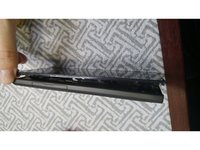
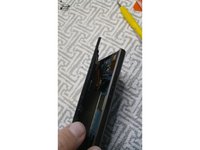
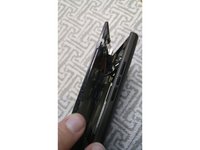
    3. Blackberry Z20 Leap LCD/Digitizer Replacement Replacement, unseat screen assembly: 步骤 3 中的图像 1,3 Blackberry Z20 Leap LCD/Digitizer Replacement Replacement, unseat screen assembly: 步骤 3 中的图像 2,3 Blackberry Z20 Leap LCD/Digitizer Replacement Replacement, unseat screen assembly: 步骤 3 中的图像 3,3
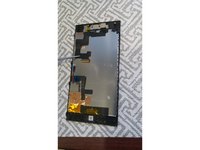
      • Push up on screen with thumbs once the screws have been removed. The screen assembly will now come away from the chassis. Be careful there is still some ribbon cables connected to the screen assembly.

      询问修复机器人

      添加评论

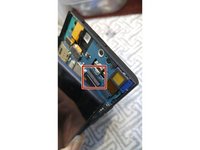
    4. Blackberry Z20 Leap LCD/Digitizer Replacement Replacement, disconnect connectors: 步骤 4 中的图像 1,3 Blackberry Z20 Leap LCD/Digitizer Replacement Replacement, disconnect connectors: 步骤 4 中的图像 2,3 Blackberry Z20 Leap LCD/Digitizer Replacement Replacement, disconnect connectors: 步骤 4 中的图像 3,3
      在这个步骤中使用的工具:
      Tweezers
      $4.99
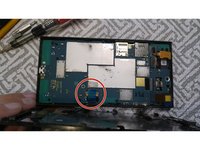
      • In the top there is a connector where you have to lift the black part of the connector to remove the ribbon. I used tweezers to lift the connector and to remove the ribbon cable

      • Once the top ribbon is removed there is another cable connected in the middle. The phone will open up more to give you access. You will need to lift the black part of the connector to remove the ribbon. Again, I used tweezers. The screen assembly should now come away from the chassis

      询问修复机器人

      添加评论

结论

To reassemble your device, follow these instructions in reverse order.

取消:我没有完成这个指南。

9等其他人完成本指南。

作者

与

Amanda Baxter

于02/08/16注册

217 声望

撰写一个指南

8指南评论

Excellent Guide Amanda! thanks for the great work!

Xpider - 回复 分享

How to remove lcd from the frame (bezel)

Sani Shik - 回复 分享

Can you advise how this is done please...removing the lcd from the frame

zoe smith - 回复 分享

I bought a T6 torx screwdriver but it is too big for my Leap (STR200-1). Any idea what size torx I need? I'm guessing T5 but...

Dave - 回复 分享

Yep bought a T5 torx screwdriver and that did it

Dave - 回复 分享

添加评论

浏览统计数据:

过去 24 小时: 4

过去 7 天: 24

过去 30 天: 88

总计 6,187