跳转到主内容
加入维修社区 - 创建账户
Battery Disconnect

仅作为前提条件
本指南仅提供前提条件!本指南是另一个程序的一部分,不能单独使用。

你所需要的

  1. Battery Disconnect, Prepare your laptop for disassembly: 步骤 1 中的图像 1,2 Battery Disconnect, Prepare your laptop for disassembly: 步骤 1 中的图像 2,2
    • Allow your laptop's battery to drain below 25% before starting this repair—a charged battery may catch fire if damaged.

    • Unplug all cables and fully shut down your laptop.

  2. Battery Disconnect, Remove the micro SIM card tray: 步骤 2 中的图像 1,3 Battery Disconnect, Remove the micro SIM card tray: 步骤 2 中的图像 2,3 Battery Disconnect, Remove the micro SIM card tray: 步骤 2 中的图像 3,3
    • A SIM eject tool or bit isn't long enough to eject the tray.

    • Insert a straightened paper clip into the micro SIM card tray hole on the right edge of the laptop.

    • Press the paper clip firmly into the hole to eject the tray.

    • Remove the tray.

    • When reinserting the tray, slide the arms of the tray into the rectangular metal slot.

  3. Battery Disconnect, Battery information: 步骤 3 中的图像 1,2 Battery Disconnect, Battery information: 步骤 3 中的图像 2,2
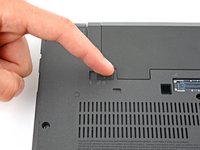
    • Lay your laptop upside down to access the external battery.

    • Two sliding tabs secure the battery.

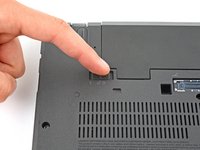
  4. Battery Disconnect, Release the left tab: 步骤 4 中的图像 1,2 Battery Disconnect, Release the left tab: 步骤 4 中的图像 2,2
    • Slide the left tab, labeled 1, to the unlocked position—it'll click into place and release the left side of the battery.

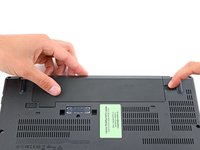
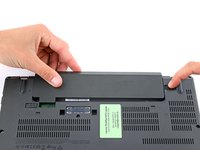
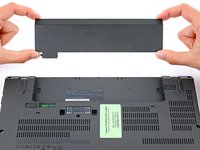
  5. Battery Disconnect, Remove the battery: 步骤 5 中的图像 1,3 Battery Disconnect, Remove the battery: 步骤 5 中的图像 2,3 Battery Disconnect, Remove the battery: 步骤 5 中的图像 3,3
    • Hold the right tab, labeled 2, in the unlocked position and slide the battery out of its recess.

    • During reassembly, slide the battery into its recess until both tabs engage.

    • Never reuse a deformed or damaged battery—it's a fire hazard. Replace it with a new battery.

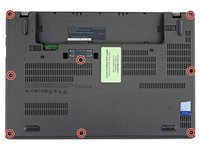
  6. Battery Disconnect, Unfasten the back cover: 步骤 6 中的图像 1,2 Battery Disconnect, Unfasten the back cover: 步骤 6 中的图像 2,2
    • Use a Phillips screwdriver to loosen the eight captive screws securing the back cover.

    • Don't try to completely remove the screws—they're secured to the back cover with delicate, plastic clips.

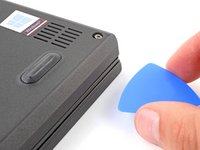
  7. Battery Disconnect, Insert an opening pick: 步骤 7 中的图像 1,3 Battery Disconnect, Insert an opening pick: 步骤 7 中的图像 2,3 Battery Disconnect, Insert an opening pick: 步骤 7 中的图像 3,3
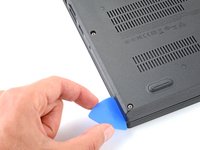
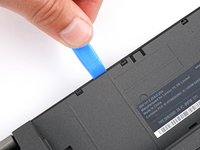
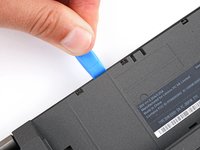
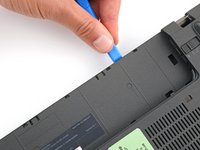
    • Plastic clips secure the back cover to the frame. You'll hear and feel the clips release.

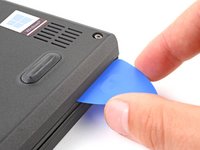
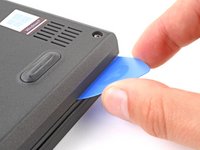
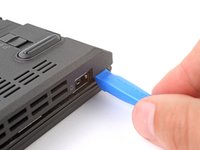
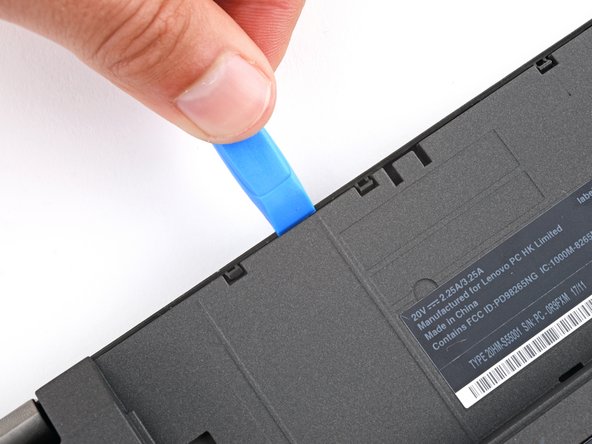
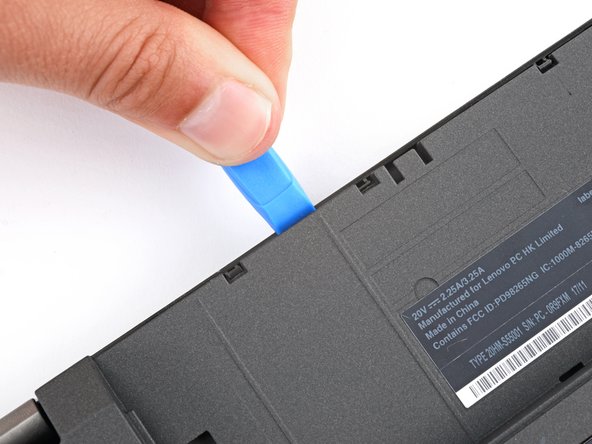
    • Insert the flat side of an opening pick between the bottom right edge of the back cover and frame.

    • Pry up the back cover to release the bottom right clips.

    • Leave the pick inserted in the bottom right corner.

  8. Battery Disconnect, Release the bottom edge clips: 步骤 8 中的图像 1,3 Battery Disconnect, Release the bottom edge clips: 步骤 8 中的图像 2,3 Battery Disconnect, Release the bottom edge clips: 步骤 8 中的图像 3,3
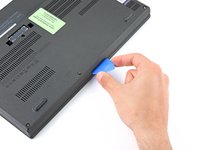
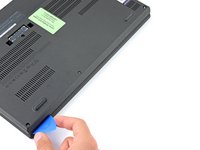
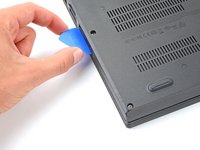
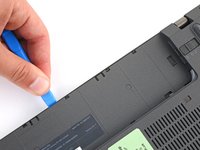
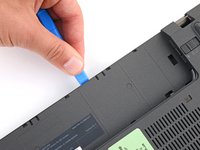
    • During the next two steps, position your pick downward at a 45-degree angle to help release the clips.

    • Slide the pick to the bottom left corner to release the bottom clips.

  9. Battery Disconnect, Release the left edge clips: 步骤 9 中的图像 1,2 Battery Disconnect, Release the left edge clips: 步骤 9 中的图像 2,2
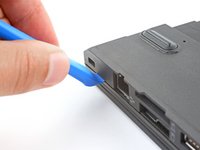
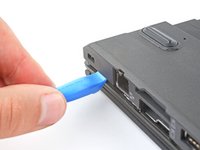
    • Insert your pick in the bottom left corner and slide the pick to the first USB port to release the left clips.

  10. Battery Disconnect, Release the top corner clips: 步骤 10 中的图像 1,3 Battery Disconnect, Release the top corner clips: 步骤 10 中的图像 2,3 Battery Disconnect, Release the top corner clips: 步骤 10 中的图像 3,3
    • Insert an opening tool between the top left corner of the back cover and frame.

    • Pry the back cover up to release the clips securing its top left corner.

    • Repeat the process on the top right corner.

  11. Battery Disconnect, Release the top edge clips: 步骤 11 中的图像 1,3 Battery Disconnect, Release the top edge clips: 步骤 11 中的图像 2,3 Battery Disconnect, Release the top edge clips: 步骤 11 中的图像 3,3
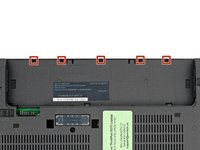
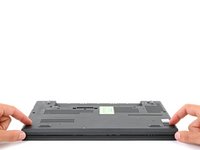
    • Five clips secure the top edge of the back cover.

    • Insert an opening tool in the gap between the back cover and frame, next to one of the clips.

    • Push the opening tool into the gap until the clip releases.

  12. Battery Disconnect: 步骤 12 中的图像 1,3 Battery Disconnect: 步骤 12 中的图像 2,3 Battery Disconnect: 步骤 12 中的图像 3,3
    • Push the opening tool between the back cover and frame at different points along the top edge to release the remaining clips.

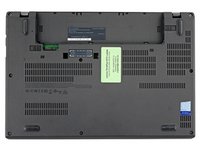
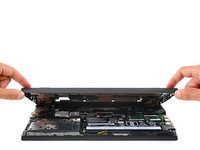
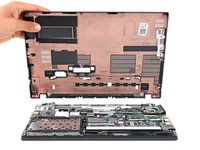
  13. Battery Disconnect, Remove the back cover: 步骤 13 中的图像 1,3 Battery Disconnect, Remove the back cover: 步骤 13 中的图像 2,3 Battery Disconnect, Remove the back cover: 步骤 13 中的图像 3,3
    • Remove the back cover.

    • During reassembly, lay the back cover on the frame and press firmly around the perimeter to engage all the clips.

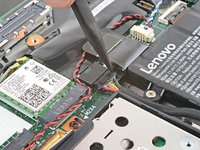
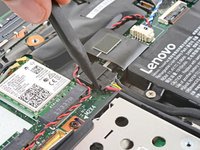
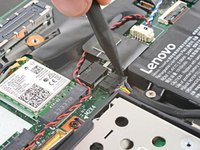
  14. Battery Disconnect, Disconnect the internal battery: 步骤 14 中的图像 1,3 Battery Disconnect, Disconnect the internal battery: 步骤 14 中的图像 2,3 Battery Disconnect, Disconnect the internal battery: 步骤 14 中的图像 3,3
结论

To reassemble your device, follow these instructions in reverse order.

Spencer Day

于09/14/22注册

158,832 声望

创作了1,043篇指南

团队

iFixit iFixit 的会员

Staff

123 名成员

创作了23,914篇指南

0指南评论

添加评论

浏览统计数据:

过去 24 小时: 1

过去 7 天: 2

过去 30 天: 3

总计 33