简介
This is a prerequisite-only guide! This guide is part of another procedure and is not meant to be used alone.
你所需要的
-
在这个步骤中使用的工具:Tweezers$4.99
-
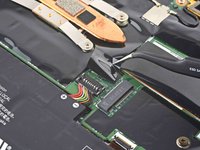
Use tweezers or your fingers to peel back the plastic shield covering the battery connector.
-
-
-
-
Use the flat end of a spudger to pry up on and disconnect the battery cable.
-




结论
To reassemble your device, follow these instructions in reverse order.


