跳转到主内容
加入维修社区 - 创建账户

Asus Transformer T100 Button Module Replacement

你所需要的

    1. Asus Transformer T100 Button Module Replacement, Rear Cover: 步骤 1 中的图像 1,2 Asus Transformer T100 Button Module Replacement, Rear Cover: 步骤 1 中的图像 2,2
      • Separate the tablet from the base by pressing the large silver button below the tablet. The silver button is located at the base of the tablet.

      • Remove the tablet by lifting up.

      询问修复机器人

      添加评论

    2. Asus Transformer T100 Button Module Replacement: 步骤 2 中的图像 1,2 Asus Transformer T100 Button Module Replacement: 步骤 2 中的图像 2,2
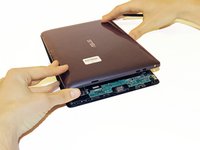
      • Insert the opening tool into the seam of the tablet casing and gently pry upwards.

      • With a little force, you will feel the clips release.

      添加评论

    3. Asus Transformer T100 Button Module Replacement: 步骤 3 中的图像 1,1
      • Slide the tool along all four edges of the tablet, making sure that all the clips are released.

      • Do not break these clips; otherwise, the screen will become less secure.

      询问修复机器人

      添加评论

    4. Asus Transformer T100 Button Module Replacement: 步骤 4 中的图像 1,2 Asus Transformer T100 Button Module Replacement: 步骤 4 中的图像 2,2
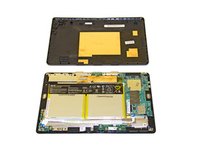
      • Remove the rear casing.

      询问修复机器人

      添加评论

    1. Asus Transformer T100 Button Module Replacement, Button Module: 步骤 5 中的图像 1,1
      在这个步骤中使用的工具:
      Tweezers
      $4.99
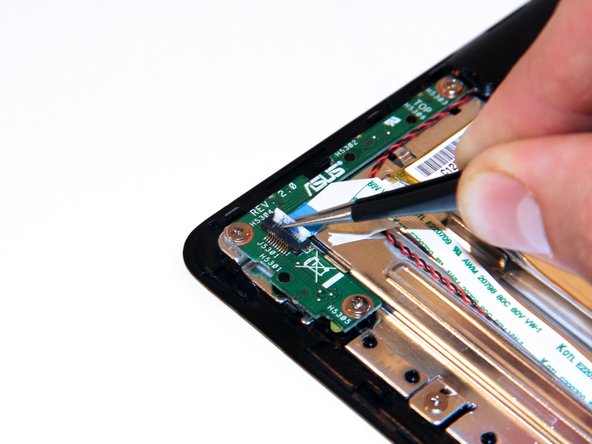
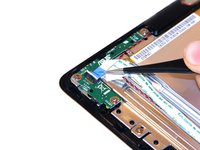
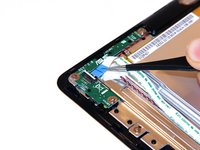
      • Unclip the white connection clip using a pair of tweezers.

      询问修复机器人

      添加评论

    2. Asus Transformer T100 Button Module Replacement: 步骤 6 中的图像 1,2 Asus Transformer T100 Button Module Replacement: 步骤 6 中的图像 2,2
      • Pull the connection apparatus from the connection clip on the board using a pair of tweezers.

      询问修复机器人

      添加评论

    3. Asus Transformer T100 Button Module Replacement: 步骤 7 中的图像 1,1
      • Gently fold the connection apparatus back away from your work area.

      询问修复机器人

      添加评论

    4. Asus Transformer T100 Button Module Replacement: 步骤 8 中的图像 1,3 Asus Transformer T100 Button Module Replacement: 步骤 8 中的图像 2,3 Asus Transformer T100 Button Module Replacement: 步骤 8 中的图像 3,3
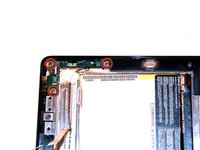
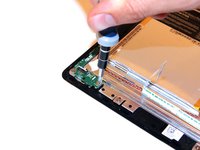
      • Remove the screws using a Phillips Head #1 screwdriver.

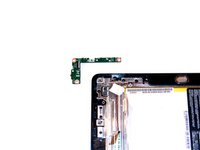
      • Remove the power button module.

      询问修复机器人

      添加评论

结论

To reassemble your device, follow these instructions in reverse order.

取消:我没有完成这个指南。

4等其他人完成本指南。

Taylor Pantiga

于04/14/14注册

1,629 声望

创作了6篇指南

团队

Cal Poly, Team 13-31, Maness Spring 2014 Cal Poly, Team 13-31, Maness Spring 2014 的会员

CPSU-MANESS-S14S13G31

3 名成员

创作了42篇指南

1指南评论

My problem is that when reinstalltng the back cover the button does not fit the button module to press the on/off switch. The switch works allright.

What can i do? At this moment I can only switch the tablet on after removing the back cover.

Rudolf Guys - 回复 分享

添加评论

浏览统计数据:

过去 24 小时: 4

过去 7 天: 10

过去 30 天: 38

总计 6,580