简介
The battery supplies the power to the device. If the battery is malfunctioning, it could result in issues that are listed in this troubleshooting guide. Replacing the battery only requires the user to remove the outer case screws and two additional wires, making it one of the easier guides to follow. This guide details how to replace the Battery on the Anbernic RG353V.
Before you begin this repair, make sure to power off your device and unplug it from the charging adapter.
If you encounter a swollen battery or it looks like a little pillow when open up your device to replace the old battery, follow these safety tips. A swollen battery can be dangerous and a health hazard.
你所需要的
-
-
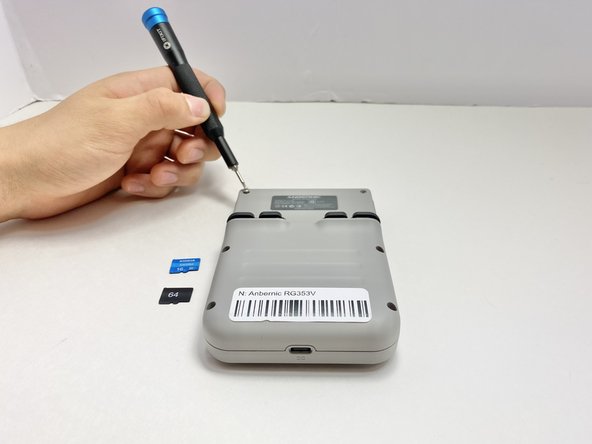
Use a 2 mm Hex screwdriver to remove the six 7 mm screws from the back case of the handheld game.
-
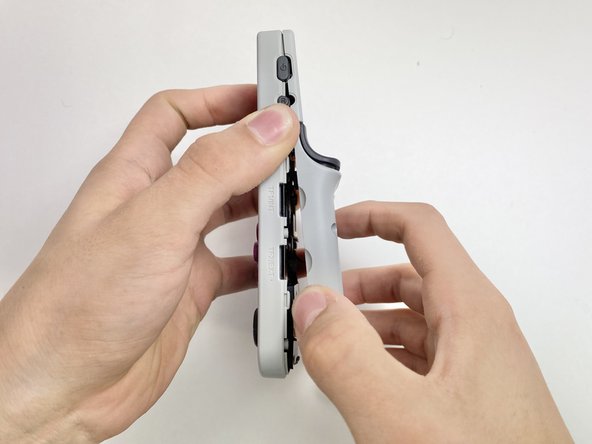
Use an opening tool to pry the top and bottom of the game apart. Work the tool around the perimeter of the device between the seam to release the snap tabs.
-
Separate the top and bottom cases gently.
-
-
-
-
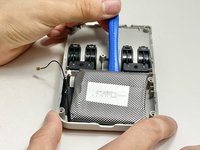
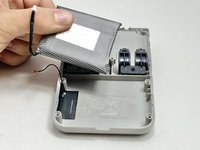
Push on alternating sides of the connector to disconnect the battery wire from the main circuit board.
-
If that doesn't work, use a pair of tweezers to firmly grip the sides of the connector and pull straight away from the socket. Hold the tweezers closer to the connector to get a better grip.
-
To disconnect the cable coaxial cable, slide a thin, ESD-safe pry tool or angled tweezers under the metal neck of the connector (as close to the head as possible) and lift straight up from the board.
-



To reassemble your device, follow these instructions in reverse order. Apply new adhesive where necessary after cleaning the relevant areas with isopropyl alcohol (>90%). Take your e-waste to an R2 or e-Stewards certified recycler.
另外一个人完成了本指南。


团队

Austin Community College, Team 8-1, Watkins Fall 2024 Austin Community College, Team 8-1, Watkins Fall 2024 的会员
AUSTINCC-WATKINS-F24S8G1
5 名成员
创作了8篇指南
