跳转到主内容

Amazon Luna Controller Joystick Cover Replacement

你所需要的

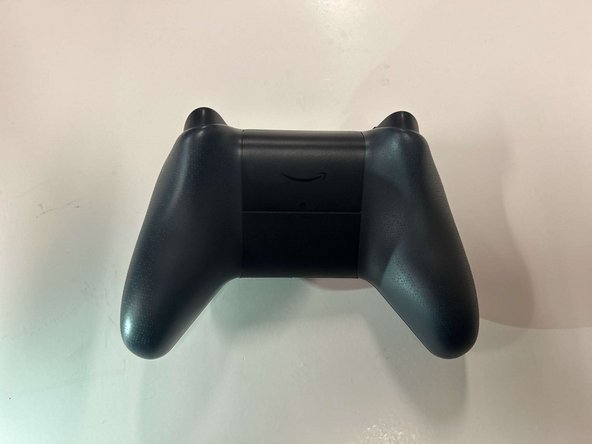
  1. Amazon Luna Controller Joystick Cover Replacement, Battery: 步骤 1 中的图像 1,1
    • Flip the controller over so that the back panel is facing up.

  2. Amazon Luna Controller Joystick Cover Replacement: 步骤 2 中的图像 1,3 Amazon Luna Controller Joystick Cover Replacement: 步骤 2 中的图像 2,3 Amazon Luna Controller Joystick Cover Replacement: 步骤 2 中的图像 3,3
    • Locate the latch on the back panel.

    • Pull down gently to open the compartment and expose the battery slots.

    • Remove batteries.

  3. Amazon Luna Controller Joystick Cover Replacement, Faceplate: 步骤 3 中的图像 1,1
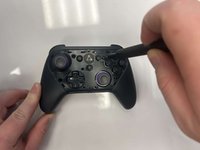
    • Flip the controller over to its front and locate the seam where the front plate connects to the rest of the body.

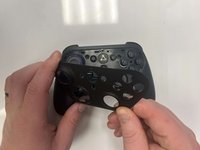
  4. Amazon Luna Controller Joystick Cover Replacement: 步骤 4 中的图像 1,1
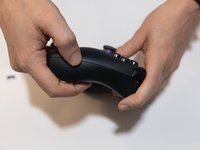
    • Hold the controller firmly.

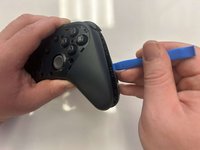
    • Insert the thin edge of an iFixit opening tool into the seam at the edge of the front plate close to the A button.

    • Work slowly and carefully around all sides to avoid snapping the clips.

  5. Amazon Luna Controller Joystick Cover Replacement: 步骤 5 中的图像 1,2 Amazon Luna Controller Joystick Cover Replacement: 步骤 5 中的图像 2,2
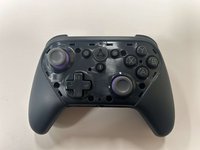
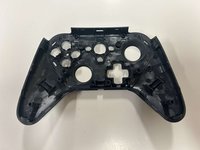
    • Once all clips are released, lift the front plate away from the controller.

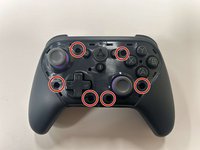
  6. Amazon Luna Controller Joystick Cover Replacement, Buttons: 步骤 6 中的图像 1,2 Amazon Luna Controller Joystick Cover Replacement, Buttons: 步骤 6 中的图像 2,2
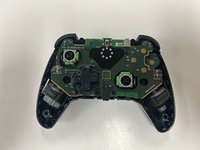
    • Remove the six 8 mm screws securing the controller's body using a TR9 Torx screwdriver.

  7. Amazon Luna Controller Joystick Cover Replacement: 步骤 7 中的图像 1,2 Amazon Luna Controller Joystick Cover Replacement: 步骤 7 中的图像 2,2
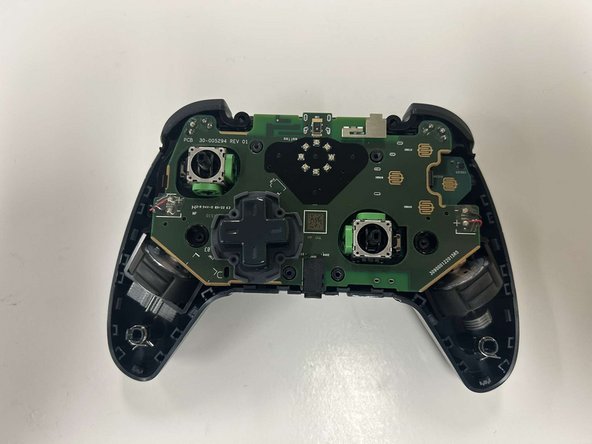
    • Gently pry along the seam that separates the two halves of the controller using an opening tool.

    • Work your way around the perimeter to carefully release the clips securing the two halves.

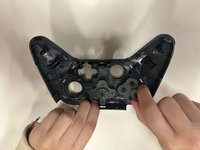
  8. Amazon Luna Controller Joystick Cover Replacement: 步骤 8 中的图像 1,3 Amazon Luna Controller Joystick Cover Replacement: 步骤 8 中的图像 2,3 Amazon Luna Controller Joystick Cover Replacement: 步骤 8 中的图像 3,3
    • Lay the front of the controller shell downward.

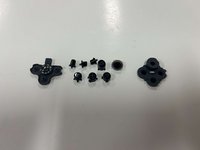
    • Remove the rubber padding that keeps the buttons in place.

    • Remove the buttons from the shell housing.

  9. Amazon Luna Controller Joystick Cover Replacement, Joystick Cover: 步骤 9 中的图像 1,2 Amazon Luna Controller Joystick Cover Replacement, Joystick Cover: 步骤 9 中的图像 2,2
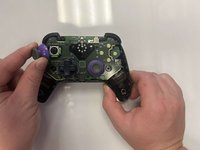
    • Gently pull the joystick thumbstick straight up to remove it from the controller.

结论

To reassemble your device, follow these instructions in reverse order.

另外一个人完成了本指南。

0指南评论

添加评论

浏览统计数据:

过去 24 小时: 0

过去 7 天: 8

过去 30 天: 13

总计 223