跳转到主内容
加入维修社区 - 创建账户

Amazon Echo Tweeter Assembly Replacement

你所需要的

    1. Amazon Echo Tweeter Assembly Replacement, Power and Speaker Driver Board: 步骤 1 中的图像 1,1
      • Power off and unplug your Echo before disassembly. Failure to do so could result in injury or damage to the device.

      • Peel off the rubber footing from the bottom of the Echo.

      • Do not pull the rubber footing too hard, as it could stretch out of shape. Use a spudger to help remove the foot if you have any trouble.

      询问修复机器人

      添加评论

    2. Amazon Echo Tweeter Assembly Replacement: 步骤 2 中的图像 1,3 Amazon Echo Tweeter Assembly Replacement: 步骤 2 中的图像 2,3 Amazon Echo Tweeter Assembly Replacement: 步骤 2 中的图像 3,3
      • Remove the four 42.8 mm T10 Torx screws from the bottom of the Echo.

      询问修复机器人

      添加评论

    3. Amazon Echo Tweeter Assembly Replacement: 步骤 3 中的图像 1,1
      • Slowly lift the plate containing the board. Be careful not to disconnect any of the wires.

      询问修复机器人

      添加评论

    4. Amazon Echo Tweeter Assembly Replacement: 步骤 4 中的图像 1,1
      在这个步骤中使用的工具:
      Tweezers
      $4.99
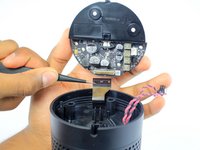
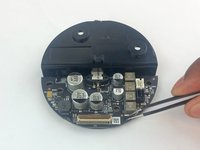
      • Using tweezers, carefully disconnect the two red and black cables from their sockets on the board.

      • Tugging on the wires may damage the device. Pull from the plastic connectors instead.

      添加评论

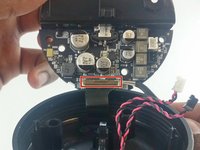
    5. Amazon Echo Tweeter Assembly Replacement: 步骤 5 中的图像 1,2 Amazon Echo Tweeter Assembly Replacement: 步骤 5 中的图像 2,2
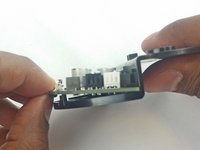
      • Lift the brown plastic latch on the ZIF connector securing the driver board ribbon cable.

      • Pull the ribbon cable from its connector. The plate and board should now be free from the Echo.

      添加评论

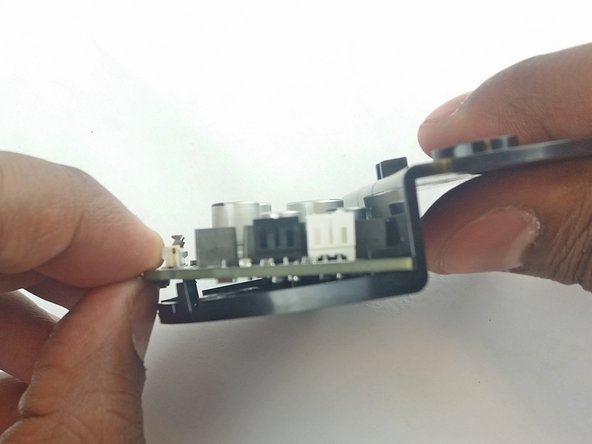
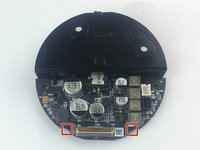
    6. Amazon Echo Tweeter Assembly Replacement: 步骤 6 中的图像 1,3 Amazon Echo Tweeter Assembly Replacement: 步骤 6 中的图像 2,3 Amazon Echo Tweeter Assembly Replacement: 步骤 6 中的图像 3,3
      • Using the spudger, pull back the two plastic clips on the plate.

      • Lift the board up and pull it away from the plate.

      添加评论

    1. Amazon Echo Tweeter Assembly Replacement, Tweeter Assembly: 步骤 7 中的图像 1,2 Amazon Echo Tweeter Assembly Replacement, Tweeter Assembly: 步骤 7 中的图像 2,2
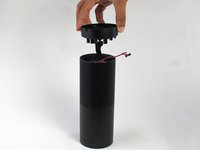
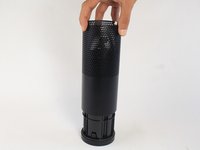
      • Remove the plastic plate from the bottom of the device. Then remove the plastic shrouding.

      询问修复机器人

      添加评论

    2. Amazon Echo Tweeter Assembly Replacement: 步骤 8 中的图像 1,1
      • Peel off the black fabric wrapped around the Echo.

      • Be careful not to rip the fabric. Use a spudger to help remove the adhesive if you have any trouble.

      询问修复机器人

      添加评论

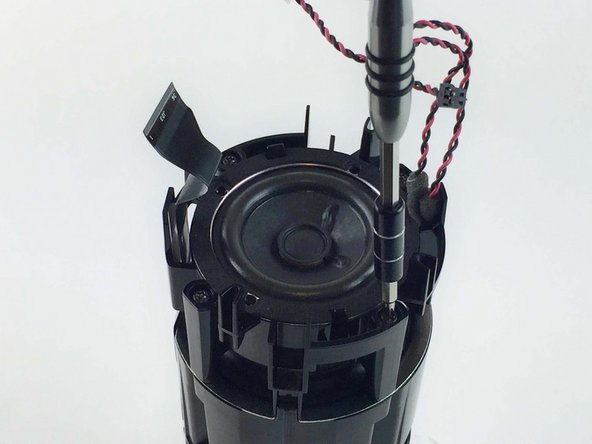
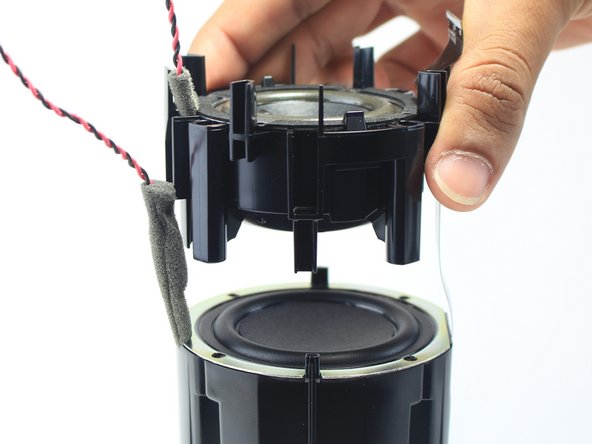
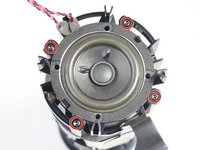
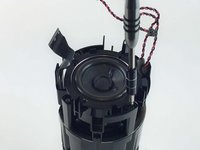
    3. Amazon Echo Tweeter Assembly Replacement: 步骤 9 中的图像 1,3 Amazon Echo Tweeter Assembly Replacement: 步骤 9 中的图像 2,3 Amazon Echo Tweeter Assembly Replacement: 步骤 9 中的图像 3,3
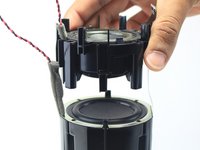
      • Remove the four 42.8 mm T10 Torx screws around the tweeter.

      • Lift the tweeter and its attached housing from the device.

      询问修复机器人

      添加评论

结论

To reassemble your device, follow these instructions in reverse order.

取消:我没有完成这个指南。

团队

USF Tampa, Team 3-3, Wollert Spring 2016 USF Tampa, Team 3-3, Wollert Spring 2016 的会员

USFT-WOLLERT-S16S3G3

4 名成员

创作了25篇指南

3指南评论

I've gotten this far, but where do you get a replacement? No brand or model # on tweeter.

Kyle - 回复 分享

Are you saying removing it and replacing the same tweeter is what you have to do? It says no parts.

kathy1557 - 回复 分享

The primary purpose of this guide is to show you how to remove a failing tweeter so that you can replace it with a new one. The "no parts required" text appears at the top of this guide because the author didn't have a source for the replacement part.

Ron Davis - 回复 分享

添加评论

浏览统计数据:

过去 24 小时: 2

过去 7 天: 11

过去 30 天: 41

总计 4,411