跳转到主内容
加入维修社区 - 创建账户

Accessing Apple Cinema Display M8149 Control Boards

你所需要的

  1. Accessing Apple Cinema Display M8149 Control Boards, Control Boards: 步骤 1 中的图像 1,3 Accessing Apple Cinema Display M8149 Control Boards, Control Boards: 步骤 1 中的图像 2,3 Accessing Apple Cinema Display M8149 Control Boards, Control Boards: 步骤 1 中的图像 3,3
    • Before starting, make sure the display is unplugged.

    • Place the Cinema Display so that it is lying on its face and the feet are pointed away from you.

    • Remove the three screws (9.52 x 4.43mm) that connect the back foot to the hinge using the Hex Key.

    • Remove the back foot from the hinge mount by grabbing the foot and pulling upwards.

  2. Accessing Apple Cinema Display M8149 Control Boards: 步骤 2 中的图像 1,3 Accessing Apple Cinema Display M8149 Control Boards: 步骤 2 中的图像 2,3 Accessing Apple Cinema Display M8149 Control Boards: 步骤 2 中的图像 3,3
    • Remove the eighteen (5.25 x 4.43 mm) screws around the edge of the backplate using the Hex key.

    • Disconnect the small white connector leading to the display's Power button.

    • Gently lift the backplate off of the display. Completely remove the backplate and set it aside.

  3. Accessing Apple Cinema Display M8149 Control Boards: 步骤 3 中的图像 1,2 Accessing Apple Cinema Display M8149 Control Boards: 步骤 3 中的图像 2,2
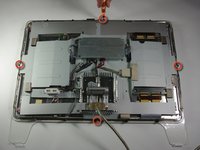
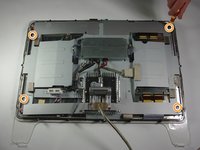
    • Use a Phillips #2 screwdriver to remove the four (9.52 x 3.43 mm) screws on the outer rim of the metal cover.

    • Next, remove the four cover (11.91 x 2.89 mm) screws located at the corners of the metal cover using the Phillips #2 screwdriver.

  4. Accessing Apple Cinema Display M8149 Control Boards: 步骤 4 中的图像 1,3 Accessing Apple Cinema Display M8149 Control Boards: 步骤 4 中的图像 2,3 Accessing Apple Cinema Display M8149 Control Boards: 步骤 4 中的图像 3,3
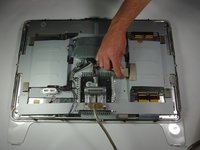
    • Unplug the large brown plug in the center-right, that connects the control board to the rest of the display.

    • Unplug the blue and gray plug on the right side of the control board. Repeat with the left side.

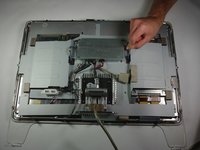
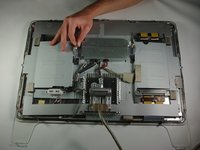
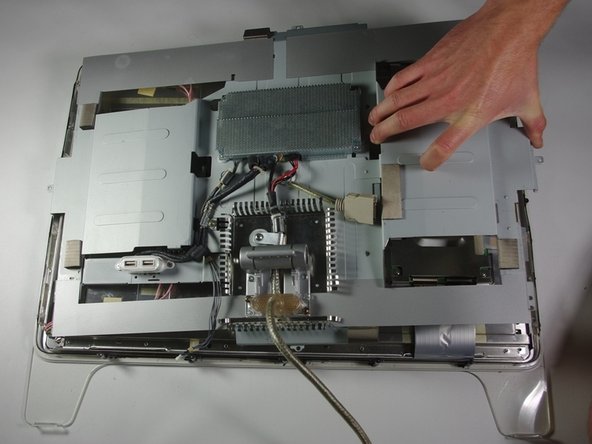
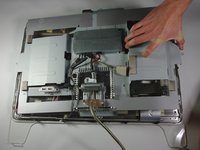
  5. Accessing Apple Cinema Display M8149 Control Boards: 步骤 5 中的图像 1,2 Accessing Apple Cinema Display M8149 Control Boards: 步骤 5 中的图像 2,2
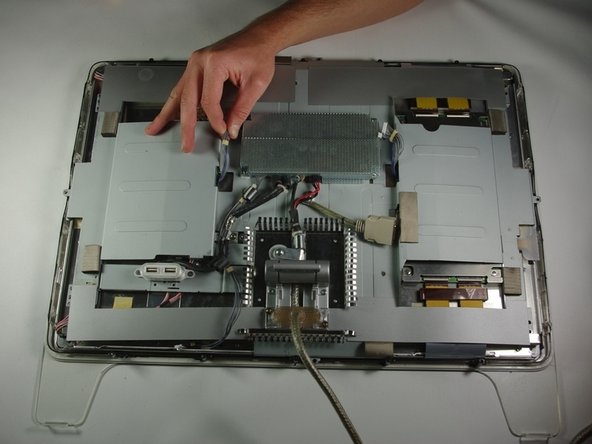
    • Gently lift the large metal cover which spans across the back of the whole display.

结论

To reassemble your device, follow these instructions in reverse order.

3等其他人完成本指南。

团队

Cal Poly, Team 10-41, Forte Spring 2011 Cal Poly, Team 10-41, Forte Spring 2011 的会员

CPSU-FORTE-S11S10G41

5 名成员

创作了18篇指南

1指南评论

thank you for this guide. my 22" adc didn't want to start up. after following this guide, it now works with my G4. thank you

thereddrag0n - 回复 分享

添加评论

浏览统计数据:

过去 24 小时: 2

过去 7 天: 17

过去 30 天: 72

总计 6,246