简介
Whether you have low storage or if you just want to upgrade the storage on your Asus ZenBook Flip 15 Q528 laptop, this is a guide on how to replace the NVMe M.2 SSD drive.
A near-full SSD can significantly decrease performance and prompt "Device Full" errors. Make sure to check and delete any applications, images, or files taking unnecessary space before buying a new SSD. However, if those applications are essential programs, then upgrading the SSD is the move. Upgrading or replacing the SSD with a larger SSD can improve performance and provide more space for files.
Before getting started, be sure to backup your data from the SSD to a separate external drive before attempting. Additionally, remove all charger plugs, and of course power the laptop off.
你所需要的

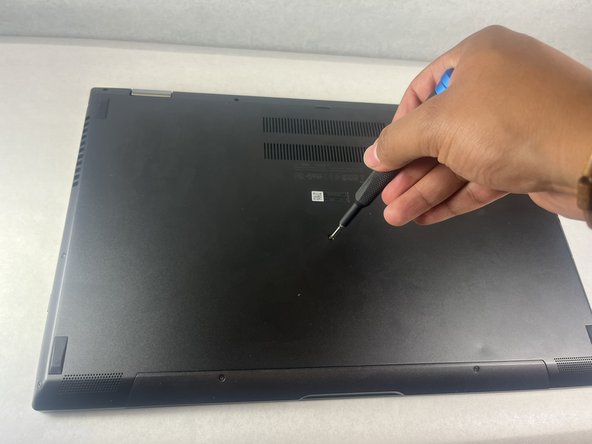
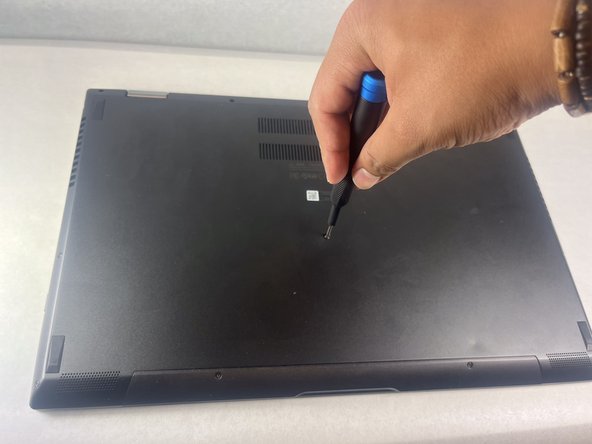


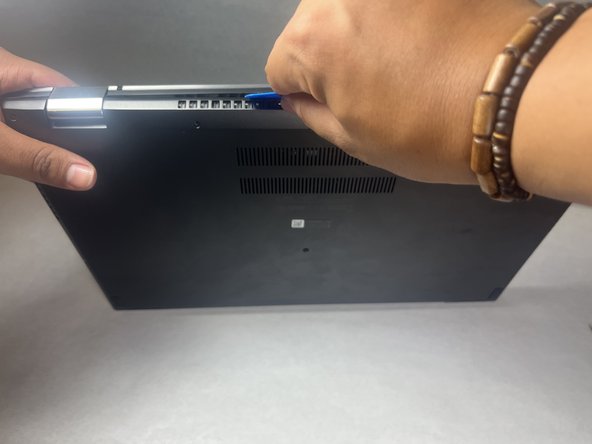
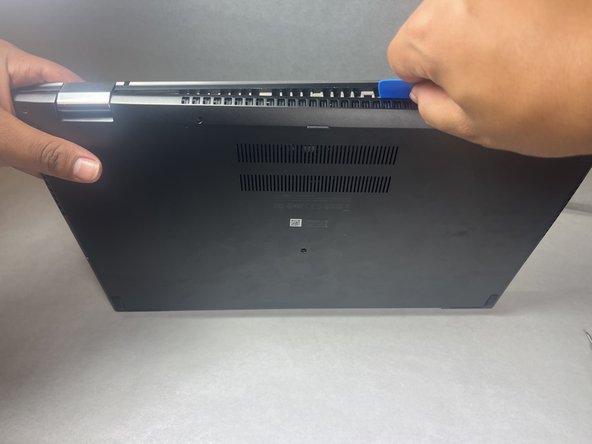


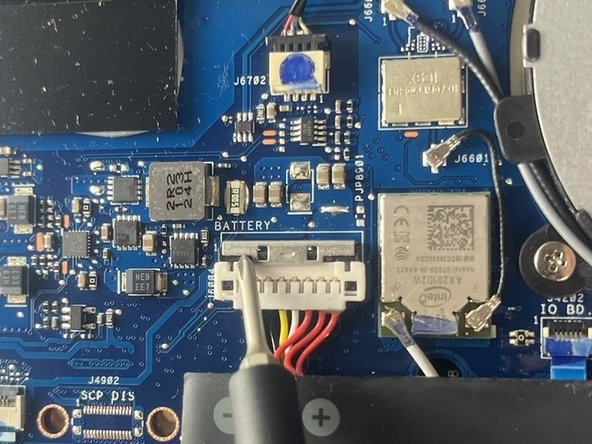
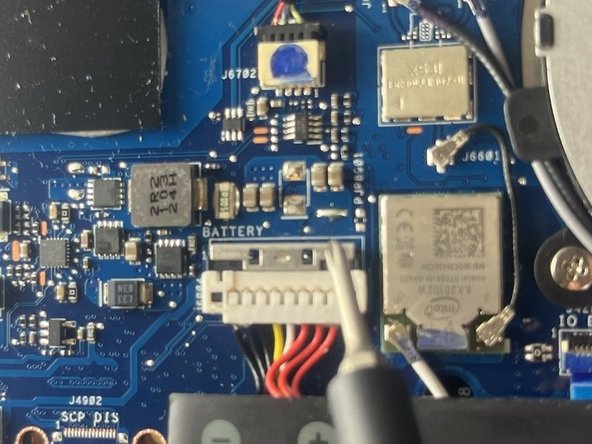


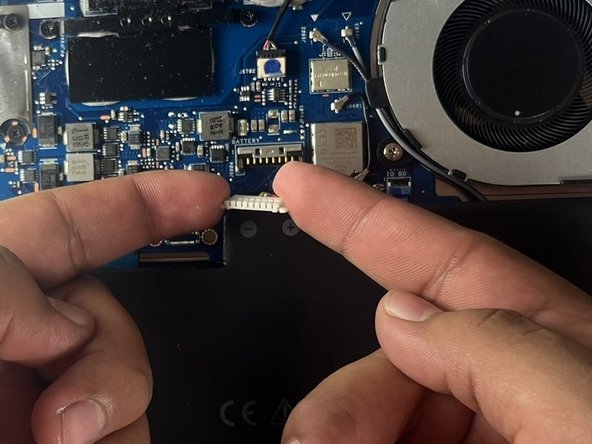


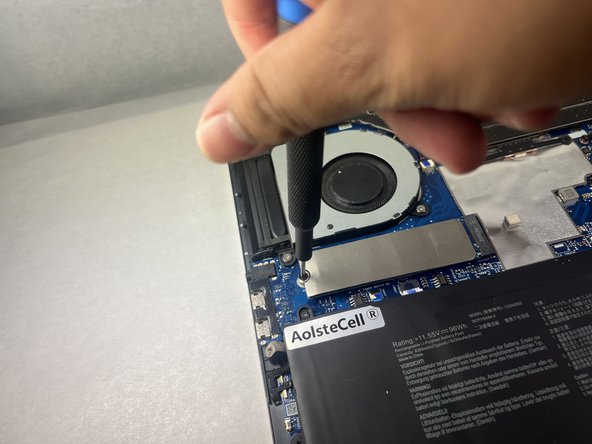
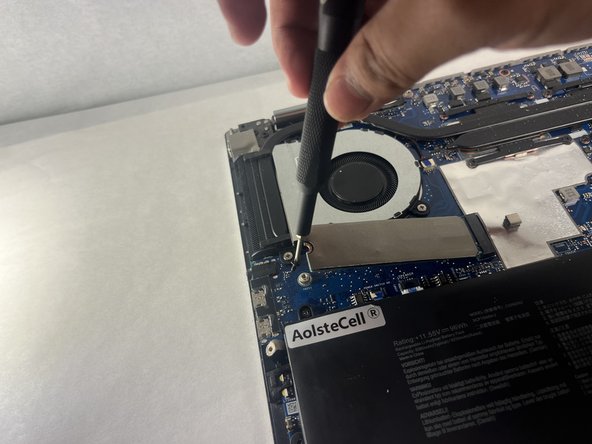


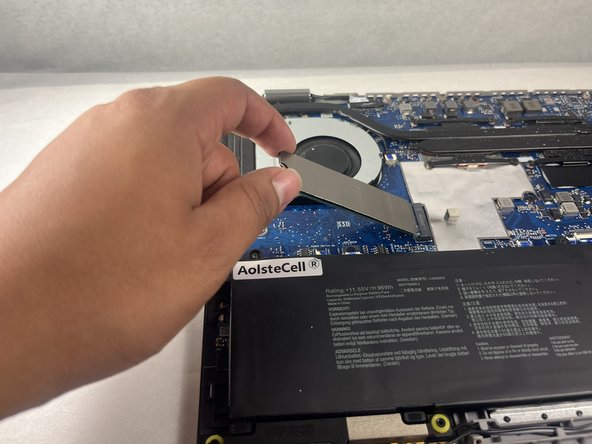
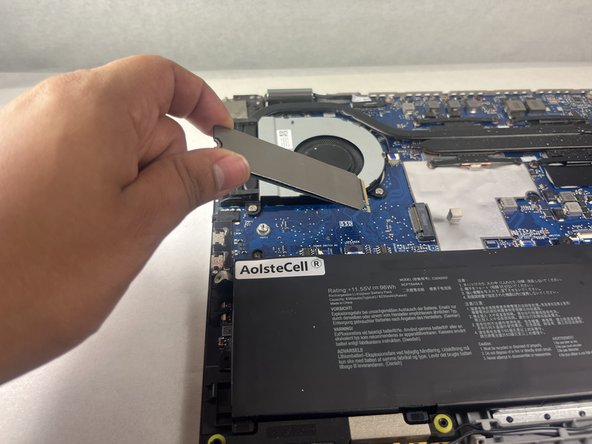


To reassemble, complete the steps in reverse order.
Hopefully, this guide was a useful resource to replace the NVMe M.2 SSD from a ASUS ZenBook Flip 15 Q528 computer within 6 quick and easy steps!


团队

UC Davis, Team 1-4, Morris Fall 2024 UC Davis, Team 1-4, Morris Fall 2024 的会员
UCD-MORRIS-F24S1G4
3 名成员
创作了1篇指南
